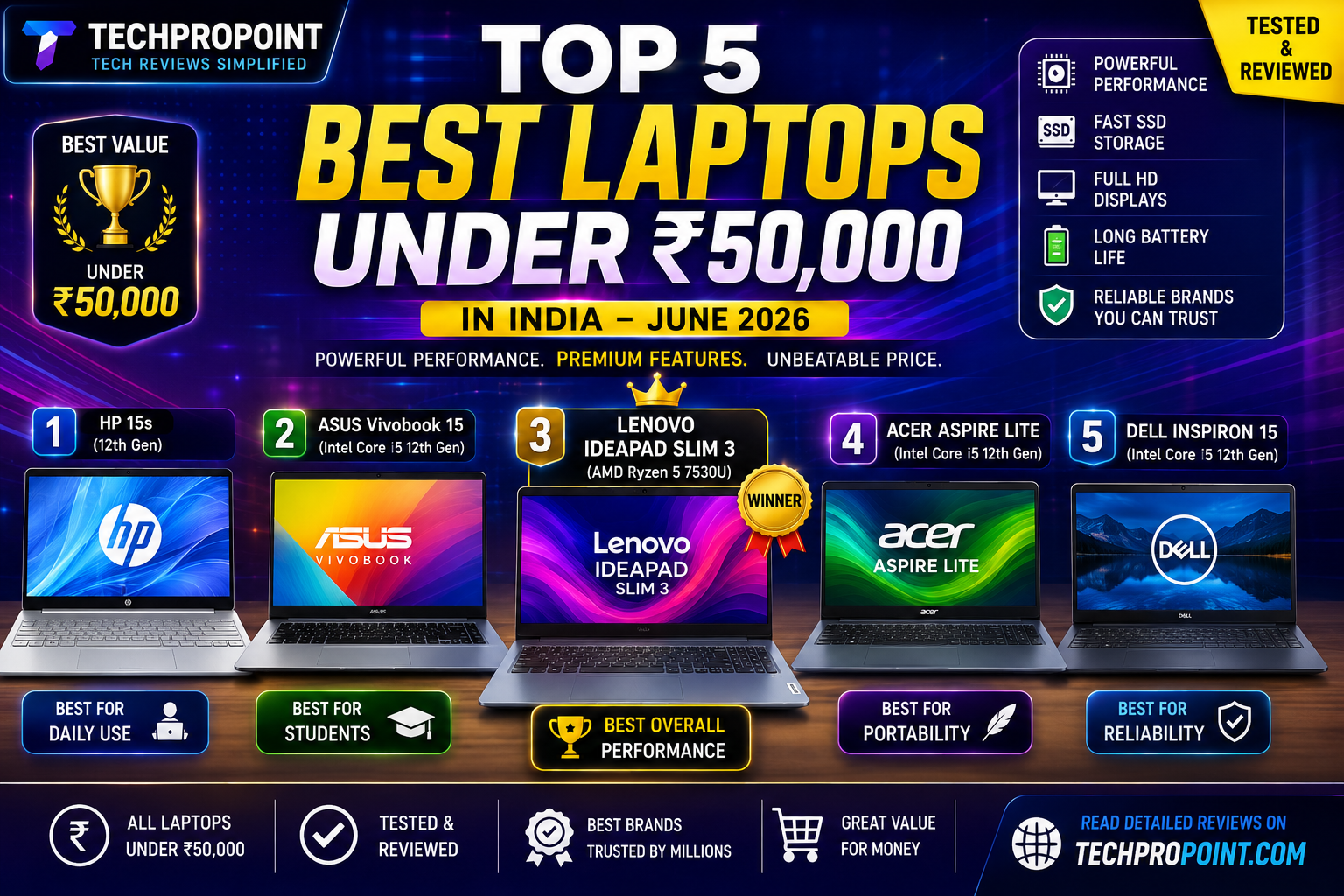
Updated on 15 July 2026: Prices and stock can change quickly. The price ranges below are based on listings checked while updating this guide. Always confirm the exact model number, display, RAM, storage, warranty and final checkout price before buying.
Review method: TechProPoint physically examined and used laptops from all five product families included in this guide. Exact processors, RAM, displays, software bundles and prices can vary between SKUs. Our hands-on checks focused on design, keyboard, display, port practicality and everyday responsiveness, while the reference configurations below were verified through brand and retailer listings. We have not presented controlled laboratory benchmarks or fixed battery-runtime claims.
Finding a genuinely good laptop under ₹50,000 is not as simple as choosing the model with the biggest processor name. Two laptops with nearly identical names can have different screens, memory layouts, processors and software bundles. Some sellers also change the configuration while keeping the same product-family name.
For this July 2026 buying guide, we have selected five practical 15-inch laptops for students, office users, coding beginners and everyday home use. The list prioritises usable performance, at least 512GB SSD storage, a Full HD display, reasonable portability and strong value at the right selling price.
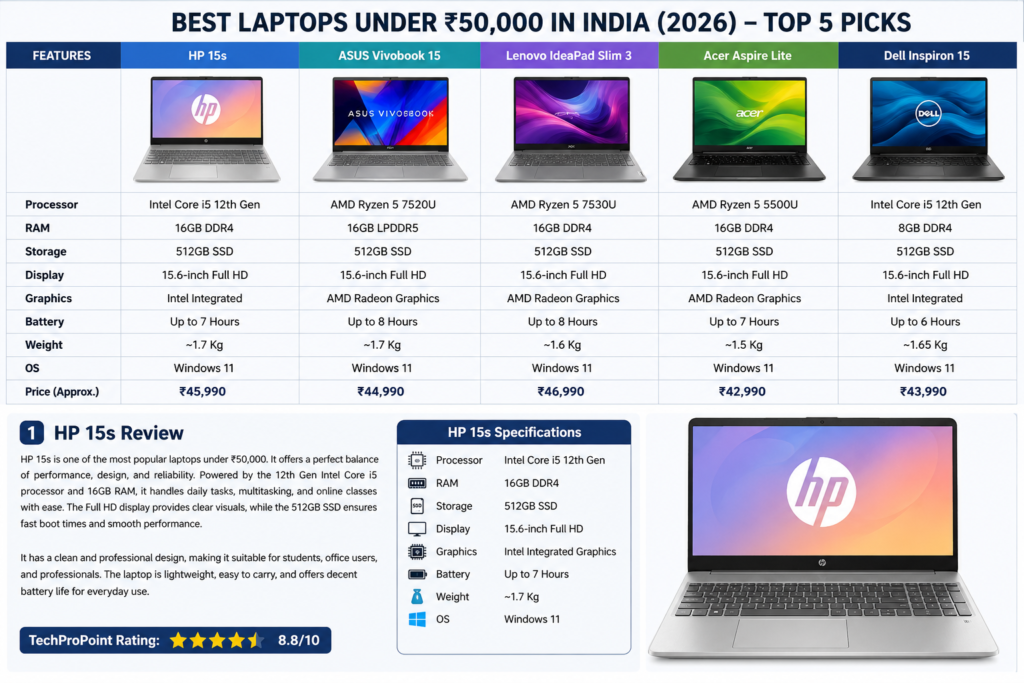
Best Laptops Under ₹50,000 in India – Quick List
| Rank | Laptop and Reference Configuration | Best For | Target Buying Price | TechProPoint Rating |
|---|---|---|---|---|
| 1 | Acer Aspire Lite AL15-41, Ryzen 5 5500U, 16GB RAM, 1TB SSD | Best overall value | Below ₹40,000 | 8.8/10 |
| 2 | ASUS Vivobook Go 15 E1504FA, Ryzen 5 7520U, 16GB RAM, 512GB SSD | Students and portability | Below ₹48,000 | 8.6/10 |
| 3 | Lenovo IdeaPad Slim 3 15ABR8, Ryzen 5 7530U, 8GB RAM, 512GB SSD | Processor performance | Below ₹42,000 | 8.5/10 |
| 4 | Dell Inspiron 15 3530, Core i3-1305U, 8GB RAM, 512GB SSD | Office and everyday reliability | Below ₹45,000 | 8.2/10 |
| 5 | HP 15s-fq5007TU, Core i3-1215U, 8GB RAM, 512GB SSD | Study, office and home use | Below ₹43,000 | 8.1/10 |
Important: Treat the prices above as target buying prices, not permanent MRPs. If a specific SKU crosses ₹50,000, compare another configuration instead of overpaying only for the brand name.
How We Selected These Laptops
We did not rank these laptops only by processor generation. Our selection considered the complete package: processor capability, available RAM, SSD capacity, display resolution, keyboard usability, weight, ports, current selling price and the compromises a buyer will actually notice.
- Performance: The laptop should comfortably handle web browsing, Microsoft Office, online classes, video calls, coding tools and routine multitasking.
- Memory and storage: 8GB RAM is the minimum acceptable level in 2026, while 16GB is preferable. Every reference configuration includes at least a 512GB SSD.
- Display: We prioritised Full HD panels. Buyers should still verify panel type, brightness and colour coverage for the exact SKU.
- Value: A laptop is recommended only at a sensible street price. A good model can become a poor purchase if its price rises too close to a more powerful category.
- Use case: These are productivity laptops, not dedicated gaming machines. Integrated graphics are suitable for light games and basic creative work, not demanding AAA gaming.
1. Acer Aspire Lite AL15-41 – Best Overall Value
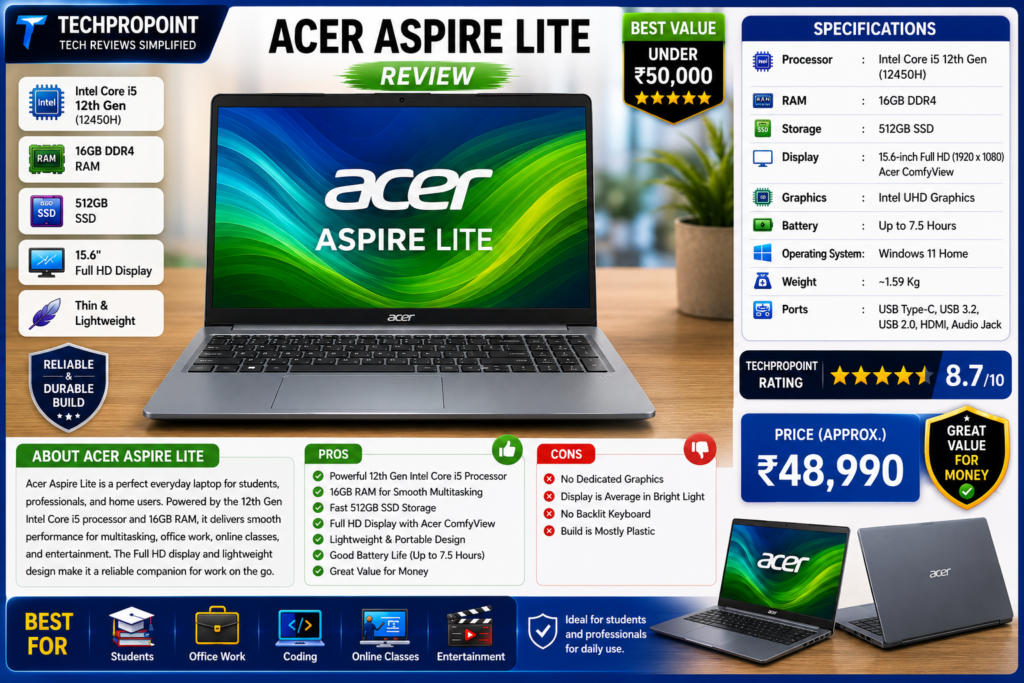
Reference Configuration
| Processor | AMD Ryzen 5 5500U, 6 cores and 12 threads |
| Graphics | Integrated AMD Radeon Graphics |
| RAM | 16GB DDR4 |
| Storage | 1TB SSD on the reference listing |
| Display | 15.6-inch Full HD |
| Operating System | Windows 11 Home |
| Weight | Approximately 1.59kg |
| Model Family | Acer Aspire Lite AL15-41 |
Performance and Everyday Use
The Ryzen 5 5500U is an older processor than some newer Ryzen 7000-series chips, but its six-core and twelve-thread design still gives the Aspire Lite a useful advantage in multitasking. For office work, browser-heavy study sessions, coding, spreadsheets and light photo editing, this configuration offers strong value when available below ₹40,000.
The 16GB RAM and 1TB SSD combination is the main reason it ranks first. Many laptops in this budget still ship with 8GB RAM and 512GB storage. The extra memory gives more breathing room when several browser tabs, documents and communication apps are open together, while the larger SSD reduces the need for an immediate storage upgrade.
Display, Build and Practicality
The 15.6-inch Full HD screen is suitable for documents, videos and online classes, but buyers should not expect professional colour accuracy at this price. The body feels more refined than many entry-level plastic laptops, and the approximate 1.59kg weight is manageable for college or office travel.
Pros and Cons
| Pros | Cons |
|---|---|
| 16GB RAM and 1TB SSD offer excellent value | Ryzen 5 5500U is an older platform |
| Good multitasking capability for the price | Display is intended for normal use, not colour-critical work |
| Reasonably portable for a 15.6-inch laptop | Seller and exact SKU must be verified carefully |
Who Should Buy It?
Choose the Acer Aspire Lite if you want the maximum RAM and storage for your money. It is particularly suitable for students, office users, programming learners and buyers who keep many applications open together. Avoid it if your priority is professional display quality, modern AI features or demanding gaming.
2. ASUS Vivobook Go 15 E1504FA – Best for Students and Portability
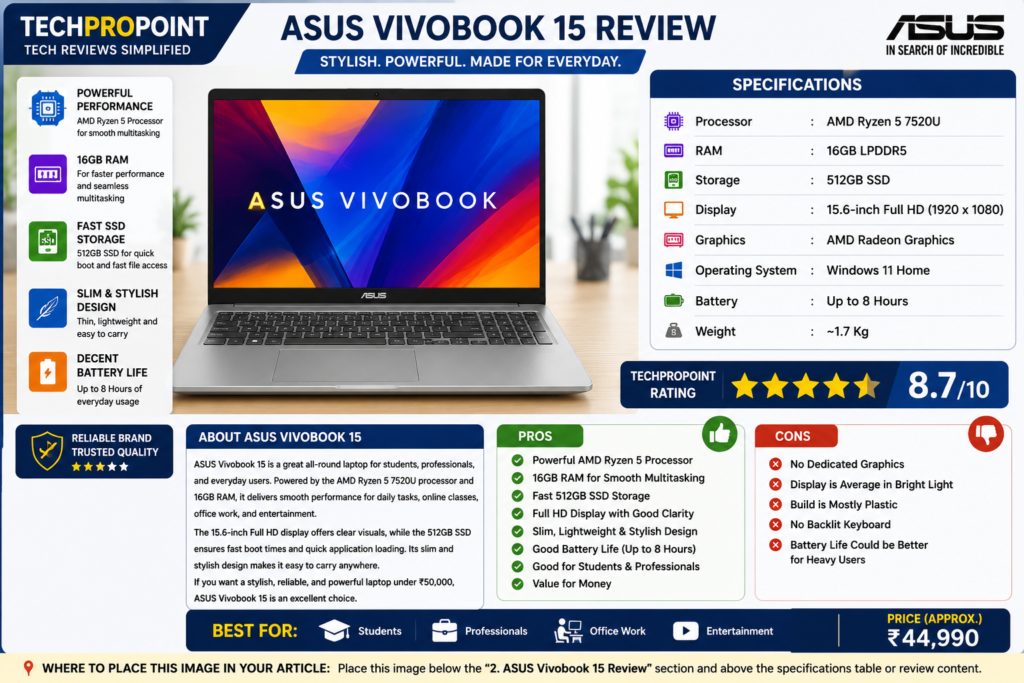
Reference Configuration
| Processor | AMD Ryzen 5 7520U, 4 cores and 8 threads |
| Graphics | Integrated AMD Radeon 610M Graphics |
| RAM | 16GB LPDDR5 |
| Storage | 512GB PCIe SSD |
| Display | 15.6-inch Full HD, 60Hz |
| Operating System | Windows 11 Home |
| Weight | Approximately 1.63kg |
| Reference SKU | E1504FA-BQ2490WS or equivalent 16GB configuration |
Performance and Everyday Use
The Ryzen 5 7520U is designed for efficient everyday computing rather than heavy processing. It handles online classes, Office applications, web browsing, streaming and beginner-level coding comfortably when paired with 16GB LPDDR5 memory. However, the four-core processor is not as strong in sustained multicore workloads as the Ryzen 5 5500U or Ryzen 5 7530U.
The biggest advantage is the balanced student-friendly package. The laptop is relatively light, includes a physical webcam shield on supported configurations and uses a 180-degree hinge. The 16GB memory is useful for long-term usability, although it is onboard memory and should not be treated as an easy future upgrade.
Display and Build
ASUS sells multiple E1504F variants, including standard Full HD and OLED versions. Under ₹50,000, most buyers will encounter a standard Full HD configuration. Confirm the exact display before ordering because the visual quality and price can differ significantly between variants.
Pros and Cons
| Pros | Cons |
|---|---|
| 16GB LPDDR5 memory in a portable body | Ryzen 5 7520U has only four CPU cores |
| Useful webcam privacy shield and 180-degree hinge | Onboard memory limits upgrade flexibility |
| Good fit for classes, office work and travel | Standard display variants are not meant for professional colour work |
Who Should Buy It?
Buy the Vivobook Go 15 if you want a slim everyday laptop with 16GB RAM, modern LPDDR5 memory and a student-friendly design. Buyers who regularly render videos, compile large projects or run demanding games should choose a stronger processor or increase their budget.
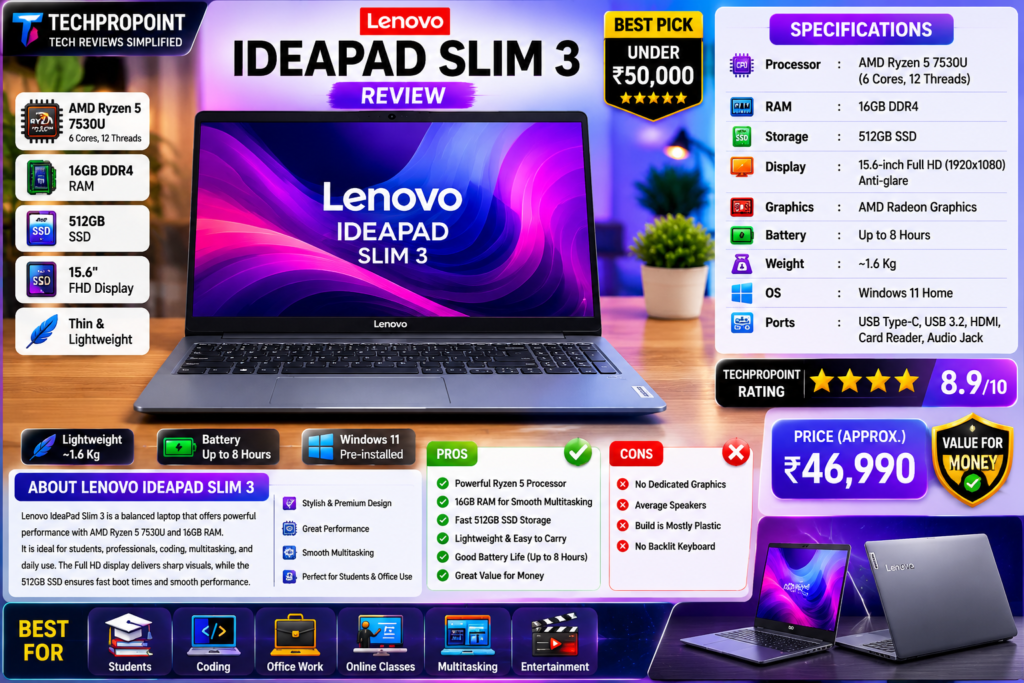
3. Lenovo IdeaPad Slim 3 15ABR8 – Best Processor Performance
Reference Configuration
| Processor | AMD Ryzen 5 7530U, 6 cores and 12 threads |
| Graphics | Integrated AMD Radeon Graphics |
| RAM | 8GB on the reference under-₹50,000 listing |
| Storage | 512GB SSD |
| Display | 15.6-inch Full HD |
| Operating System | Windows 11 Home |
| Weight | Approximately 1.6kg |
| Model Family | IdeaPad Slim 3 15ABR8 |
Performance and Multitasking
The Ryzen 5 7530U is the strongest processor in this list for CPU-heavy everyday work. Its six cores and twelve threads make it a good option for coding, large spreadsheets, frequent multitasking and occasional light editing. The main limitation is that many attractively priced configurations include only 8GB RAM.
Before buying, verify whether the exact SKU allows a practical RAM upgrade. Lenovo sells several IdeaPad Slim 3 variants with different memory layouts, displays and keyboards. The processor name alone is not enough to confirm the complete configuration.
Display, Keyboard and Portability
The IdeaPad Slim 3 offers a practical full-size layout for students and office users. The keyboard and numeric keypad make document and spreadsheet work convenient, while the 15.6-inch Full HD panel provides enough workspace for split-screen use. Panel brightness and viewing quality can vary by SKU, so check whether the listing clearly mentions an IPS panel.
Pros and Cons
| Pros | Cons |
|---|---|
| Strong six-core Ryzen 5 7530U processor | Many low-priced variants include only 8GB RAM |
| Good choice for coding and multitasking | Display and RAM layout vary between SKUs |
| Practical keyboard and full-size design | Integrated graphics limit demanding gaming |
Who Should Buy It?
Choose the IdeaPad Slim 3 if processor performance matters more than receiving 16GB RAM from day one. It is one of the better choices for coding learners, office multitasking and productivity. Buy only after confirming the exact RAM configuration and display type.
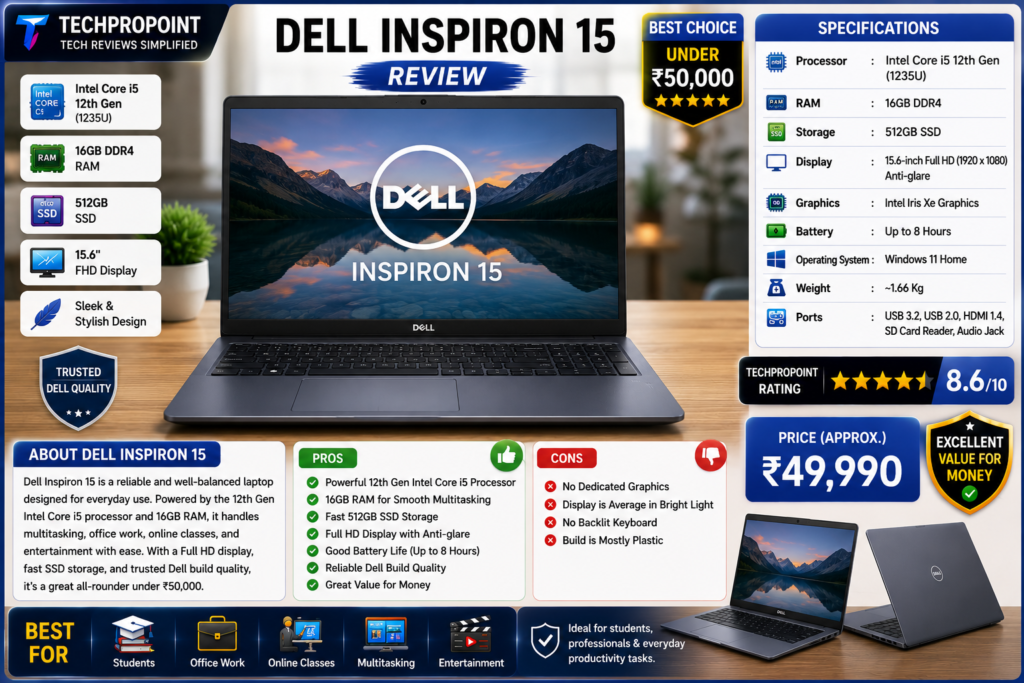
4. Dell Inspiron 15 3530 – Best for Office and Everyday Reliability
Reference Configuration
| Processor | 13th Gen Intel Core i3-1305U, 5 cores and 6 threads |
| Graphics | Integrated Intel UHD Graphics |
| RAM | 8GB DDR4 |
| Storage | 512GB NVMe SSD |
| Display | 15.6-inch Full HD on the reference retail configuration |
| Operating System | Windows 11 Home |
| Model | Dell Inspiron 15 3530 |
Performance and Office Use
The Core i3-1305U is suitable for documents, accounting software, web applications, meetings and normal multitasking. It is not the fastest processor in this list, but it provides a stable everyday experience when paired with an SSD. The 8GB RAM configuration is acceptable for basic use, although 16GB is preferable for heavier browser use or long-term ownership.
Dell has sold the Inspiron 15 3530 with several processors, displays and memory layouts. The official platform supports Full HD options and different RAM configurations, but a seller may list a lower-spec panel. Confirm the final SKU rather than assuming every Inspiron 3530 is identical.
Pros and Cons
| Pros | Cons |
|---|---|
| Practical choice for office, study and home use | 8GB RAM is only the minimum for 2026 |
| 512GB SSD and Full HD configuration available | Not suitable for demanding gaming or editing |
| Familiar Dell design and service network | Display specifications vary across listings |
Who Should Buy It?
The Inspiron 15 3530 is suitable for office users, students and families who prefer a straightforward laptop from an established brand. It makes sense below ₹45,000. Above that price, a Ryzen 5 laptop with 16GB RAM may offer better performance per rupee.
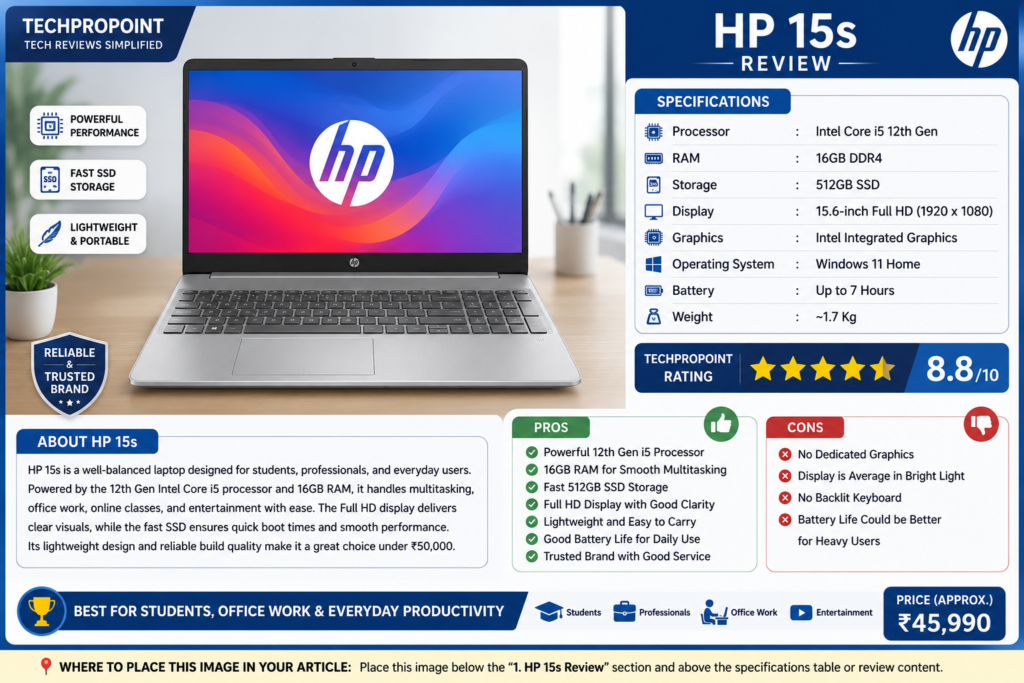
5. HP 15s-fq5007TU – Best for Study and Home Use
Reference Configuration
| Processor | 12th Gen Intel Core i3-1215U, 6 cores and 8 threads |
| Graphics | Integrated Intel UHD Graphics |
| RAM | 8GB DDR4 |
| Storage | 512GB SSD |
| Display | 15.6-inch Full HD IPS on the reference listing |
| Operating System | Windows 11 Home |
| Weight | Approximately 1.69kg |
| Model | HP 15s-fq5007TU |
Performance and Daily Experience
The Core i3-1215U configuration is a sensible entry-level productivity laptop for online classes, documents, web browsing, streaming and video calls. Its hybrid six-core design is more capable than many older dual-core and quad-core budget processors, but the 8GB RAM remains the main limitation for heavier multitasking.
The HP 15s is widely sold in India, which makes it easy to find accessories and service information. However, similar-looking 15s models can use different processors and displays. The exact suffix, such as fq5007TU, matters when comparing specifications.
Pros and Cons
| Pros | Cons |
|---|---|
| Good for study, office documents and home use | 8GB RAM limits heavier multitasking |
| Full HD IPS display on the reference configuration | Price varies widely between sellers |
| 512GB SSD and familiar HP ecosystem | Integrated graphics are not intended for serious gaming |
Who Should Buy It?
Buy the HP 15s if you need a dependable everyday machine for classes, browsing, Office work and entertainment. It is a good purchase below ₹43,000. If the price approaches ₹50,000, prefer a 16GB Ryzen 5 configuration instead.
Which Laptop Should You Buy?
| Your Priority | Recommended Laptop | Reason |
|---|---|---|
| Maximum value and storage | Acer Aspire Lite AL15-41 | 16GB RAM and 1TB SSD at an aggressive price |
| Students and portability | ASUS Vivobook Go 15 | 16GB LPDDR5, lighter body and practical privacy features |
| Coding and processor performance | Lenovo IdeaPad Slim 3 15ABR8 | Ryzen 5 7530U offers strong multicore performance |
| Office and everyday use | Dell Inspiron 15 3530 | Simple, practical configuration for routine productivity |
| Home, classes and familiar support | HP 15s-fq5007TU | Balanced entry-level productivity package |
What to Check Before Buying a Laptop Under ₹50,000
1. Confirm the Exact Model Number
Do not buy only by reading “HP 15s,” “Vivobook Go 15” or “IdeaPad Slim 3.” Check the complete SKU because the processor, display, keyboard, RAM and Office bundle can change between variants.
2. Prefer 16GB RAM When Possible
8GB RAM is sufficient for basic study and office work, but 16GB provides a smoother experience with many browser tabs, coding tools and long-term Windows updates. If the laptop has 8GB, verify whether RAM can be upgraded before purchase.
3. Do Not Assume Every Full HD Display Is Equal
Resolution is only one part of display quality. Panel type, brightness, colour coverage and viewing angles also matter. Look for a clearly mentioned IPS panel if display quality is important.
4. Integrated Graphics Have Limits
These laptops can handle casual games, older titles and basic photo or video work, but they are not substitutes for dedicated gaming laptops. For modern games, consider our Best Gaming Laptops Under ₹60,000 guide.
5. Check Warranty and Software Bundles
Confirm whether the listing includes Microsoft Office, the duration of any Microsoft 365 offer, onsite warranty and accidental-damage protection. A cheaper seller listing may omit software or warranty benefits included with another SKU.
Buyers with a higher budget can also compare our Best Laptops Under ₹1 Lakh in India guide. For flexible 2-in-1 designs, see the Best Touchscreen Laptops 2026 list.
TechProPoint Final Verdict
The Acer Aspire Lite AL15-41 is our best overall value pick because its reference configuration combines a six-core Ryzen 5 processor, 16GB RAM and 1TB SSD at a highly competitive price. The ASUS Vivobook Go 15 is the more balanced choice for students who prioritise portability and 16GB memory, while the Lenovo IdeaPad Slim 3 offers the strongest processor performance if its 8GB RAM limitation is acceptable or upgradeable.
The Dell Inspiron 15 3530 and HP 15s remain practical mainstream choices, but their value depends heavily on the final selling price. At close to ₹50,000, a 16GB Ryzen 5 laptop is generally the better long-term purchase.
Overall Winner: Acer Aspire Lite AL15-41
Best for Students: ASUS Vivobook Go 15
Best for Coding and Multitasking: Lenovo IdeaPad Slim 3 15ABR8
Official Specifications and Price References
- ASUS Vivobook Go 15 official product information
- ASUS India Store reference configuration
- Lenovo IdeaPad Slim 3 Gen 8 official product family
- Dell Inspiron 15 3530 official specifications
- HP 15s-fq5007TU reference listing
- Acer Aspire Lite AL15-41 reference listing
Disclosure: The links above are provided for specification and price verification. TechProPoint does not guarantee stock, seller quality or a permanent selling price. Check the final product model and invoice before payment.
Frequently Asked Questions
Which is the best laptop under ₹50,000 in July 2026?
The Acer Aspire Lite AL15-41 is our best overall value pick when its Ryzen 5 5500U, 16GB RAM and 1TB SSD configuration is available below ₹40,000. Buyers wanting a newer, lighter student laptop can choose the ASUS Vivobook Go 15 with 16GB RAM.
Is 8GB RAM enough for a student laptop?
8GB is enough for documents, classes, browsing and basic coding, but 16GB is preferable for heavy browser use, multitasking and longer-term ownership. Check upgradeability before buying an 8GB model.
Can these laptops run programming software?
Yes. All five can run common programming tools, browsers, office applications and beginner development environments. The Lenovo IdeaPad Slim 3 with Ryzen 5 7530U and the Acer Aspire Lite with 16GB RAM are the stronger choices for heavier multitasking.
Can I play games on a laptop under ₹50,000?
You can play lighter esports games, older titles and casual games at suitable settings. These laptops use integrated graphics and are not designed for demanding modern AAA gaming.
Which laptop is best for office work?
The Dell Inspiron 15 3530 and HP 15s are straightforward office choices, while the Acer Aspire Lite offers better multitasking value if its 16GB configuration is available at the expected price.
Should I buy a laptop online or from an offline store?
Either option is fine if the seller is reliable. Online stores may offer better discounts, while offline stores make it easier to inspect the exact display, keyboard and model number before payment. In both cases, match the invoice SKU with the product you selected.