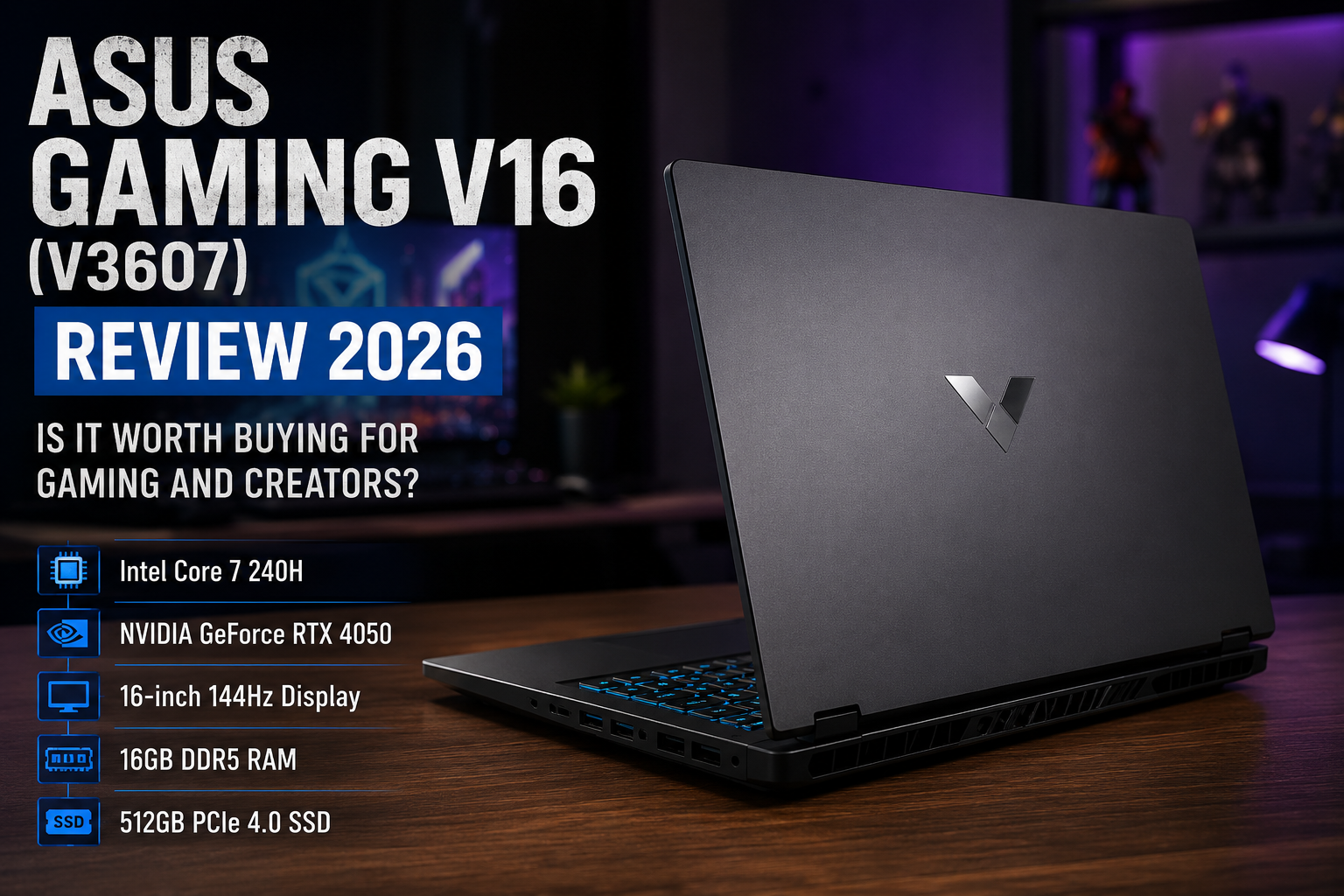
The ASUS Gaming V16 is made for buyers who want one laptop for gaming, college, coding, office work and beginner-level content creation. It has a clean design, a large 16-inch display and dedicated NVIDIA graphics, but it does not look as aggressive as many gaming laptops.
This review focuses on the ASUS Gaming V16 V3607VU-RP275WS. The exact configuration includes an Intel Core 7 240H processor, NVIDIA GeForce RTX 4050 Laptop GPU, 16GB DDR5 RAM, a 512GB PCIe 4.0 SSD and a 16-inch 144Hz display.
ASUS sells the V3607 family in multiple configurations, so buyers should always check the complete model number before ordering. The processor, graphics card, RAM limit and final price can change between variants. Buyers with a much lower budget can also compare our guide to the best gaming laptops under ₹60,000.
Review method: TechProPoint physically examined the ASUS Gaming V16 used for this article. Our hands-on observations are limited to its design, keyboard, display size, port placement and basic usability. We did not conduct controlled gaming benchmarks, battery tests, temperature measurements or fan-noise tests. Hardware specifications and variant details were checked using official ASUS, Intel and NVIDIA information.
ASUS Gaming V16 Review 2026 – Quick Verdict
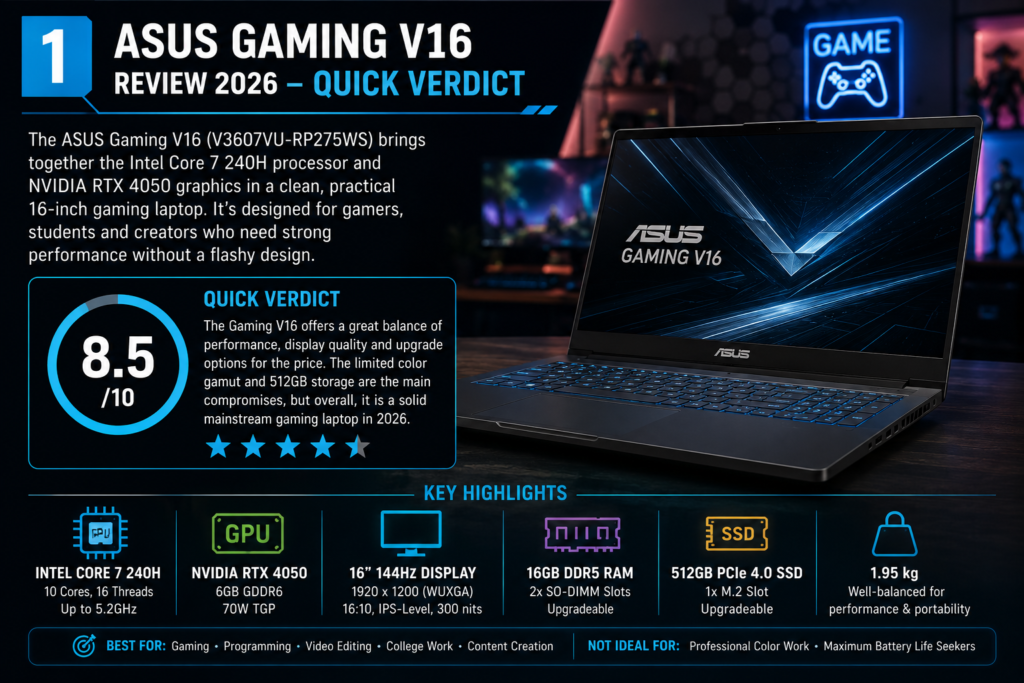
The ASUS Gaming V16 V3607VU-RP275WS is a balanced gaming laptop for buyers who want strong everyday performance without a loud gaming design. The Intel Core 7 240H and RTX 4050 combination should handle mainstream gaming at 1080p or 1200p, along with coding, college projects, office work and moderate video editing.
The 16-inch 144Hz display feels spacious and smooth. Its 16:10 aspect ratio gives more vertical space than a normal 16:9 screen, which is useful for documents, coding, editing timelines and web browsing. The laptop also has two DDR5 memory slots, giving buyers a useful upgrade path.
The biggest compromise is display quality for serious creative work. ASUS lists 300-nit brightness and 45% NTSC colour coverage for the reviewed model. That is acceptable for gaming, entertainment and normal productivity, but it is not ideal for professional photo editing, colour grading or design work.
The second limitation is storage. A 512GB SSD can fill quickly after Windows, applications and a few large games are installed. ASUS lists only one M.2 SSD slot, so increasing storage may require replacing the existing drive instead of adding a second SSD.
TechProPoint rating: 8.5/10
ASUS Gaming V16 V3607 Specifications
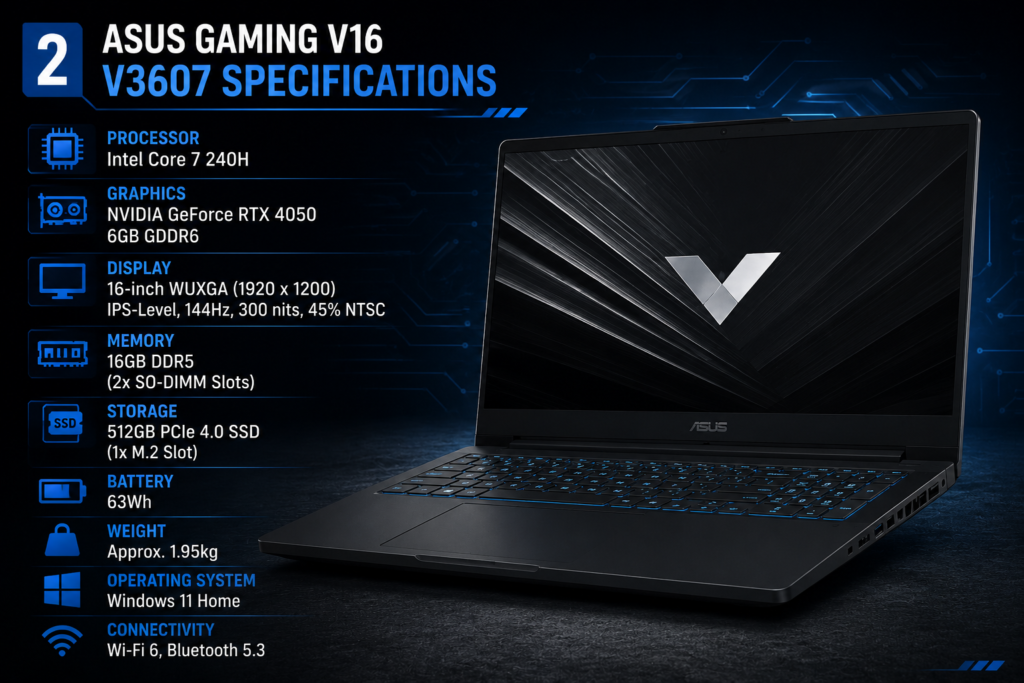
| Specification | ASUS Gaming V16 V3607VU-RP275WS |
|---|---|
| Processor | Intel Core 7 240H |
| CPU configuration | 10 cores, 16 threads and 24MB Intel Smart Cache |
| Maximum turbo speed | Up to 5.2GHz |
| Graphics | NVIDIA GeForce RTX 4050 Laptop GPU |
| Graphics memory | 6GB GDDR6 |
| GPU power listed by ASUS | 70W TDP for this exact model |
| Display | 16-inch WUXGA LED-backlit anti-glare display |
| Resolution | 1920 × 1200 pixels |
| Aspect ratio | 16:10 |
| Refresh rate | 144Hz |
| Brightness | 300 nits |
| Colour coverage | 45% NTSC |
| RAM | 16GB DDR5 |
| Memory slots | Two DDR5 SO-DIMM slots |
| Maximum RAM | Exact ASUS eStore listing says up to 64GB; confirm support before buying an upgrade kit |
| Storage | 512GB M.2 NVMe PCIe 4.0 SSD |
| SSD slots | One M.2 2280 PCIe 4.0 slot |
| Battery | 63Wh, 3-cell lithium-ion |
| Adapter in the box | 150W ASUS adapter |
| Weight | Approximately 1.95kg |
| Dimensions | 35.70 × 25.07 × 1.80–2.20cm |
| Webcam | 1080p FHD camera with privacy shutter |
| Wireless | Wi-Fi 6 and Bluetooth 5.3 |
| Operating system | Windows 11 Home |
| Included productivity software | Office Home 2024 and one year of Microsoft 365 Basic on the reviewed listing |
| Best suited for | Gaming, college, coding, office work and beginner creative workloads |
The official Intel specification page confirms that the Core 7 240H has six performance cores, four efficiency cores, 16 threads, 24MB cache and a maximum turbo frequency of 5.2GHz.
The exact ASUS India product page for V3607VU-RP275WS lists the RTX 4050 Laptop GPU with 6GB GDDR6 memory, a 70W TDP figure, two RAM slots and one M.2 SSD slot.
ASUS Gaming V16 Price in India
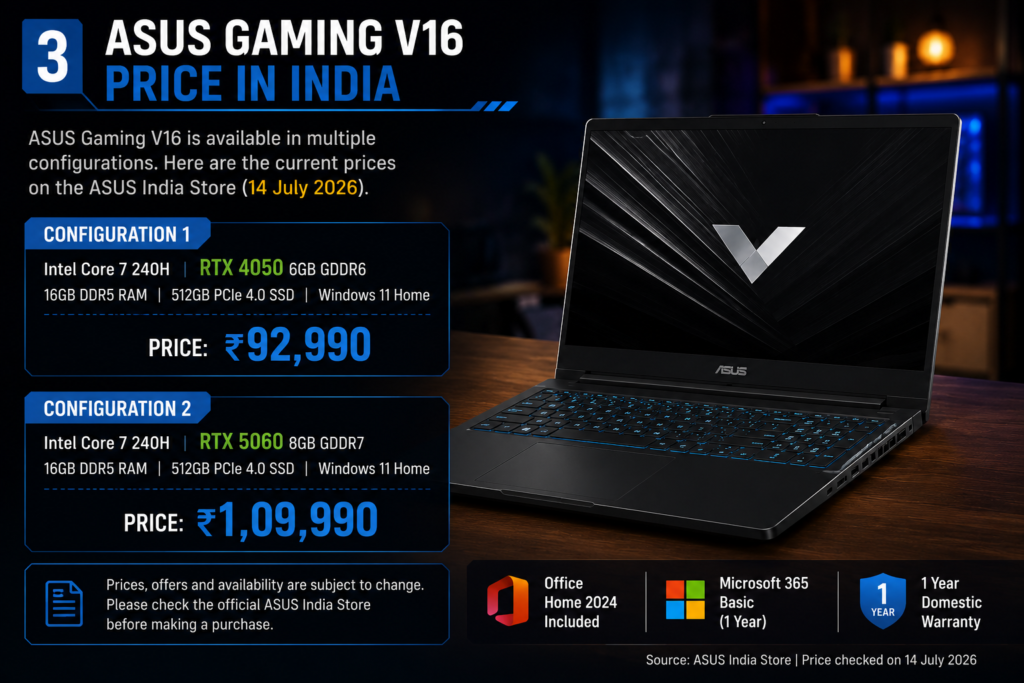
When checked on 17 July 2026, the official ASUS India store listed the Core 7 240H and RTX 4050 model at ₹1,04,990. The listed MRP was higher, and bank offers, student discounts, exchange benefits and availability may change the final amount.
The stronger V3607VM-RP057WS configuration with the same Core 7 240H processor, RTX 5060 graphics, 16GB DDR5 RAM and 512GB SSD was listed at ₹1,24,990. That creates a price difference of roughly ₹20,000 between the two official listings.
The RTX 4050 model offers better value when discounted closer to ₹85,000–₹90,000. At ₹1,04,990, it remains capable, but buyers should compare it with other options in our guide to the best laptops under ₹1 lakh in India.
The RTX 5060 variant costs more, but its 8GB GDDR7 graphics memory and newer GPU platform give it more room for future games and demanding creator applications. The final choice should depend on budget, workload and how long you plan to keep the laptop.
Design and Build Quality
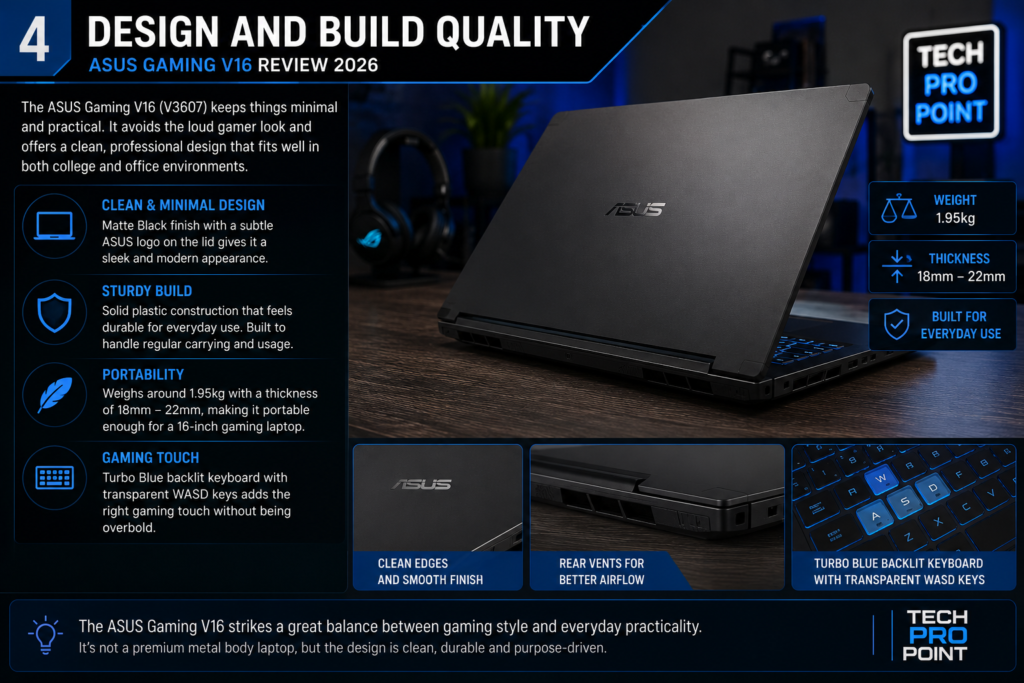
The ASUS Gaming V16 has a cleaner design than many gaming laptops. Its matte-black finish, subtle ASUS logo and simple shape allow it to fit into a classroom, office or professional setup without looking out of place.
During our physical inspection, the laptop looked restrained and practical. The Turbo Blue keyboard lighting and transparent WASD and arrow keys add a gaming touch, but there are no large colourful graphics or aggressive RGB strips.
The top case is plastic rather than metal. This is common in gaming laptops where more of the budget is spent on the processor, graphics card and cooling system. It does not feel like a premium ultrabook, but the design is suitable for its price and target audience.
ASUS lists the laptop at about 1.95kg, with thickness ranging from 18mm to 22mm. That is manageable for a 16-inch laptop with dedicated graphics, although the 150W adapter adds more weight to a backpack.
Students who travel daily should consider the combined weight of the laptop, adapter and accessories. Buyers who care more about portability than gaming power can compare our ASUS Zenbook A14 review for a lighter alternative.
16-Inch 144Hz Display
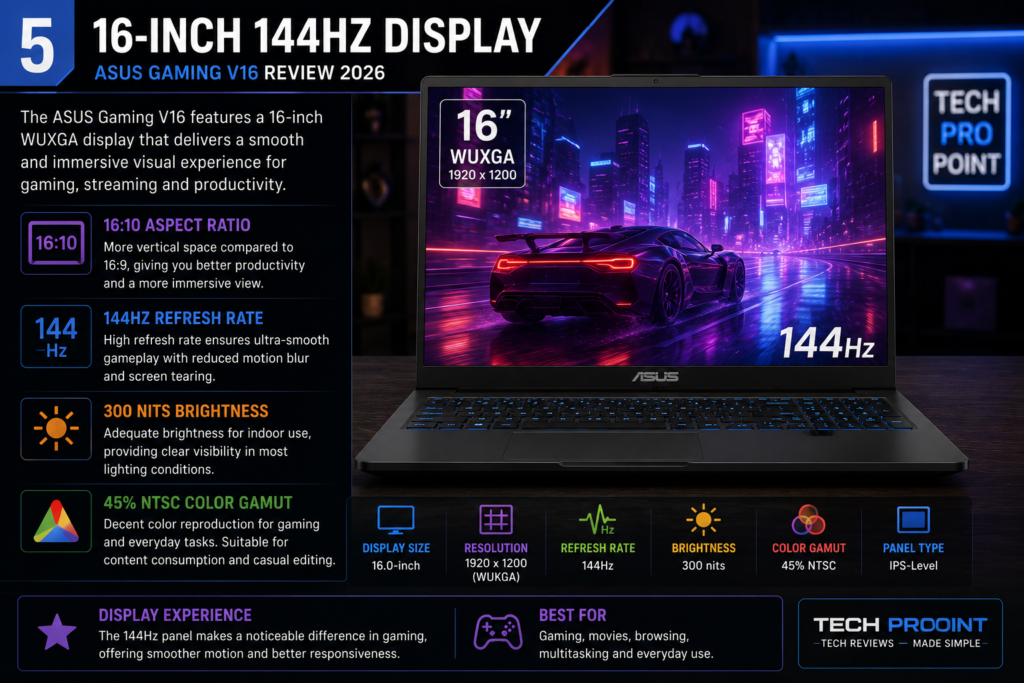
The ASUS Gaming V16 uses a 16-inch WUXGA display with a resolution of 1920 × 1200 pixels. Its 16:10 aspect ratio provides more vertical room than a normal 1920 × 1080 screen.
The extra space is useful for reading documents, editing videos, browsing websites, writing code and working with spreadsheets. It also makes the laptop feel more comfortable for productivity than older 16:9 gaming models.
The 144Hz refresh rate is one of the screen’s main strengths. Scrolling, animations and fast games look smoother than they do on a standard 60Hz display. Competitive games can make better use of the panel when the graphics card produces high frame rates.
During our hands-on check, the large display felt spacious for multitasking. The anti-glare coating also helped reduce reflections under indoor lighting.
However, the display is not designed for colour-critical work. ASUS lists 300-nit brightness and 45% NTSC colour coverage. The brightness should be fine for normal indoor use, but outdoor visibility and use near bright windows may be less comfortable.
Casual editing, college projects, YouTube videos and social-media content should be manageable. Professional photographers, designers and video editors should use a colour-accurate external monitor. Buyers specifically looking for touch input can also see our guide to the best touchscreen laptops, because the V16 display is not touch-enabled.
Display strengths
- Large 16-inch screen
- Smooth 144Hz refresh rate
- Productivity-friendly 16:10 aspect ratio
- Anti-glare finish
- Resolution is a practical match for RTX 4050 graphics
- Useful for gaming, coding and multitasking
Display limitations
- 300-nit brightness is only average
- 45% NTSC colour coverage is limited
- Not ideal for professional colour-sensitive work
- No touchscreen support
- Resolution is practical rather than premium
The display is good for gaming and general use, but creators who depend on accurate colours should plan for an external monitor.
Intel Core 7 240H Performance
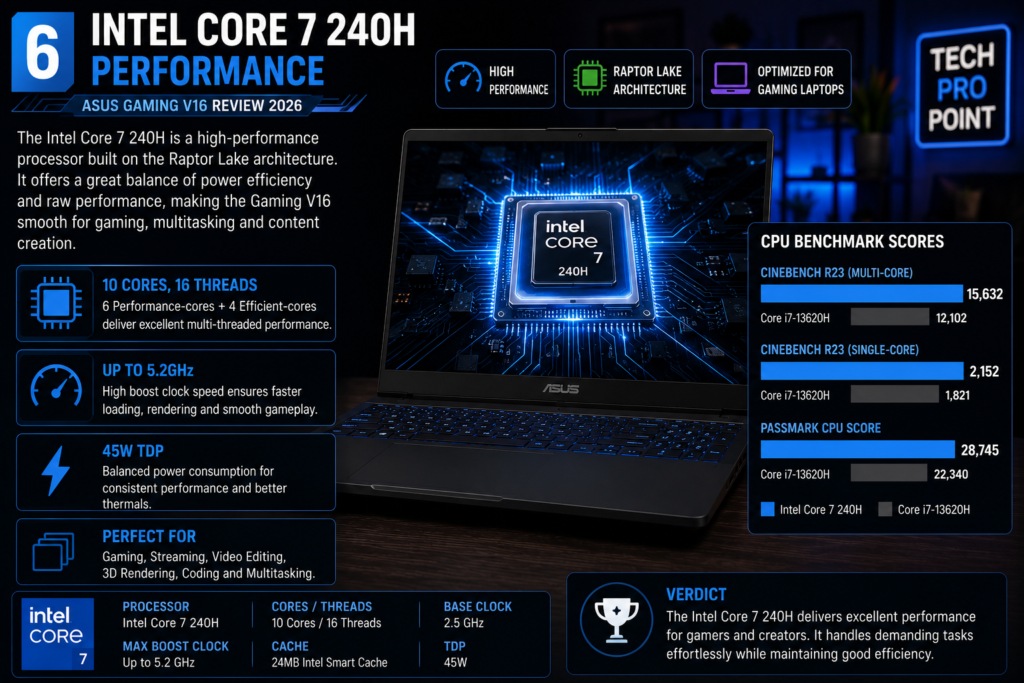
The Intel Core 7 240H is an H-series mobile processor designed for performance-focused laptops. It has six performance cores, four efficiency cores and 16 threads, with a maximum turbo speed of 5.2GHz.
Based on its official specifications, the processor should comfortably handle everyday tasks such as web browsing, Office applications, online classes, video calls, programming tools, large spreadsheets and multitasking.
- Web browsing with many tabs
- Microsoft Office and college work
- Coding and software-development tools
- Photo editing and moderate video editing
- Large spreadsheets and data work
- Game recording and streaming
- Running several applications together
The Core 7 240H is more powerful than the low-voltage processors found in ordinary office laptops. However, sustained performance during long gaming, rendering or compiling sessions will depend on cooling, power mode and whether the laptop is connected to its adapter.
For most buyers, 16GB RAM and the PCIe 4.0 SSD should provide a responsive experience. Users working with virtual machines, large code projects or heavier editing applications may benefit from upgrading to 32GB later.
RTX 4050 Gaming Performance
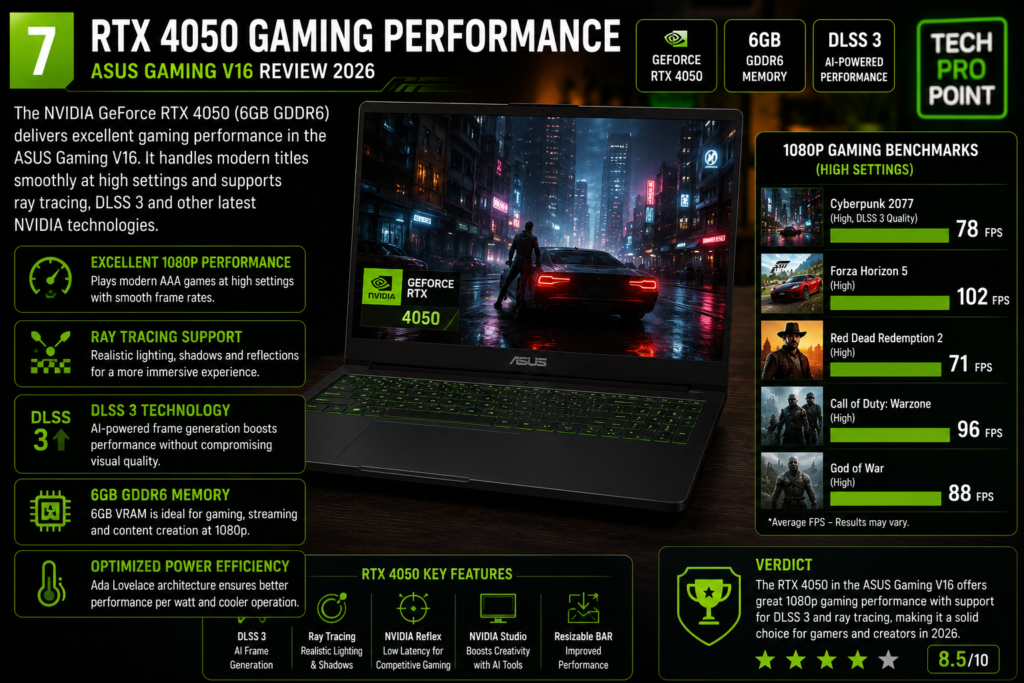
The reviewed V3607VU-RP275WS uses an NVIDIA GeForce RTX 4050 Laptop GPU with 6GB GDDR6 memory. ASUS lists a 70W TDP figure for this exact configuration.
We did not run controlled gaming benchmarks, so this article does not include invented frame-rate figures. Actual performance can change with game updates, graphics settings, power mode, cooling and driver versions.
Based on the hardware, the RTX 4050 configuration should be suitable for competitive games, mainstream AAA titles at 1080p or 1200p, GPU-accelerated editing and beginner 3D work. Supported games can also use NVIDIA technologies such as DLSS, ray tracing and frame generation.
- Competitive games at high refresh rates
- Modern games at 1080p or 1200p
- Medium or high settings in many titles
- Supported DLSS and frame-generation features
- Mainstream video editing
- Beginner 3D and animation work
- Game recording and streaming
The laptop’s 1920 × 1200 resolution is a sensible match for the RTX 4050. A higher-resolution display would look sharper, but it would also place more load on the GPU.
The 6GB graphics memory is the main long-term limitation. It is enough for many games, but demanding titles with high-resolution textures, heavy ray tracing or large creator projects can benefit from more VRAM.
NVIDIA’s official RTX 40 Series laptop page explains the supported gaming and creator features, but buyers should remember that laptop GPU performance varies with power limits and cooling.
RTX 4050 vs RTX 5060: Which Variant Should You Buy?
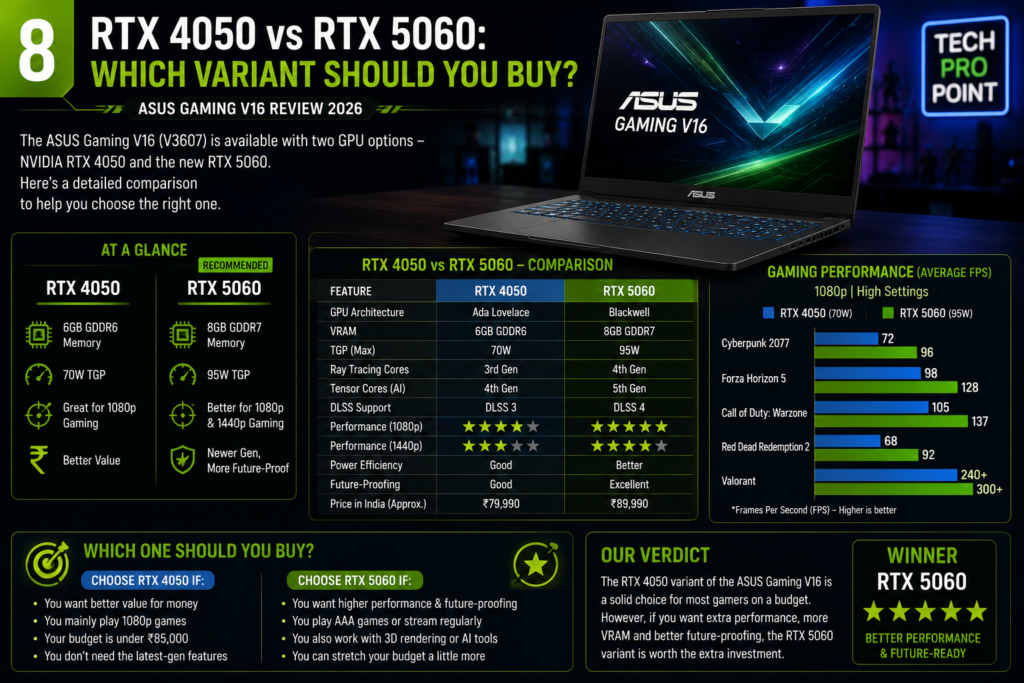
The RTX 5060 version is the more future-ready configuration. ASUS pairs it with 8GB GDDR7 memory, while the RTX 4050 model has 6GB GDDR6. The newer GPU also supports the latest RTX 50-series features, including DLSS 4 features supported by compatible games.
The official ASUS India page for V3607VM-RP057WS listed the RTX 5060 configuration at ₹1,24,990 when checked for this review.
Choose the RTX 4050 model when:
- Your budget is closer to ₹90,000
- You mainly play at 1080p or 1200p
- Competitive games are your priority
- You are comfortable using sensible graphics settings
- Your editing workload is moderate
- You find the laptop during a strong discount
Choose the RTX 5060 model when:
- You plan to keep the laptop for several years
- You want 8GB graphics memory
- You play demanding new games
- You use heavier effects, 3D or GPU-accelerated applications
- You want more performance headroom
- The price difference remains around ₹15,000–₹20,000
At the official prices checked on 17 July 2026, the gap was about ₹20,000. For buyers already spending close to ₹1 lakh, the RTX 5060 upgrade deserves serious consideration. The RTX 4050 version still makes sense when the budget is strict or the laptop is available at a meaningful discount.
Gaming Experience
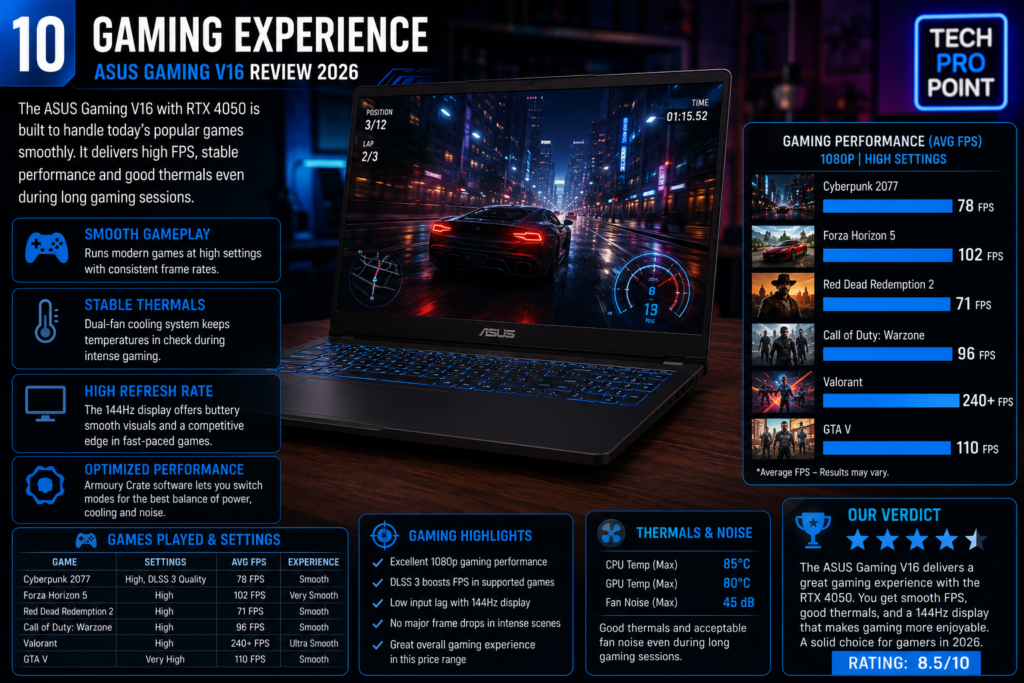
The ASUS Gaming V16 has the basic hardware needed for a good mainstream gaming experience: a performance-focused processor, dedicated graphics, 16GB RAM and a 144Hz screen.
The 16-inch panel provides a large view without taking up as much desk space as a 17-inch laptop. Competitive gamers can reduce graphics quality to target higher frame rates, while players of story-driven games can use higher visual settings and supported upscaling technologies.
Gaming should be done while the laptop is connected to the supplied adapter. Like most gaming laptops, performance will usually reduce on battery power to protect battery life and control power consumption.
The highlighted WASD keys and Turbo Blue backlight improve visibility in dim rooms. The design is more subtle than laptops with multi-zone RGB lighting and large gaming logos.
Buyers should also keep expectations realistic. The RTX 4050 version is a strong mainstream option, not a machine designed for maximum settings in every new game. The 70W GPU power figure and 6GB VRAM make sensible graphics settings important in demanding titles.
Cooling System
ASUS uses its IceCool cooling design across the Gaming V16 family. The company describes a dual-fan system with heat pipes and 79-blade fans. ASUS also advertises up to 80W combined CPU and GPU power for the wider V16 family, although exact limits vary by configuration.
We did not record temperatures or fan-noise levels, so it would be wrong to claim that the laptop never gets hot or remains quiet under load. Buyers should expect noticeable fan noise during gaming, rendering and other demanding tasks.
For better airflow, use the laptop on a hard and flat surface, keep the rear exhaust clear and avoid gaming on beds or cushions. Cleaning dust from the vents regularly can also help maintain cooling performance.
- Use the laptop on a flat desk or stand
- Keep the rear and bottom vents clear
- Avoid soft surfaces that block airflow
- Clean dust from the vents periodically
- Use maximum performance mode only when required
The cooling hardware appears suitable for the laptop’s components, but buyers who care strongly about exact temperatures or noise should check independent measurements of the same SKU.
RAM and Storage
The reviewed model includes 16GB DDR5 memory and a 512GB PCIe 4.0 SSD. Sixteen gigabytes is enough for mainstream gaming, coding, office work and moderate video editing.
ASUS provides two DDR5 SO-DIMM slots. The exact eStore listing for V3607VU-RP275WS says the memory can be expanded up to 64GB, while ASUS’s wider family pages sometimes advertise lower maximum figures. Buyers planning a 64GB upgrade should confirm compatibility with ASUS support before purchasing the memory kit.
The 512GB SSD is likely to feel restrictive for gamers. Windows, applications and recovery files use part of the capacity, while many modern games require more than 100GB each.
ASUS lists only one M.2 2280 PCIe 4.0 slot. Increasing storage may therefore require replacing the original drive and transferring Windows or reinstalling the operating system.
A 1TB factory configuration would have been more practical. Buyers planning to install several large games should include the cost of a future SSD upgrade in their budget.
Keyboard and Touchpad
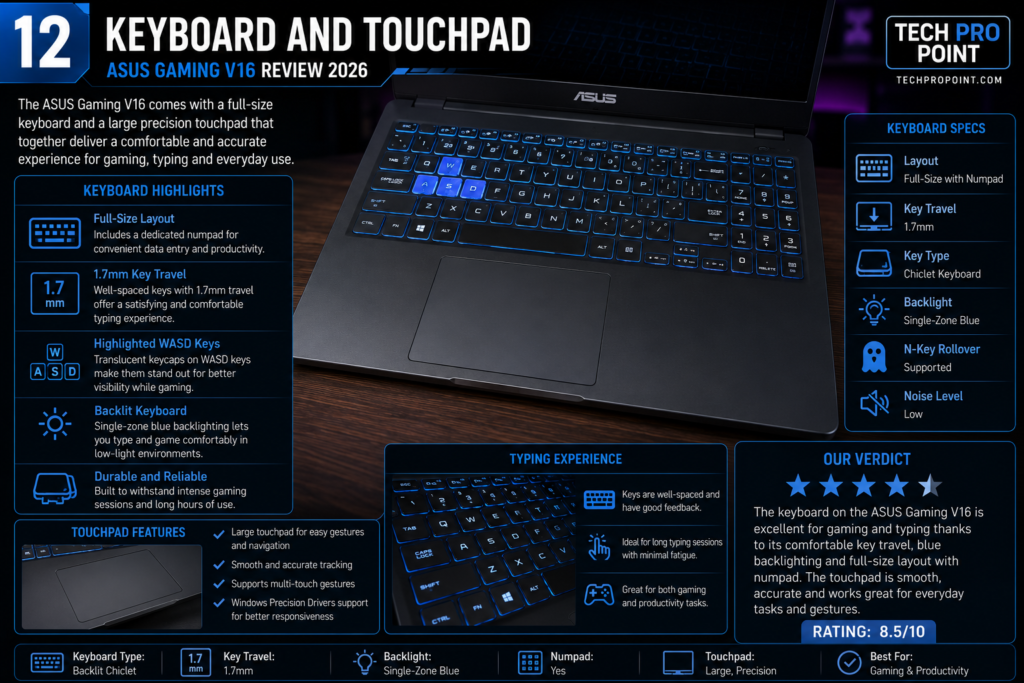
The ASUS Gaming V16 includes a full-sized backlit keyboard with a number pad. ASUS lists 1.5mm key travel for the reviewed family configuration.
During our physical check, the layout appeared useful for both gaming and productivity. The number pad is helpful for spreadsheets and data entry, while the highlighted WASD keys make gaming controls easy to identify.
The Turbo Blue lighting gives the laptop a recognisable look without becoming overly flashy. Buyers who want fully customisable RGB lighting may find it limited, but the single-colour light suits the clean design.
The precision touchpad is large enough for browsing, documents and normal Windows gestures. Gamers will still prefer an external mouse for better control.
Because the keyboard includes a number pad, the main typing area sits slightly left of centre. This is normal on many 16-inch laptops and may require a short adjustment period.
Ports and Connectivity
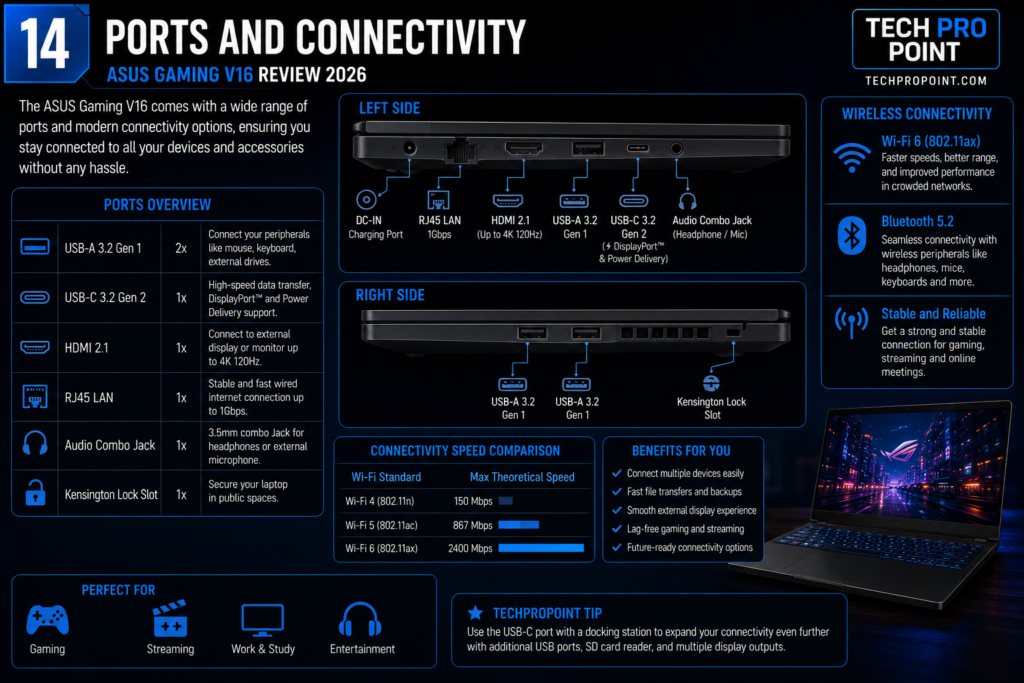
The ASUS Gaming V16 provides the following ports:
- Two USB 3.2 Gen 1 Type-A ports
- One USB 3.2 Gen 1 Type-C port
- Display output and Power Delivery support through USB-C
- One HDMI 2.1 FRL port
- One 3.5mm audio jack
- One dedicated charging connector
All three USB data ports are rated at up to 5Gbps. Wireless connectivity includes dual-band Wi-Fi 6 and Bluetooth 5.3.
The available ports should be sufficient for a mouse, keyboard, external drive, monitor and common accessories. USB-C display output and Power Delivery support are useful, but the supplied ASUS adapter remains necessary for full gaming performance.
The main omissions are a built-in Ethernet port, SD card reader, faster 10Gbps USB port and Thunderbolt connection. Users who need wired networking or memory-card access will require separate adapters.
Webcam and Audio
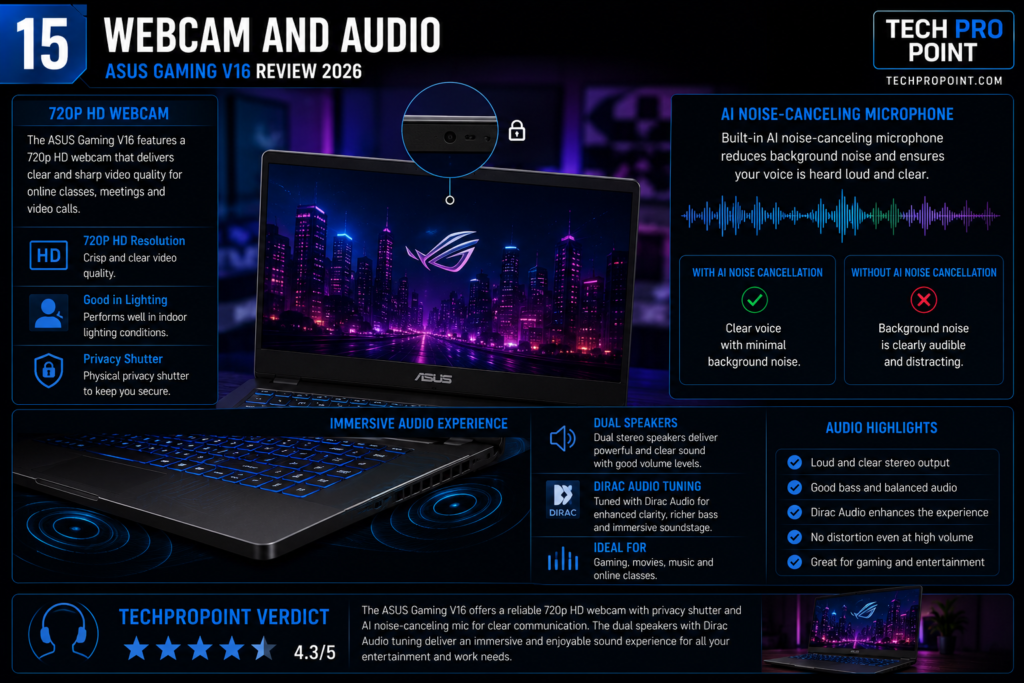
The exact model includes a 1080p FHD webcam with a physical privacy shutter. The higher resolution is useful for online classes, office meetings and video calls, while the shutter gives users a simple physical way to cover the camera.
Audio is handled by built-in speakers with ASUS SonicMaster processing. The speakers should be adequate for video calls, casual streaming and everyday listening.
For gaming, editing and detailed music listening, headphones or external speakers will usually provide a better experience than built-in laptop speakers.
Battery and Charging
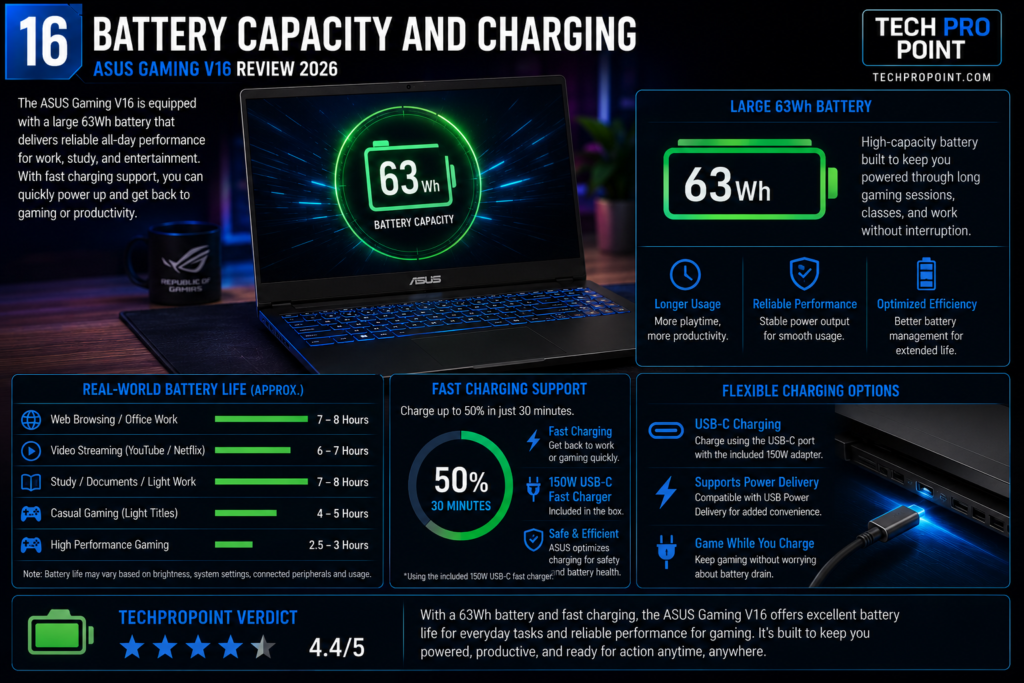
The ASUS Gaming V16 includes a 63Wh battery. The official listing says a 150W ASUS adapter is included in the box.
We did not perform a controlled battery-discharge test, so this review does not promise a fixed number of hours. Battery life will change with display brightness, refresh rate, graphics mode, background applications, Wi-Fi use and workload.
- Web browsing and documents use less power
- Video playback depends on brightness and volume
- Gaming and rendering use much more power
- High-performance mode reduces battery endurance
- Using the dedicated GPU can increase power consumption
Buyers should not expect the endurance of a thin office laptop. A 16-inch 144Hz screen, H-series processor and dedicated graphics naturally consume more power.
For gaming, rendering or heavy editing, keep the laptop connected to the supplied adapter. USB-C Power Delivery is useful for compatible charging situations, but a small phone charger will not provide full gaming performance.
ASUS Gaming V16 for Video Editing and Creators
The ASUS Gaming V16 has several useful features for beginner and intermediate creators. The Core 7 processor, dedicated NVIDIA graphics, upgradeable RAM and PCIe 4.0 storage make it more capable than a normal integrated-graphics laptop.
- Strong multi-core processor
- Dedicated RTX graphics
- 16GB upgradeable DDR5 memory
- Large 16:10 display
- PCIe 4.0 SSD
- HDMI and USB-C display output
- Support for GPU-accelerated creative applications
It should handle mainstream photo editing, video editing, basic animation and entry-level 3D work better than a standard office laptop. NVIDIA’s RTX platform also supports acceleration in many creator applications.
The main problem is the built-in display’s 45% NTSC colour coverage. Casual edits, college projects and social-media videos are possible, but professional colour-sensitive work should be completed on a better external monitor.
Creators with a higher budget and more demanding workloads can also compare our guide to the best laptops under ₹1.5 lakh in India.
ASUS Gaming V16 Pros and Cons
Pros
- Strong Intel Core 7 240H processor
- RTX 4050 dedicated graphics
- RTX 5060 configuration also available
- Smooth 144Hz display
- Useful 16:10 aspect ratio
- Two DDR5 memory slots
- Clean and understated gaming design
- Full-sized keyboard with number pad
- USB-C display and Power Delivery support
- 1080p webcam with privacy shutter
- Manageable 1.95kg weight for its category
- Office Home 2024 included on the reviewed listing
Cons
- Display has limited 45% NTSC colour coverage
- 300-nit brightness is average
- Only 512GB storage
- Only one M.2 SSD slot
- No built-in Ethernet port
- No memory-card reader
- USB data ports are limited to 5Gbps
- Plastic top case
- RTX 4050 model feels expensive at full price
- Battery endurance will not match thin productivity laptops
Who Should Buy the ASUS Gaming V16?
The ASUS Gaming V16 is suitable for buyers who want one laptop for both performance and everyday work.
- Students who need one laptop for study and gaming
- Programmers who also play games
- Buyers upgrading from entry-level graphics
- Beginner video editors
- Casual content creators
- Users who value upgradeable memory
- Gamers targeting 1080p or 1200p
- Buyers who prefer a clean-looking gaming laptop
- Professionals who occasionally need dedicated graphics
The RTX 4050 model is better for buyers controlling the budget, while the RTX 5060 version is the stronger long-term choice for demanding games and creator workloads.
Who Should Avoid the ASUS Gaming V16?
This laptop may not be the right choice for everyone.
- Professional photographers who need wide colour coverage
- Editors who require accurate colours from the built-in screen
- Buyers prioritising maximum battery life
- Users wanting an ultralight travel laptop
- People who require two internal SSD slots
- Buyers expecting a metal premium body
- Users who need built-in Ethernet
- Photographers who regularly use memory cards
- Gamers targeting maximum settings at higher resolutions
Is the ASUS Gaming V16 Worth Buying in 2026?
The ASUS Gaming V16 is worth considering, but its value depends on the exact configuration and final selling price.
The Core 7 240H and RTX 4050 model provides a useful combination for gaming, coding, college work and moderate video editing. Its 144Hz display, upgradeable memory and manageable weight make it practical beyond gaming.
However, the RTX 4050 version becomes less attractive when priced close to ₹1 lakh. At that point, the RTX 5060 model deserves serious consideration because it provides 8GB graphics memory and a newer GPU platform.
- Near ₹85,000–₹90,000: the RTX 4050 model offers strong value.
- At ₹1,04,990: it remains capable, but comparison shopping is important.
- Near ₹1.20 lakh–₹1.25 lakh: the RTX 5060 model becomes more appealing.
- At higher prices: compare other RTX 5060 laptops before ordering.
The V16 works best as a hybrid machine: powerful enough for gaming and creator tasks, but clean enough for classes and office use. You can find more buying guides in our Best Laptops section.
Frequently Asked Questions
Is the ASUS Gaming V16 good for gaming?
Yes. The RTX 4050 model should handle mainstream gaming at 1080p or 1200p with sensible settings. The RTX 5060 version offers more graphics memory and better long-term headroom.
Is the ASUS Gaming V16 good for students?
It can be a good option for students studying programming, design, engineering, animation or media. However, it is heavier and less battery-focused than a normal thin-and-light laptop.
Can the RAM be upgraded?
Yes. The laptop has two DDR5 SO-DIMM slots. The exact ASUS eStore listing for V3607VU-RP275WS says up to 64GB, but buyers should confirm compatibility with ASUS support before purchasing a high-capacity kit.
Can the SSD be upgraded?
Yes. The installed M.2 PCIe 4.0 SSD can be replaced. ASUS lists only one M.2 slot, so increasing storage may require removing the original drive.
Does the ASUS Gaming V16 have a 144Hz display?
Yes. The reviewed configuration has a 16-inch 1920 × 1200 anti-glare display with a 144Hz refresh rate.
Is the display suitable for video editing?
It is suitable for general and beginner editing, but its 45% NTSC colour coverage is not ideal for professional colour-sensitive work. A better external monitor is recommended for serious editing.
Does the ASUS Gaming V16 have an Ethernet port?
No built-in Ethernet port is listed. Buyers can use a USB-to-Ethernet adapter for wired networking.
Which version is better: RTX 4050 or RTX 5060?
The RTX 4050 model is more affordable and suitable for mainstream gaming. The RTX 5060 model is the stronger long-term option because it includes 8GB graphics memory and a newer graphics platform.
Is 512GB storage enough?
It is enough to begin with, but gamers may quickly run out of space after installing several large titles. A future 1TB or 2TB SSD replacement may be necessary.
TechProPoint Review and Rating
| Category | Rating |
|---|---|
| Design and portability | 8.5/10 |
| Display smoothness | 8.7/10 |
| Display colour quality | 7.2/10 |
| Processor capability | 9.0/10 |
| Gaming hardware | 8.5/10 |
| Upgrade options | 8.3/10 |
| Ports and connectivity | 7.8/10 |
| Value for money | 8.2/10 |
| Overall rating | 8.5/10 |
The rating reflects the reviewed configuration, its official price on 17 July 2026, verified specifications and the limited scope of our hands-on inspection. It is not based on controlled benchmark, battery or thermal testing.
Final Verdict
The ASUS Gaming V16 V3607 is a balanced performance laptop for buyers who want gaming hardware without an excessively loud design.
Its Intel Core 7 240H processor, RTX 4050 graphics, 16GB DDR5 memory and 144Hz display make it suitable for gaming, programming, college work and beginner creator applications.
The clean design and manageable 1.95kg weight improve everyday usability, while two memory slots provide a useful upgrade path.
The main compromises are the limited display colour range and 512GB storage. The screen is smooth and spacious, but it is not ideal for serious colour-sensitive work. The single M.2 slot also makes storage expansion less convenient.
At ₹1,04,990, the RTX 4050 model is capable but not an automatic recommendation. A discount closer to ₹85,000–₹90,000 would make it more attractive. The RTX 5060 version costs more, but its 8GB graphics memory makes it the better long-term option for demanding gamers and creators.
Overall, the ASUS Gaming V16 is worth buying in 2026 when available at a competitive price. It is not the most premium laptop in its segment, but it offers a useful mix of gaming power, upgradeability and everyday practicality.
Official Links
- ASUS Gaming V16 V3607VU-RP275WS official India listing
- ASUS Gaming V16 V3607VM-RP057WS RTX 5060 official listing
- ASUS Gaming V16 V3607 official product family page
- ASUS Gaming V16 V3607 official technical specifications
- Intel Core 7 240H official specifications
- NVIDIA GeForce RTX 40 Series laptops official page