Apple has released iOS 27 Developer Beta 3, giving developers and early testers another look at the software update coming to compatible iPhones later in 2026. The latest developer build was released on July 6, 2026, with build number 24A5380h.
However, it is important to understand that every feature mentioned below was not necessarily introduced for the first time in Beta 3. Beta 3 is the latest developer build, while many of these changes were originally announced as part of iOS 27 and are being tested or refined throughout the beta cycle.
Some features may not yet be active for every tester. Their availability can also depend on the iPhone model, selected language, Apple Intelligence support and region.
Apple’s main focus with iOS 27 is a more capable Siri, practical Apple Intelligence tools and system-level improvements that make the iPhone faster, more reliable and easier to use.
Here are the 10 biggest features coming to supported iPhones with iOS 27.
1. Siri AI Brings More Natural Conversations
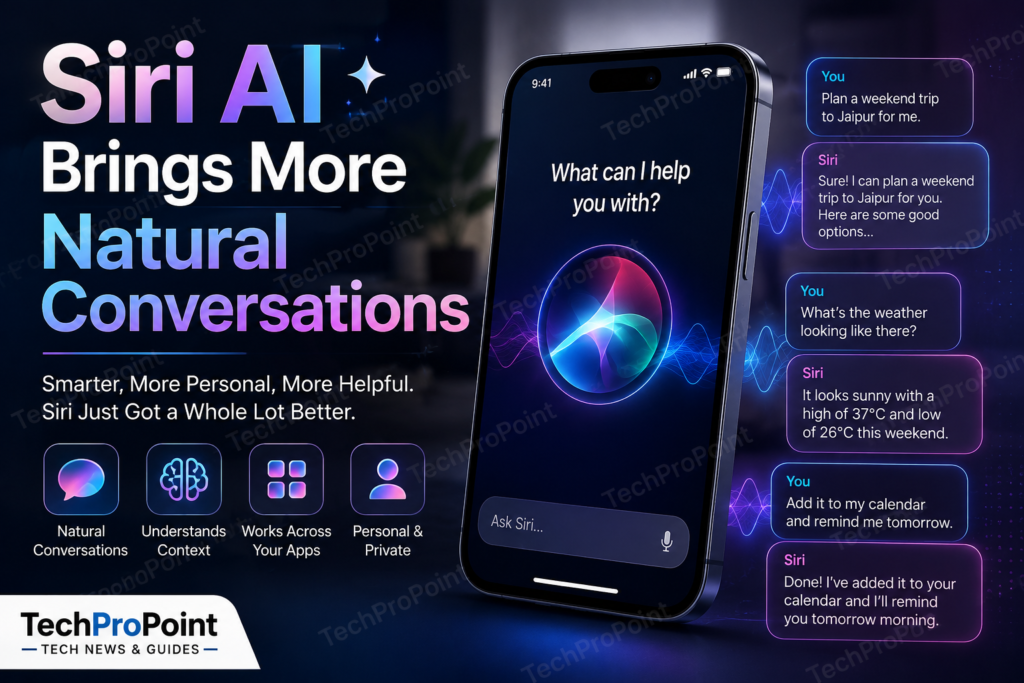
The biggest change in iOS 27 is Siri AI, an entirely new version of Apple’s assistant powered by the next generation of Apple Intelligence.
Instead of depending mainly on short and specific commands, Siri AI is designed to understand open-ended questions and natural conversations. Users should be able to ask follow-up questions without repeating the full context every time.
For example, a user could ask Siri for travel suggestions and then continue the same conversation by asking about the weather, nearby places or the best time to visit.
Apple is also introducing a dedicated Siri application. It will allow users to view earlier conversations, continue previous discussions and keep useful chats organised.
This makes Siri feel closer to a complete AI assistant instead of only a voice-controlled tool for alarms, calls and basic searches.
Siri AI will not be available on every iPhone that receives iOS 27. Apple says it requires an Apple Intelligence-compatible device and will initially be available in English as a beta later in 2026.
2. Siri Can Understand Personal Context and Take Action in Apps
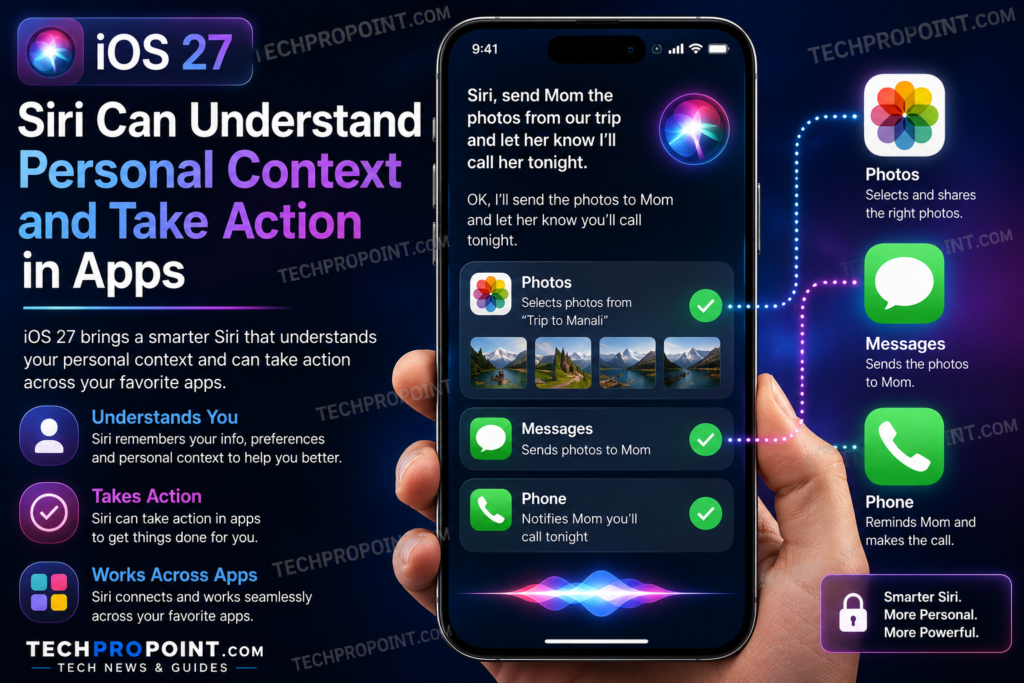
Siri AI is also being designed to understand information stored across supported Apple applications.
Users may be able to ask Siri to locate an old message, email, photograph or note without remembering the exact date, sender or file name.
For example, a user could ask Siri to find the photograph of a product shared by a friend or locate details about a meeting mentioned inside an email.
Apple also plans to let Siri perform more actions inside applications. This could include creating calendar entries, editing messages, finding content in Photos or completing tasks across multiple supported apps.
The main advantage is that users may not need to open several applications and manually move information between them. They could simply explain the required task and let Siri complete the necessary steps.
The final experience will depend on device support, application compatibility, language and region. Some Siri capabilities may also change before the stable version of iOS 27 is released.
3. Siri Mode in Camera Adds Visual Search
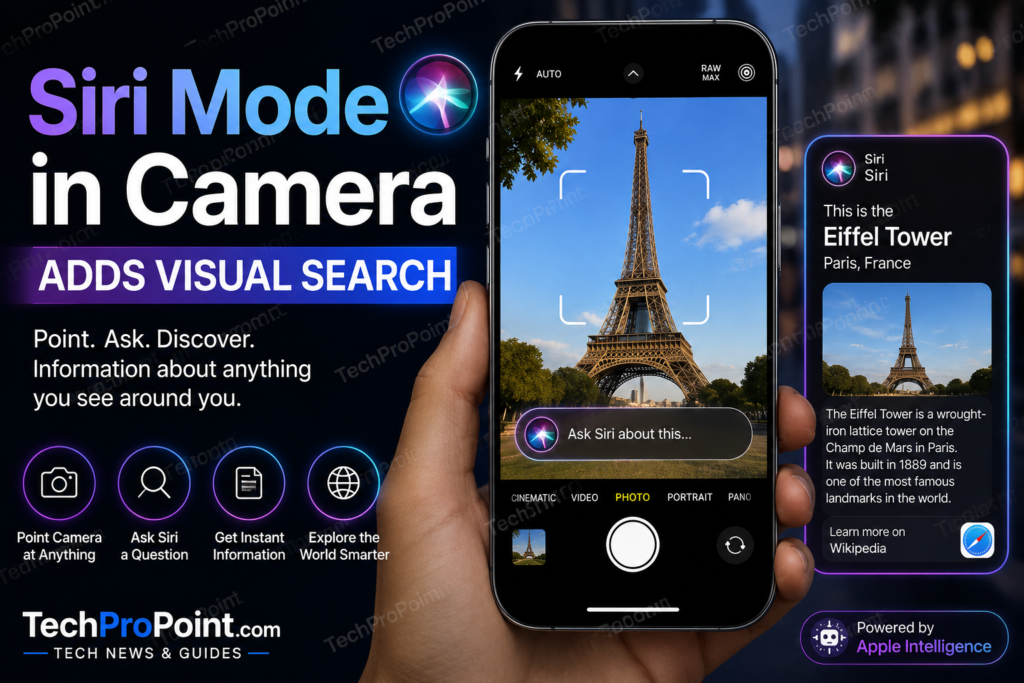
iOS 27 Beta 3 will bring Siri directly into the Camera app through a new visual-search experience.
Users will be able to point the iPhone camera at an object, product, place, sign or food item and ask Siri for information about what appears in the viewfinder.
This could be useful for identifying objects, understanding labels, learning about landmarks or getting more information about something nearby.
The feature combines the Camera app, Visual Intelligence and Siri AI. Instead of taking a photograph first and then opening a separate application, users can begin the visual search directly from the camera interface.
Recognition may not always be perfect, especially when the object is unclear, partly hidden or shown in poor lighting. Important information should still be checked from a reliable source before making a decision based on an AI-generated answer.
4. Photos Gets Spatial Reframing, Extend and Better Clean Up
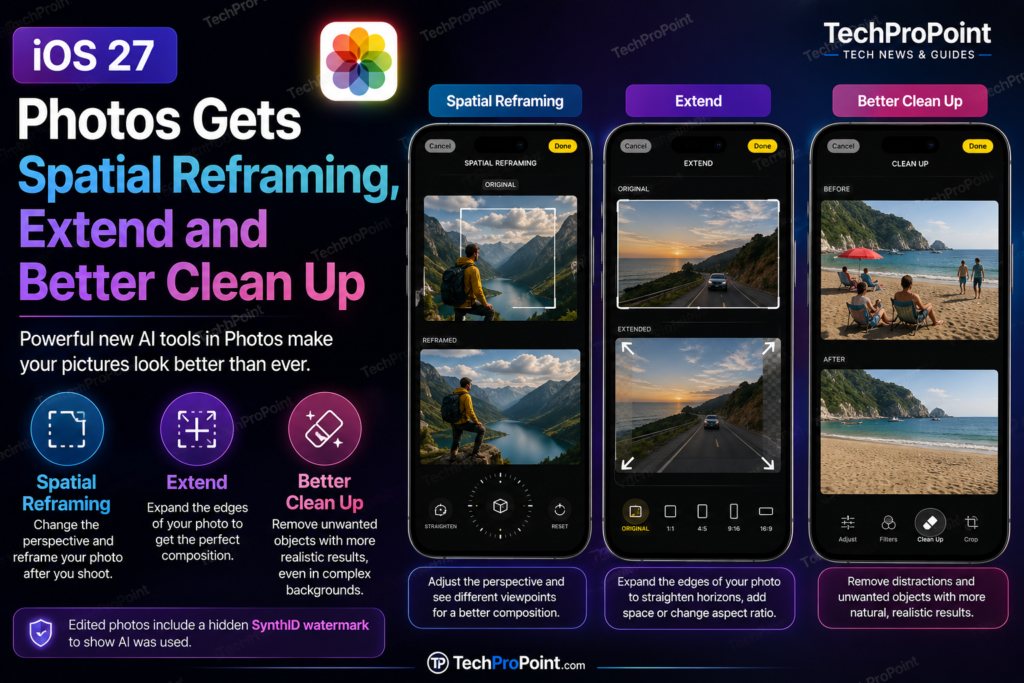
Apple is adding several AI-powered editing tools to the Photos app with iOS 27.
Spatial Reframing can adjust the composition of a photograph after it has already been captured. Users can change the perspective and preview how the image could look from a slightly different camera position.
The new Extend tool can expand the edges of a photograph. It may help straighten a tilted horizon, provide additional space around a subject or change the image’s aspect ratio without cropping important parts.
Clean Up is also receiving a major improvement. Apple says it will remove unwanted objects and distractions with more realistic results, even when the background is complicated.
These tools could make advanced image editing easier for regular iPhone users who do not want to use professional editing software.
Apple also says photographs edited with its generative AI tools will contain a hidden SynthID watermark. This will help indicate that artificial intelligence was used to modify the image.
5. Shortcuts Can Be Created with a Simple Description
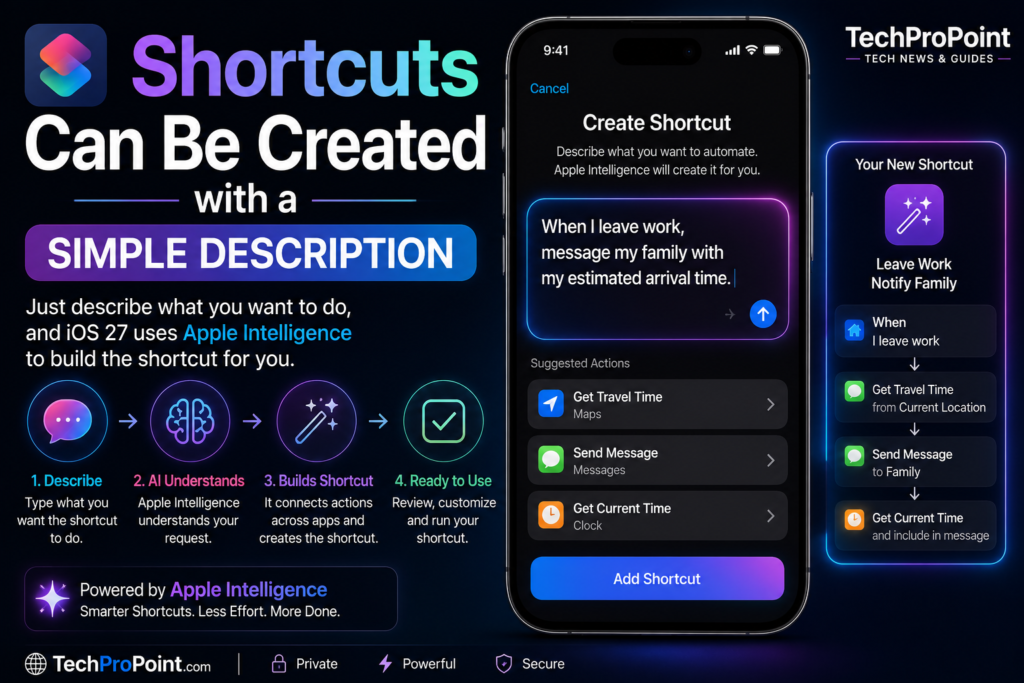
The Shortcuts app is extremely powerful, but creating detailed automations manually can be confusing for beginners.
iOS 27 aims to simplify the process by allowing users to describe what they want the shortcut to do.
For example, a user could say:
“When I leave work, message my family with my estimated arrival time.”
Shortcuts can then connect the required actions across supported apps and attempt to build the automation automatically.
This could make the Shortcuts app useful for a much larger group of iPhone owners. Users who already understand automations will still be able to customise the generated shortcut or create one manually.
Users should carefully review any shortcut that sends messages, shares personal information, changes settings or performs automatic actions. An AI-generated automation may still need adjustments before it works exactly as expected.
6. The Passwords App Can Fix Security Problems More Easily
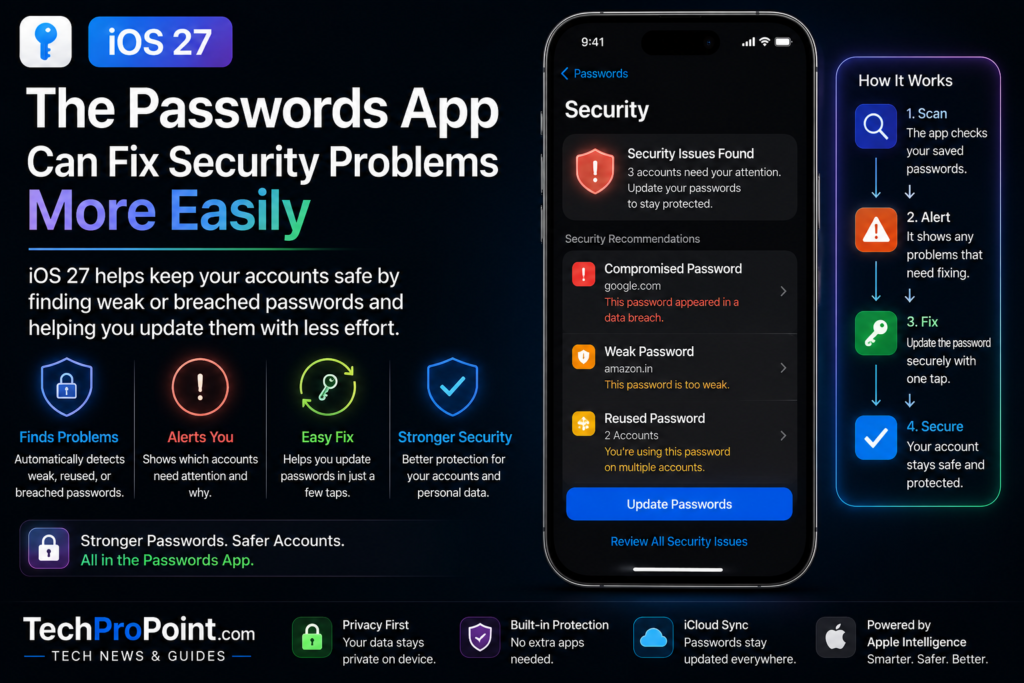
iOS 27 includes an important security improvement for the Passwords app.
The app can alert users when a password is weak or has appeared in a known data breach. It can then help update the affected password with less manual work.
This could be especially useful for people who reuse the same password across several websites or continue using old passwords for many years.
When one reused password is compromised, several different accounts may become vulnerable. Making the password-update process easier could encourage more users to fix these security problems.
The feature will not replace good online-security habits. Users should still create unique passwords, enable two-factor authentication and avoid approving unexpected login requests.
However, easier password fixes could make account protection more practical for everyday users.
7. Apple Intelligence Makes the Home App Smarter
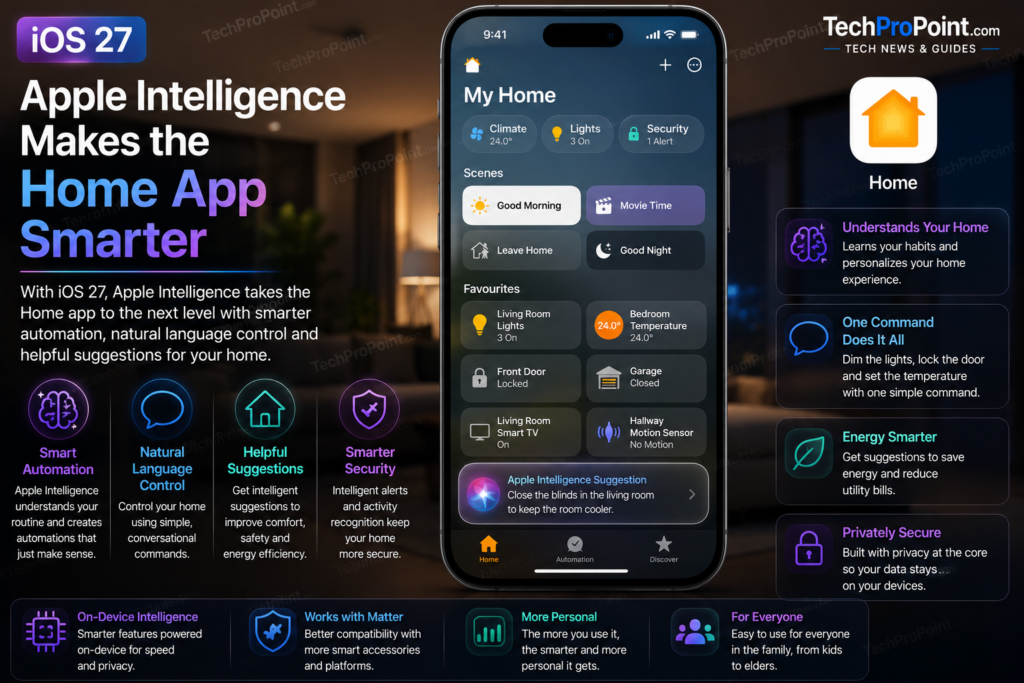
Apple Intelligence is also coming to the Home app.
The app will be able to combine related camera notifications, describe what happened in selected HomeKit Secure Video footage and search for recordings using natural-language requests.
Instead of manually checking several security-camera clips, a user may be able to search for an event such as a parcel arriving, movement near the main door or a vehicle entering the driveway.
Supported HomeKit Secure Video cameras will also be able to stream and record video in 4K.
Some of these features have additional requirements. Apple says users may need an Apple Intelligence-enabled iPhone, a supported home hub and an eligible iCloud+ subscription.
Supported home hubs include the HomePod mini, second-generation HomePod and compatible Apple TV 4K models running the latest software.
8. Liquid Glass Gets Better Readability and More Control
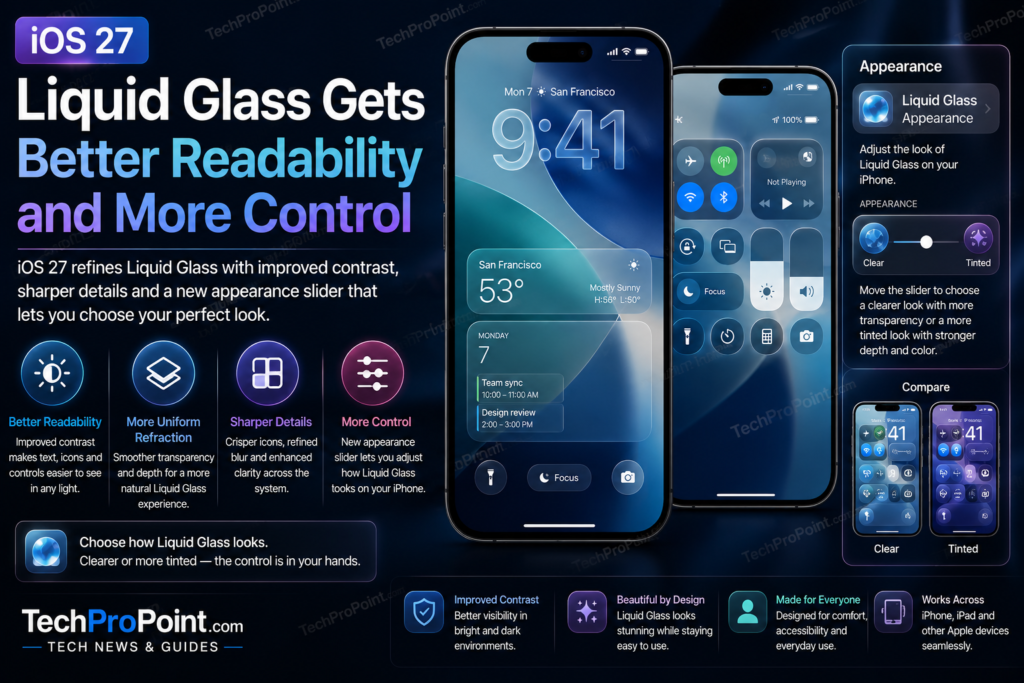
iOS 27 continues Apple’s Liquid Glass design language but focuses on making it easier to read and customise.
Apple says the updated interface will provide improved contrast, more uniform refraction and sharper, more detailed application icons.
A new appearance slider will also allow users to adjust how Liquid Glass looks. They will be able to choose between a clearer appearance and a more heavily tinted interface.
This is an important improvement because visual effects should not make text, buttons or notifications difficult to understand.
Better contrast could make the interface look cleaner while retaining the transparent and reflective style of Liquid Glass.
Beta versions often receive repeated design changes. Icons, transparency, animations and other visual elements may therefore continue to change before Apple releases the stable version of iOS 27.
9. iOS 27 Promises Faster Performance and Smoother Connectivity
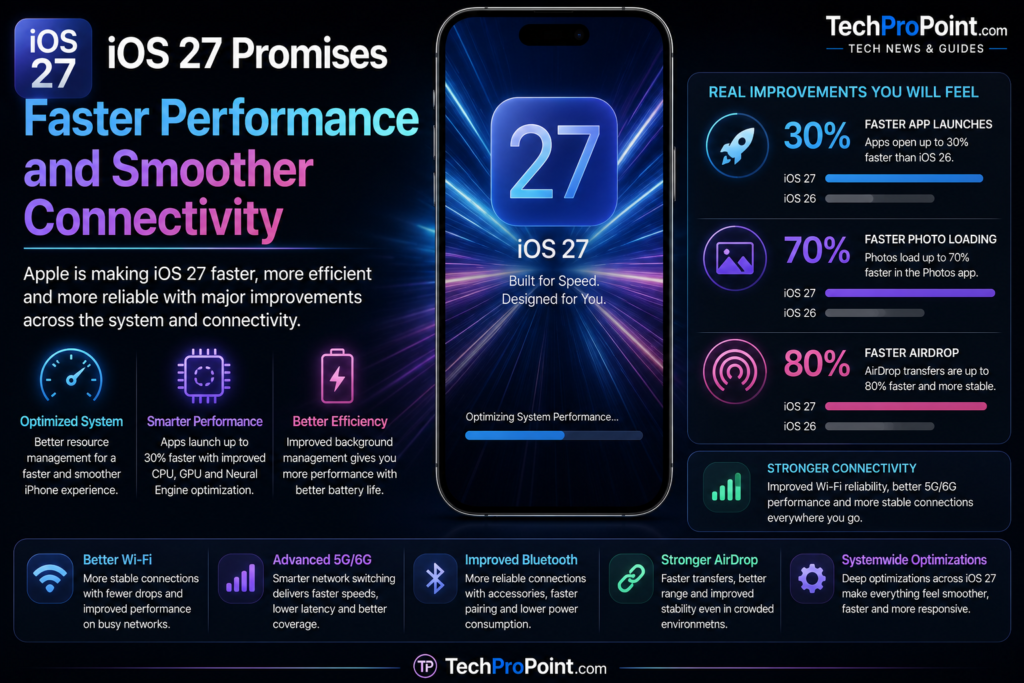
Apple is making major performance claims for iOS 27.
According to Apple’s internal testing, application launches can be up to 30 percent faster. New photographs may load in the Photos library up to 70 percent faster, while AirDrop transfers may be up to 80 percent faster.
These are “up to” results recorded by Apple under controlled testing conditions. Actual performance will depend on the iPhone model, battery health, available storage, installed applications, software settings and network conditions.
Users should therefore not assume that every supported iPhone will automatically become 30 percent faster in every situation.
Apple is also improving transitions between Wi-Fi and cellular networks. The iPhone should more smoothly choose the best available connection when the user leaves home, travels between locations or continues a FaceTime call while moving between networks.
Older iPhones may not receive every Apple Intelligence feature, but system performance and connectivity improvements could still make iOS 27 a useful update for them.
10. AirPods Custom EQ Offers More Sound Control
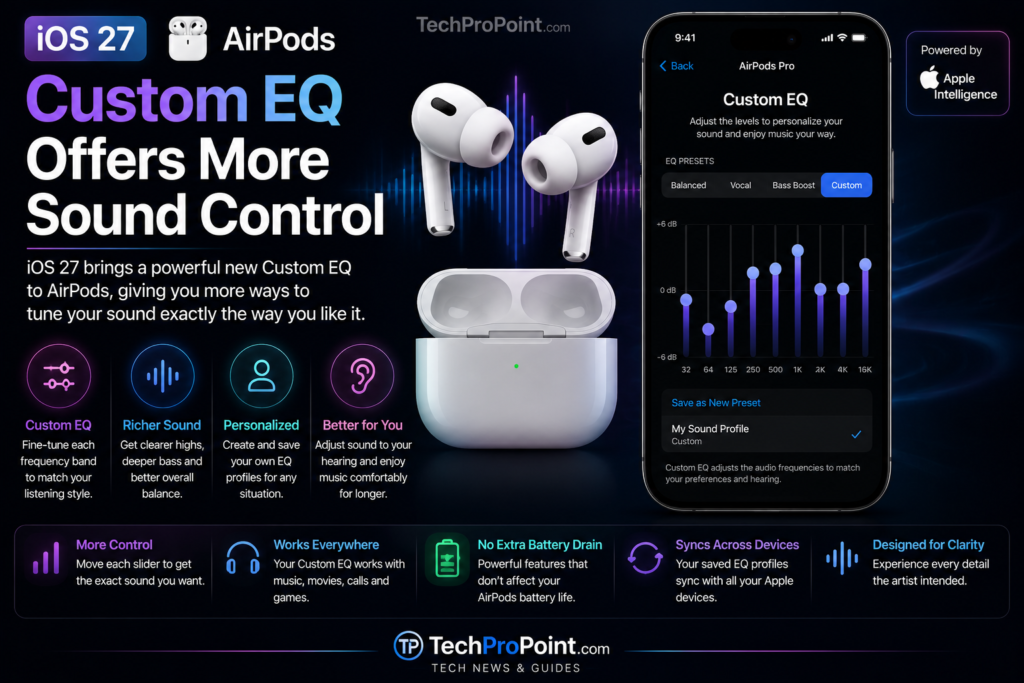
Compatible AirPods will receive Custom EQ controls through iOS 27.
Users will be able to adjust low, middle and high frequencies directly from AirPods settings. This should make it easier to personalise audio for music, podcasts, films and calls without depending only on preset sound profiles.
Someone who prefers stronger bass may increase the lower frequencies, while users who want clearer dialogue may adjust the middle range.
The exact controls and supported AirPods models may vary when the stable update is released.
Custom EQ is the officially confirmed iOS 27 audio feature. It should not be confused with claims that a completely new Adaptive Audio slider was specifically introduced in Beta 3.
Other Important iOS 27 Improvements
iOS 27 will also include several accessibility improvements.
VoiceOver is getting richer image descriptions and better tools for understanding nearby surroundings. A new captioning feature can automatically generate synchronised subtitles for videos and translate existing captions into supported languages.
Magnifier is also receiving additional tools designed for users with low vision.
The Mail app will introduce a new ranking system that places more relevant search results near the top, helping users find information buried inside older emails.
Apple is also improving child-safety controls. New options include clearer parental settings and Ask to Browse, which allows children to request permission before accessing new websites.
Not every feature will be available in every language, region or device configuration.
iOS 27 Supported iPhones
Apple has confirmed that iOS 27 will support:
- iPhone 17 Pro Max, iPhone 17 Pro, iPhone Air, iPhone 17 and iPhone 17e
- All iPhone 16 models
- All iPhone 15 models
- All iPhone 14 models
- iPhone 13 Pro Max, iPhone 13 Pro, iPhone 13 and iPhone 13 mini
- iPhone 12 Pro Max, iPhone 12 Pro, iPhone 12 and iPhone 12 mini
- iPhone 11 Pro Max, iPhone 11 Pro and iPhone 11
- iPhone SE second generation and later
However, receiving iOS 27 does not guarantee access to every feature.
Apple Intelligence requires an iPhone 15 Pro, iPhone 15 Pro Max or any iPhone 16 model or later. An older iPhone may therefore receive the main operating-system update without receiving Siri AI and other advanced generative features.
Should You Install iOS 27 Beta 3?
Most users should avoid installing iOS 27 Developer Beta 3 on their primary iPhone.
Developer beta software can contain application crashes, overheating, excessive battery drain and compatibility problems. Banking, payment, camera or messaging applications may not work correctly.
Features can also change, stop working or disappear completely before the stable release.
Developers and experienced testers should create a complete backup before installing the beta. Regular users should wait for the public beta or the final stable update.
Apple announced that an iOS 27 public beta would become available in July 2026. The final software update is scheduled to arrive as a free update later in 2026, although an exact release date has not yet been announced.
TechProPoint Early Verdict
iOS 27 looks more useful than revolutionary.
Siri AI is clearly the biggest headline feature, but the smaller improvements may have a greater effect on everyday iPhone use.
Natural-language Shortcuts, easier password fixes, stronger photograph editing, smoother network transitions and faster system performance could improve the experience without forcing users to learn a completely different interface.
The main limitation is device support. iPhone 11 and newer models can run iOS 27, but many of the most important Apple Intelligence features require newer hardware.
iOS 27 Beta 3 is an important testing milestone, but it should not be described as the update that introduced every feature mentioned in this article. Instead, it is the latest developer build offering an early look at the complete iOS 27 experience.
Frequently Asked Questions
When was iOS 27 Beta 3 released?
Apple released iOS 27 Developer Beta 3 on July 6, 2026, with build number 24A5380h.
Is iOS 27 Beta 3 a stable update?
No. It is a developer beta intended for testing and may contain bugs, compatibility problems and unfinished features.
Will the iPhone 11 receive iOS 27?
Yes. Apple has listed the iPhone 11, iPhone 11 Pro and iPhone 11 Pro Max as compatible with iOS 27.
Will every iOS 27 feature work on the iPhone 11?
No. The iPhone 11 will receive the main operating-system update, but Apple Intelligence and Siri AI require newer compatible hardware.
Which iPhones support Apple Intelligence?
Apple Intelligence supports the iPhone 15 Pro, iPhone 15 Pro Max and all iPhone 16 models or later.
When will the stable version of iOS 27 be released?
Apple says iOS 27 will arrive as a free software update later in 2026. The company has not announced an exact stable release date.
Official links
For complete information, visit Apple’s official iOS 27 page.
You can check the official iOS 27 Beta release notes for developer-focused changes and known issues.
Apple listed the latest beta build on its Developer releases page.
Read more about the company’s new AI features in the official Apple Newsroom.
Apple also provides more details about compatible devices and features on its Apple Intelligence page.
Related artical
Readers interested in Apple’s upcoming hardware can check the expected iPhone 18 series upgrades.
Before buying a premium smartphone, compare the best phones under ₹1 lakh in India.
You can also explore the best phones under ₹70,000 in India.
Also read about Apple’s expected foldable iPhone and its possible features.