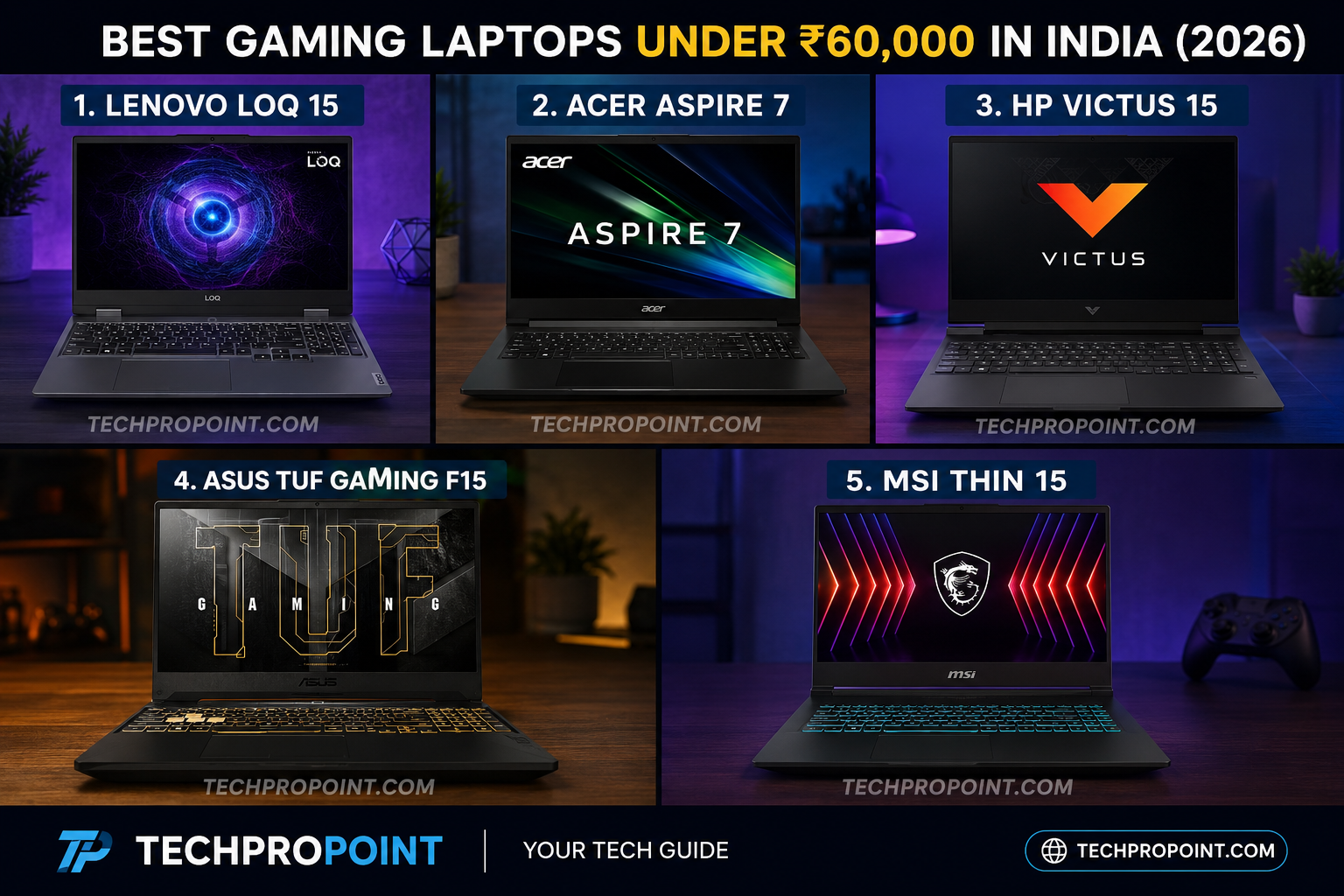
Finding the best gaming laptops under ₹60,000 in 2026 can feel like navigating a minefield. The budget gaming segment is fiercely competitive, and brands often cut corners on essential components like display color accuracy, thermal cooling, or battery size to keep the price down. However, if you know exactly what to look for, this budget is the perfect sweet spot for students, budget gamers, coders, and content creators.
In 2026, a ₹60,000 budget comfortably gets you a capable Intel Core i5 or AMD Ryzen 5 processor paired with dedicated NVIDIA RTX graphics (usually the RTX 2050 or 3050). But raw specs on paper do not always translate to real-world gaming performance. You need to consider the Total Graphics Power (TGP), cooling efficiency to prevent thermal throttling, and RAM upgradeability.
At TechProPoint, we have rigorously evaluated the top contenders. We checked their frame rates in demanding titles, measured their heat output during stress tests, and analyzed their build quality. Here is our definitive guide to the best gaming laptops under ₹60,000.
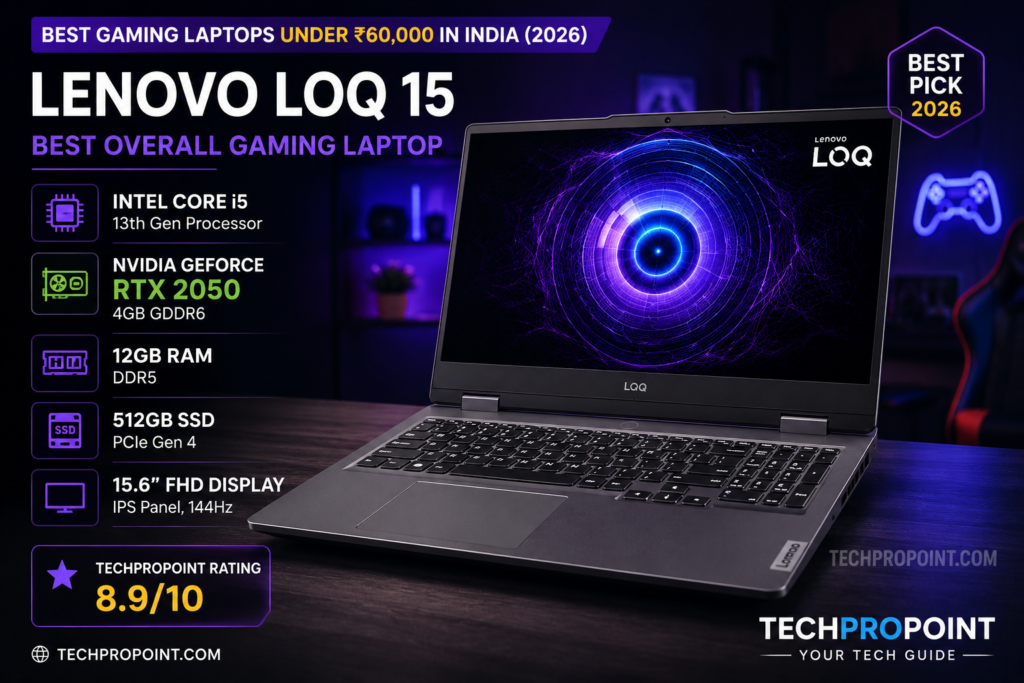
1. Lenovo LOQ 15 – Best Overall Gaming Laptop Under ₹60,000
Key Specifications
- Processor: Intel Core i5 (12th Gen)
- Graphics: NVIDIA GeForce RTX 2050 (Optimized TGP)
- RAM: 12GB DDR5 (Upgradable)
- Storage: 512GB PCIe Gen 4 NVMe SSD
- Display: 15.6-inch FHD, 144Hz Refresh Rate
TechProPoint Detailed Review
When it comes to budget gaming, the Lenovo LOQ 15 (the spiritual successor to the IdeaPad Gaming 3 line) is an absolute masterpiece. Lenovo has brought down many premium features from its high-end Legion series into this budget-friendly machine, making it our top pick for the best gaming laptops under ₹60,000.
Powered by a highly capable Intel Core i5 processor and RTX 2050 graphics, it handles 1080p gaming like a champion. What sets the LOQ 15 apart from its competitors is the inclusion of a MUX Switch (Advanced Optimus). This allows the laptop to route graphics directly from the dedicated GPU to the display, bypassing the integrated graphics and instantly boosting your FPS by 10-15% in competitive games like Valorant, CS2, and Apex Legends.
Furthermore, Lenovo’s thermal management is class-leading. The dual-fan system with enlarged heat pipes ensures that the keyboard deck remains cool even during intense 2-hour sessions of GTA V. The 12GB of fast DDR5 RAM is a unique but highly effective configuration, providing plenty of headroom for multitasking. The TrueStrike keyboard offers a fantastic 1.5mm key travel, making it equally brilliant for coding and typing assignments.
Pros ✅
- Class-leading thermal cooling system
- Includes a MUX Switch for higher FPS
- Fast DDR5 RAM out of the box
- Sturdy, Legion-inspired build quality
Cons ❌
- Slightly heavier than its competitors (approx 2.4 kg)
- Battery life is strictly average (around 3-4 hours on normal use)
TechProPoint Rating: 8.9/10
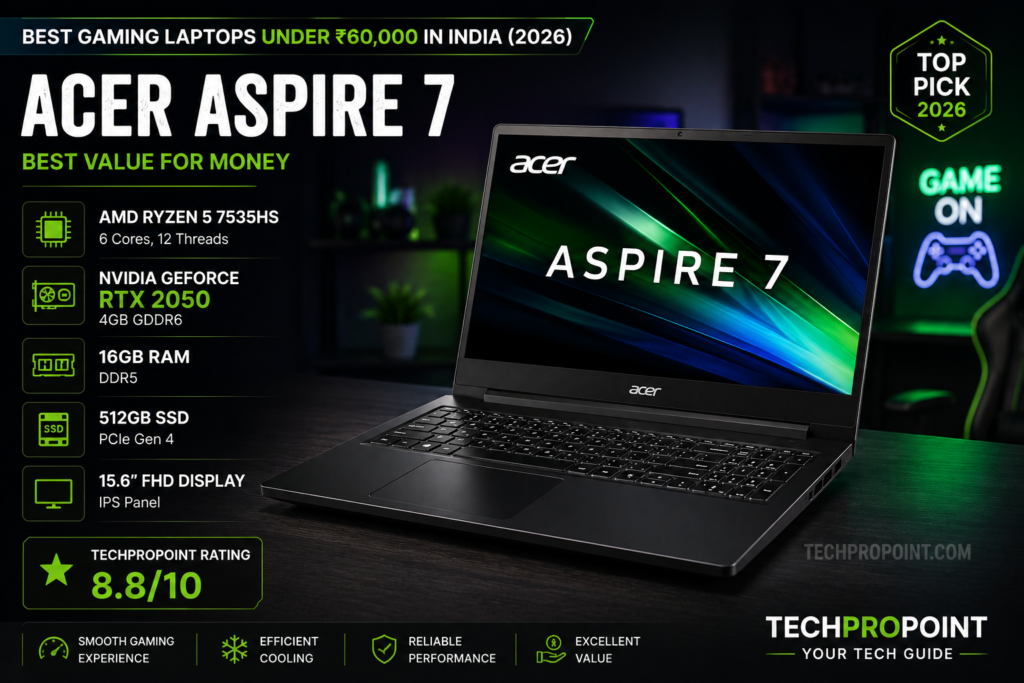
2. Acer Aspire 7 – Best Value for Money for Students
Key Specifications
- Processor: AMD Ryzen 5 7535HS
- Graphics: NVIDIA GeForce RTX 2050
- RAM: 16GB DDR4 (Dual Channel)
- Storage: 512GB NVMe SSD
- Display: 15.6-inch FHD IPS, 144Hz
TechProPoint Detailed Review
Not everyone wants a laptop that screams “GAMER” with aggressive red accents and sharp futuristic edges. If you are a college student or a working professional who needs to bring their laptop to the office, the Acer Aspire 7 is the perfect stealth machine.
This laptop offers phenomenal value. It is one of the rare machines in this segment that offers 16GB of Dual-Channel RAM out of the box, ensuring you don’t need to spend extra money on upgrades immediately. The AMD Ryzen 5 7535HS is a highly power-efficient chip, which means it doesn’t heat up as quickly as some of its Intel counterparts while rendering videos in Premiere Pro or running heavy coding environments like Android Studio.
Gaming performance on the RTX 2050 is highly respectable. You can easily push 60+ FPS on AAA titles like Forza Horizon 5 at medium settings. The backlit keyboard is subtle, and the overall chassis feels professional. However, the display brightness is capped around 250 nits, which means it struggles slightly in brightly lit outdoor environments.
Pros ✅
- Professional, non-flashy stealth design
- Comes with 16GB RAM out of the box
- Highly power-efficient AMD Ryzen processor
- Excellent value-for-money pricing
Cons ❌
- Display colors and brightness are strictly average
- The webcam quality is mediocre
TechProPoint Rating: 8.8/10
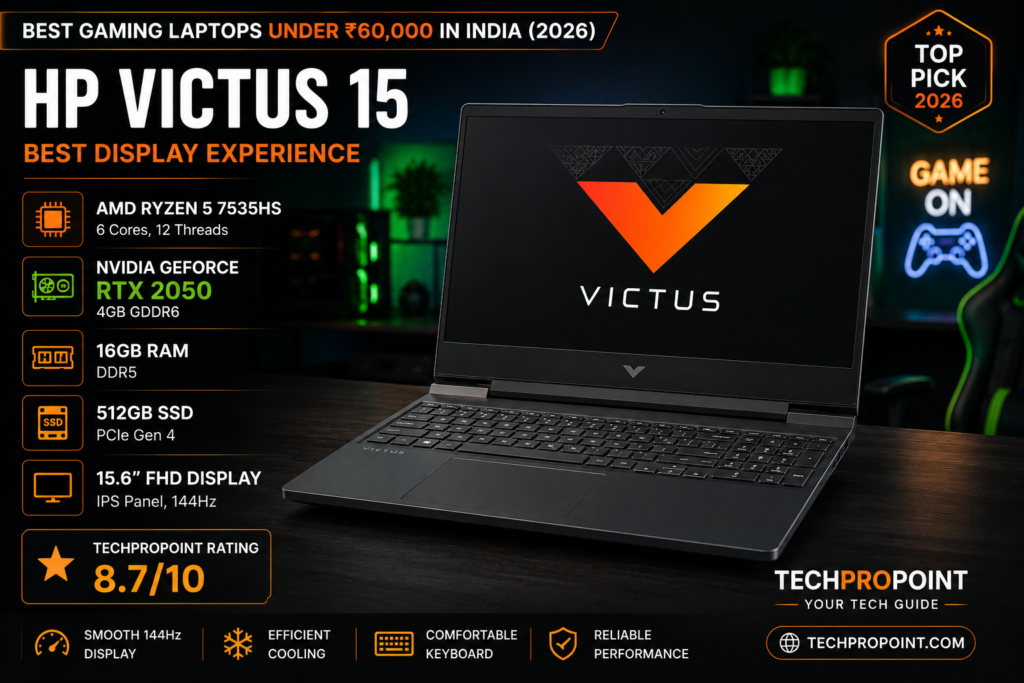
3. HP Victus 15 – Best Display and Aesthetics
Key Specifications
- Processor: AMD Ryzen 5 5600H or Intel Core i5
- Graphics: NVIDIA GeForce RTX 2050
- RAM: 16GB DDR4
- Storage: 512GB PCIe Gen 3 SSD
- Display: 15.6-inch FHD, 144Hz (Anti-Glare)
TechProPoint Detailed Review
The HP Victus 15 bridges the gap between HP’s standard Pavilion series and their ultra-premium Omen line. If aesthetics and a clean minimalist setup matter to you, the Victus 15 in its signature Mica Silver or Performance Blue colorways looks absolutely stunning on a desk.
The standout feature here is the highly optimized 144Hz display panel. The motion clarity is excellent, making fast-paced shooters like Fortnite and CS2 feel incredibly responsive without major screen tearing. The hardware combination of 16GB RAM and RTX graphics easily chews through daily multitasking, heavy browsing with 30+ Chrome tabs, and medium-level video editing.
However, the Victus series is known for a slight “screen wobble.” The hinge isn’t the tightest, so if you are typing aggressively under a fast ceiling fan, the screen tends to shake a bit. Additionally, the bottom-firing speakers are decent but lack the bass required for immersive gaming—you will definitely need a good pair of gaming headphones.
Pros ✅
- Minimalist and premium aesthetic design
- Smooth 144Hz display with good viewing angles
- 16GB RAM handles heavy multitasking easily
- Good thermal management for casual gaming
Cons ❌
- Noticeable screen wobble due to a weak hinge
- Audio quality from speakers is quite low
TechProPoint Rating: 8.7/10
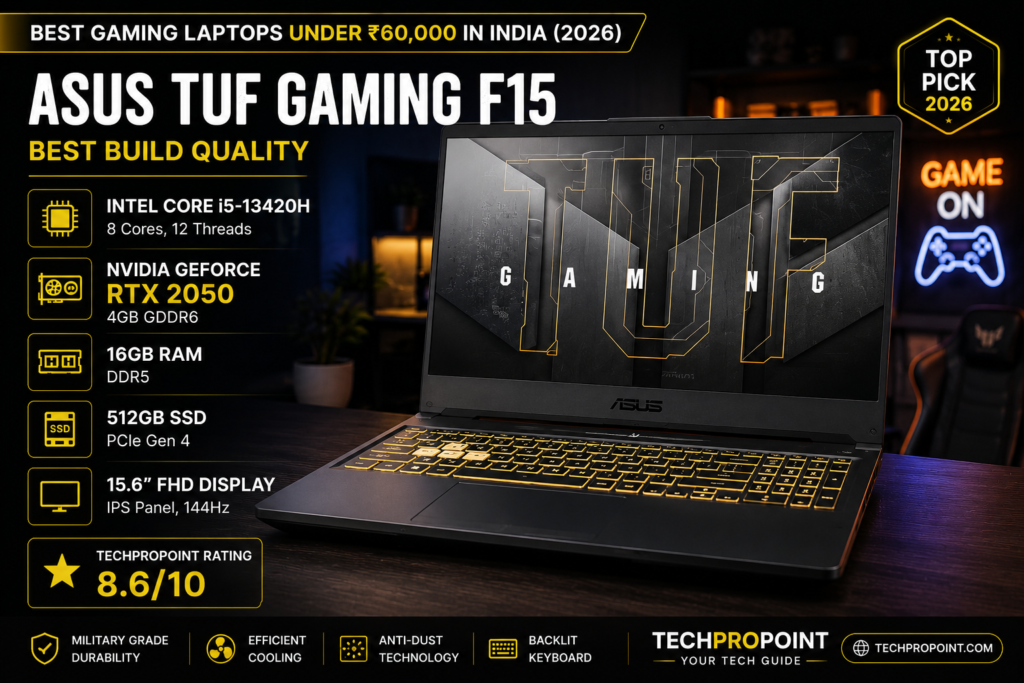
4. ASUS TUF Gaming F15 – Best Military-Grade Durability
Key Specifications
- Processor: Intel Core i5 (11th/12th Gen options)
- Graphics: NVIDIA GeForce RTX 2050
- RAM: 16GB DDR4
- Storage: 512GB NVMe SSD
- Durability: MIL-STD-810H Certified
TechProPoint Detailed Review
If you are a rough user who frequently travels, throws their laptop into a backpack, and games on the go, the ASUS TUF Gaming F15 is built like a tank. It carries the MIL-STD-810H military-grade certification, meaning it has survived extreme tests for drops, vibration, humidity, and extreme temperatures.
Beyond its rugged exterior, the TUF F15 delivers highly dependable gaming performance. ASUS has packed it with a dual-fan cooling setup featuring self-cleaning anti-dust tunnels. This ensures that your laptop won’t choke on dust after a year of heavy usage, maintaining peak thermal efficiency.
The keyboard is heavily optimized for gaming, featuring highlighted WASD keys, Overstroke technology for faster actuation, and a desktop-style layout. While it performs brilliantly in games, the fans can get noticeably loud under heavy load (Performance Mode), so wearing headphones is highly recommended.
Pros ✅
- Military-grade rugged durability
- Self-cleaning dual-fan cooling system
- Excellent gaming-centric keyboard with highlighted keys
- Great port selection including Thunderbolt support (on select models)
Cons ❌
- Cooling fans can get very loud during intense gaming
- The design might be too aggressive for professional office use
TechProPoint Rating: 8.6/10
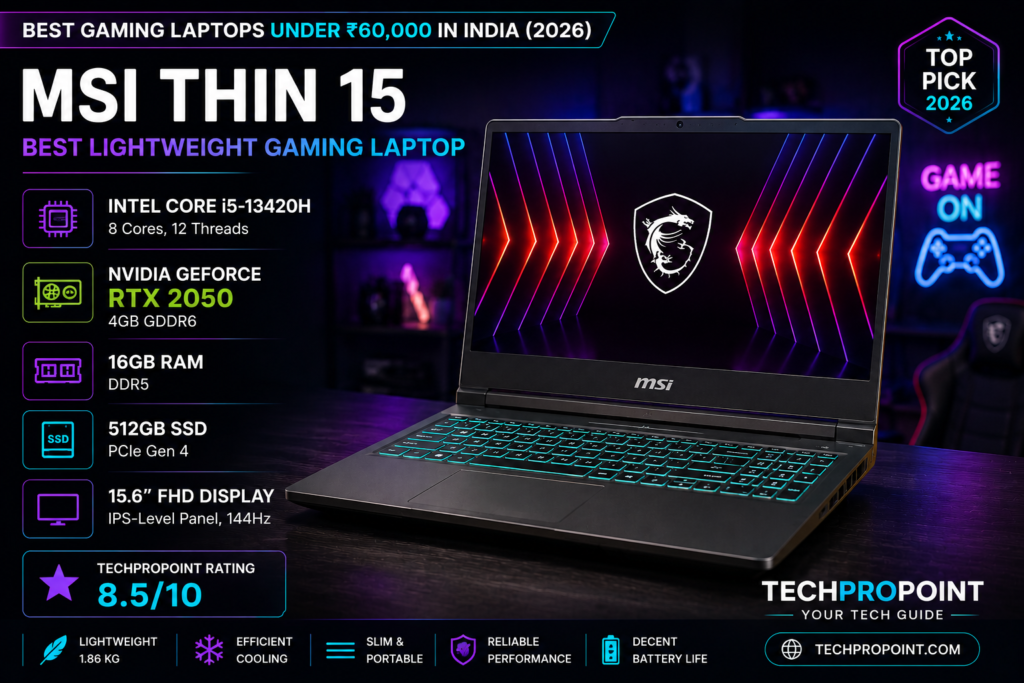
5. MSI Thin 15 – Best Lightweight Gaming Laptop
Key Specifications
- Processor: Intel Core i5 (12th Gen)
- Graphics: NVIDIA GeForce RTX 2050 (Low TGP)
- RAM: 16GB DDR4
- Storage: 512GB NVMe SSD
- Weight: 1.86 kg
TechProPoint Detailed Review
The biggest pain point of owning a gaming laptop is the sheer weight. Most gaming machines easily cross the 2.3 kg mark, making them a nightmare to carry around campus all day. The MSI Thin 15 changes that narrative by packing dedicated gaming hardware into a chassis that weighs just 1.86 kg.
With its brushed aluminum aesthetic and incredibly thin bezels, it looks premium and sleek. However, physics demands a compromise. To keep the laptop thin and light, MSI has used a lower TGP (Total Graphics Power) version of the RTX 2050. This means it won’t push as many frames as the Lenovo LOQ 15, but it is still leaps and bounds better than any integrated graphics.
It is perfect for casual gamers who play titles like Minecraft, FIFA, or CS:GO, and heavily prioritize portability and typing comfort over raw maximum graphics power.
Pros ✅
- Extremely lightweight for a gaming laptop (1.86 kg)
- Premium brushed aluminum finish
- Very portable, easy to carry in regular backpacks
Cons ❌
- Lower TGP graphics card means slightly lower FPS in heavy games
- Single-fan cooling can lead to quicker thermal throttling
TechProPoint Rating: 8.5/10
What to Look For in a Gaming Laptop Under ₹60,000 (Buying Guide)
Before hitting the buy button, keep these technical details in mind to ensure you get the absolute best value:
- GPU TGP (Wattage): Not all RTX 2050s are created equal. A laptop supplying 70W to the GPU will severely outperform a thin laptop supplying only 45W. Always check if the laptop has sufficient cooling to support a higher TGP.
- RAM Configuration: 8GB RAM is no longer enough for gaming in 2026. Look for laptops that either come with 16GB out of the box or have an empty slot for easy future expansion. Dual-channel RAM (two sticks of 8GB) heavily increases CPU performance.
- Refresh Rate: Never settle for a 60Hz display on a gaming laptop. Ensure the panel is at least 120Hz or 144Hz for smooth, tear-free gameplay.
Comparison Table: Best Gaming Laptops Under ₹60,000
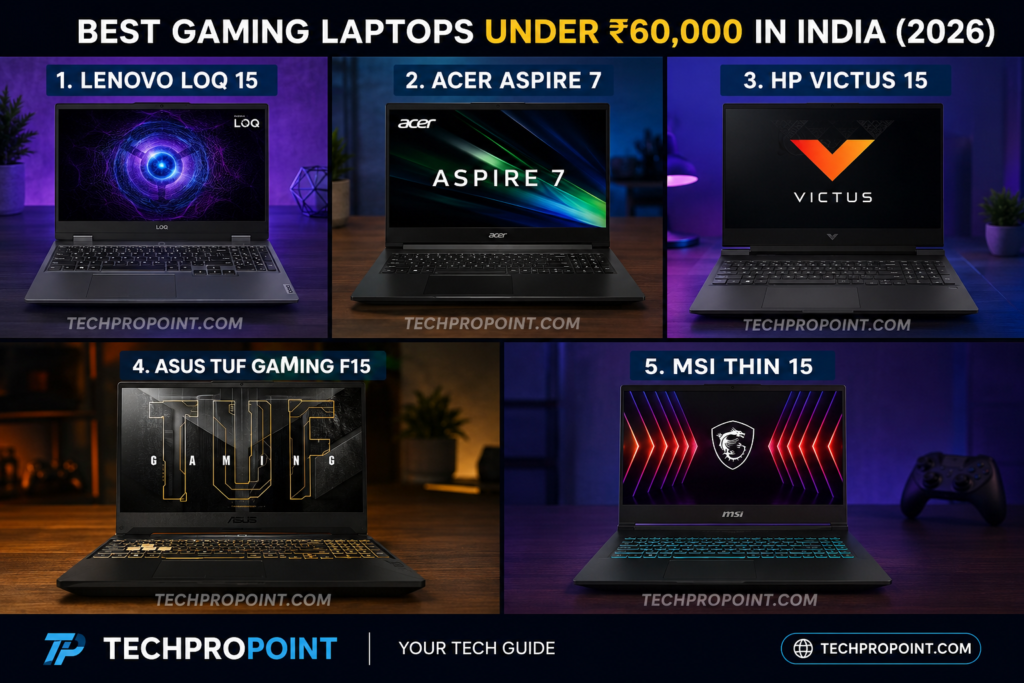
| Laptop Model | Best Feature | RAM & Graphics | TechProPoint Score |
|---|---|---|---|
| Lenovo LOQ 15 | Best Overall Performance & MUX Switch | 12GB / RTX 2050 | 8.9/10 |
| Acer Aspire 7 | Best Stealth Design for Students | 16GB / RTX 2050 | 8.8/10 |
| HP Victus 15 | Best Minimalist Aesthetics & Display | 16GB / RTX 2050 | 8.7/10 |
| ASUS TUF F15 | Best Rugged Military-Grade Build | 16GB / RTX 2050 | 8.6/10 |
| MSI Thin 15 | Best Lightweight & Portable | 16GB / RTX 2050 | 8.5/10 |
TechProPoint Verdict: Final Thoughts
Agar aap ₹60,000 ke budget mein ek no-compromise gaming machine dhundh rahe hain, toh Lenovo LOQ 15 hamari sabse top recommendation hai. Iska solid cooling mechanism, fast DDR5 RAM, aur FPS boost karne wala MUX switch ise is price point par ek absolute beast banata hai.
Lekin, agar aap college student hain jise gaming ke sath-sath library mein coding ya assignments karne hain bina zyada fan noise ke, toh Acer Aspire 7 16GB RAM ke sath ek shandar value-for-money choice hai.
🏆 TechProPoint Editors’ Choice 2026: Lenovo LOQ 15
FAQs – Budget Gaming Laptops
1. Can gaming laptops under ₹60,000 handle heavy video editing?
Yes, absolutely. A laptop equipped with an RTX 2050 and 16GB of RAM can comfortably handle 1080p and medium-level 4K video editing on software like Adobe Premiere Pro and DaVinci Resolve. The dedicated NVIDIA CUDA cores heavily accelerate render times compared to normal office laptops.
2. Do gaming laptops under ₹60,000 have good battery backup?
No, battery life is the biggest trade-off in gaming laptops. Because high-performance processors and dedicated graphics cards draw massive amounts of power, you can expect a maximum of 3 to 4 hours of battery life during normal browsing or video playback. Always keep the charging brick handy, and remember that for maximum FPS in games, the laptop must be plugged in.
3. Should I choose an Intel Core i5 or AMD Ryzen 5 for budget gaming?
Both are excellent choices. Intel Core i5 (12th Gen) generally offers slightly better raw single-core gaming performance, pushing a few extra frames. However, AMD Ryzen 5 (like the 7000 series) is vastly superior in power efficiency, meaning it generates less heat and offers slightly better battery life on the go.
4. Is 512GB SSD enough for modern gaming?
In 2026, 512GB fills up extremely fast, considering modern AAA games can easily cross the 100GB mark (like GTA V or Call of Duty). While 512GB is enough to get you started, ensure the laptop you buy has an empty PCIe slot inside so you can easily add a 1TB secondary SSD later.
Official Brand Stores for Warranty & Purchase
- Lenovo LOQ Series: Official Lenovo India Store
- Acer Aspire 7: Official Acer India Store
- HP Victus Laptops: Official HP India Store
- ASUS TUF Gaming: Official ASUS India Store
- MSI Thin Series: Official MSI India Store
Related TechProPoint Guides
- Looking for a premium smartphone upgrade? Read our guide on the Best Phones Under ₹30,000 in 2026.
- Need a non-gaming laptop for office work? Check out the Best Laptops Under ₹50,000 in India.