Introduction
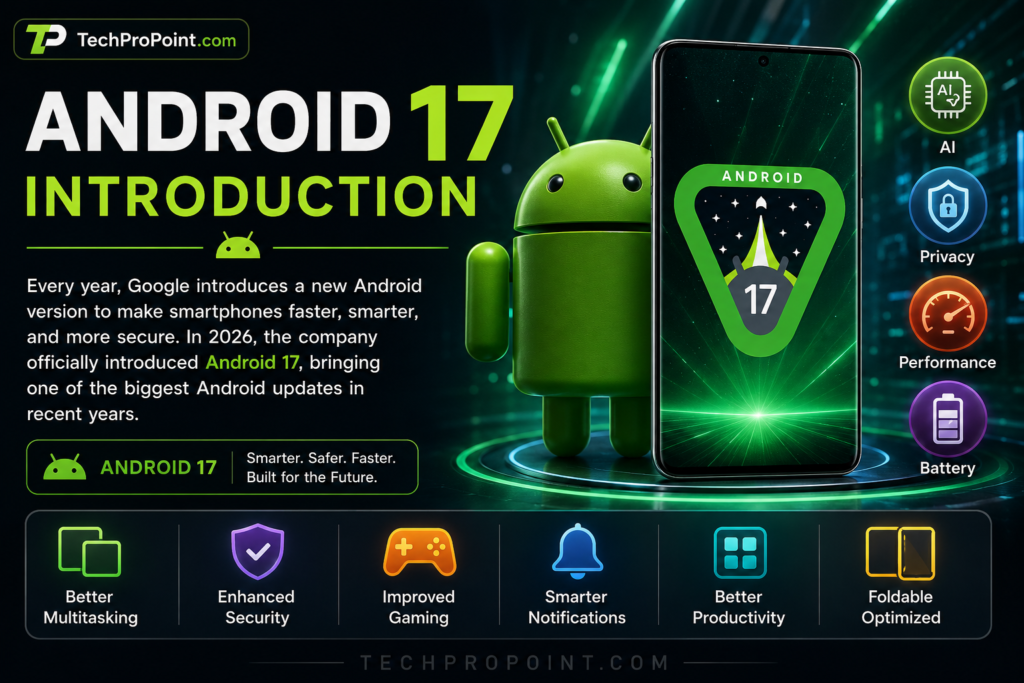
Android 17 is officially here, and this update is not just another small software refresh. Google has focused on making Android smarter, safer, smoother and more useful for everyday smartphone users. Instead of changing the full design only for visual appeal, Android 17 improves the areas that matter the most: multitasking, privacy, security, battery life, gaming, notifications, AI features and large-screen experience.
For normal users, this update is important because Android is no longer limited to calling, messaging and apps. Today, people use their phones for banking, gaming, online classes, office work, video editing, photography, social media, shopping and content creation. That is why Android 17 tries to make the system more reliable in real life.
Google has started the Android 17 rollout with supported Pixel devices. Other brands like Samsung, Xiaomi, OnePlus, vivo, OPPO, realme, Motorola and iQOO will bring Android 17 later through their own custom software skins such as One UI, HyperOS, OxygenOS, Funtouch OS, ColorOS and realme UI.
In this detailed TechProPoint guide, we explain Android 17 features in simple language, including its release date, AI upgrades, privacy tools, battery improvements, gaming performance, supported phones, rollout timeline, pros and cons, and whether you should update your phone.
Android 17 Release Date
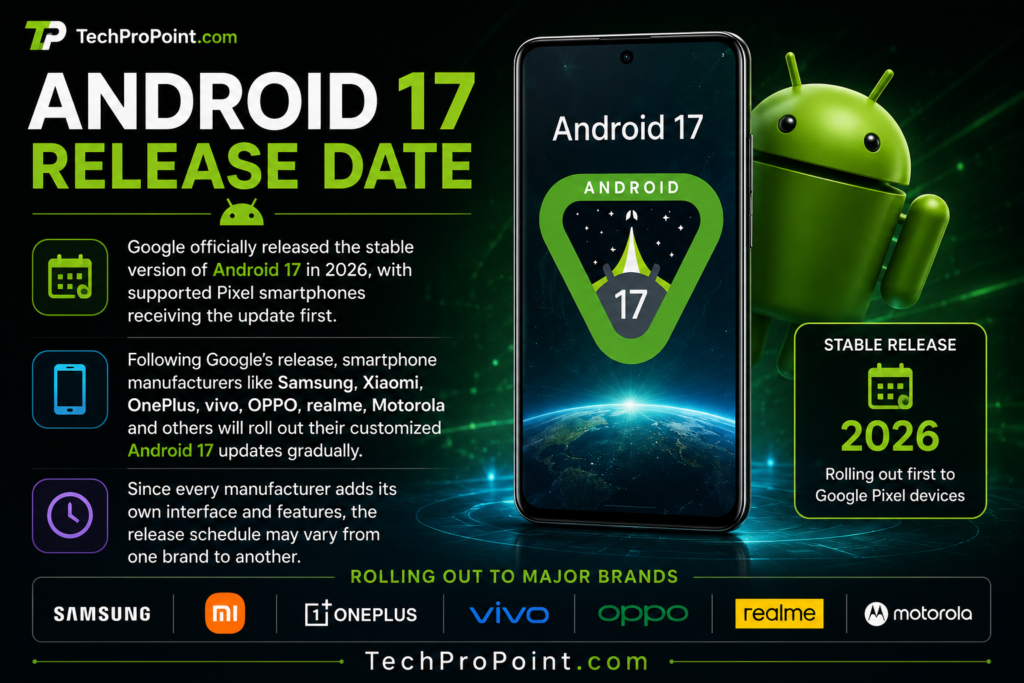
Google officially released Android 17 on June 16, 2026. As usual, the update first started rolling out to supported Google Pixel smartphones because Pixel devices get Android updates directly from Google.
After the Pixel rollout, other smartphone companies will release Android 17 in phases. This is normal because each brand adds its own interface, apps and extra features before sending the update to users. For example, Samsung will release Android 17 with its latest One UI version, Xiaomi will use HyperOS, OnePlus will use OxygenOS, and vivo will use Funtouch OS.
This means Android 17 may be officially available, but your phone may receive it later depending on your device model, region and brand update policy.
Flagship phones usually get major Android updates first. Premium mid-range phones come next, and budget phones may receive the update later if they are eligible under the company’s software support policy.
Android 17 Highlights
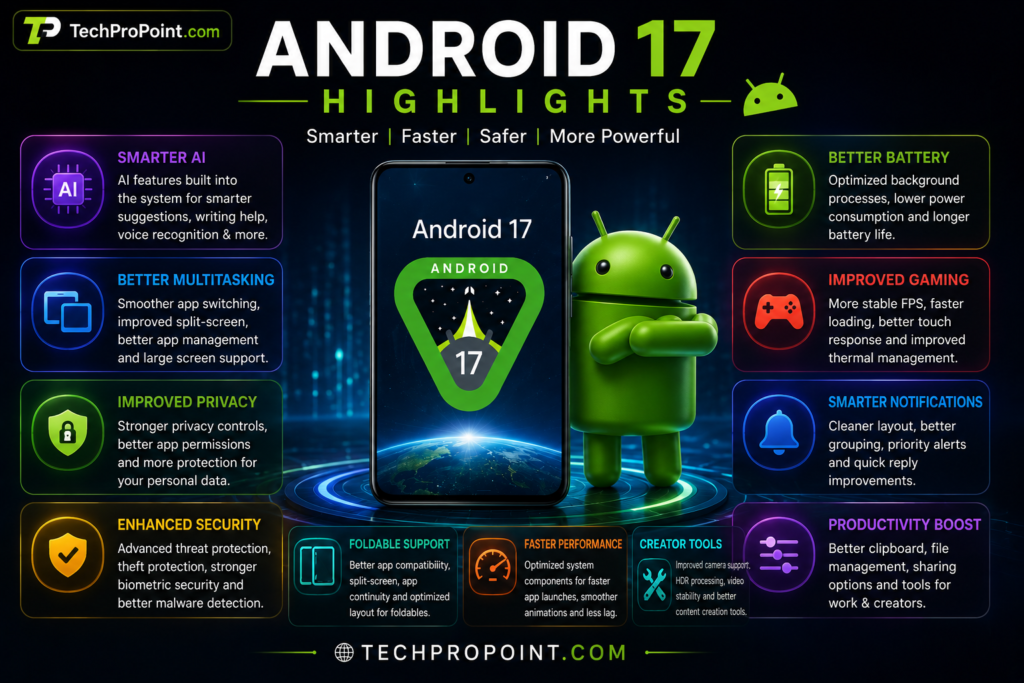
Android 17 brings many practical improvements that users will notice in daily life. The update is not only about new icons or small design changes. It improves how your phone works behind the scenes.
The biggest highlights include smarter AI-powered features, floating app bubbles for better multitasking, improved gaming modes for foldable phones, better memory management, stronger security tools, improved screen recording and better productivity features.
Android 17 also improves the experience for creators. Google has added media and camera-related improvements so that apps can work better with modern camera hardware and video tools. This can help users who record videos, create reels, shoot photos or use professional camera apps.
Here are the main Android 17 highlights:
Smarter AI-powered experience
Floating app bubbles
Better multitasking
Improved foldable gaming modes
Better memory management
Stronger privacy and security tools
Improved screen recording features
Better performance stability
More useful notifications
Better large-screen support
Media and camera improvements
Improved app compatibility
The biggest strength of Android 17 is balance. It does not try to make the phone look completely different. Instead, it makes Android more mature, useful and secure.
Redesigned Multitasking Experience
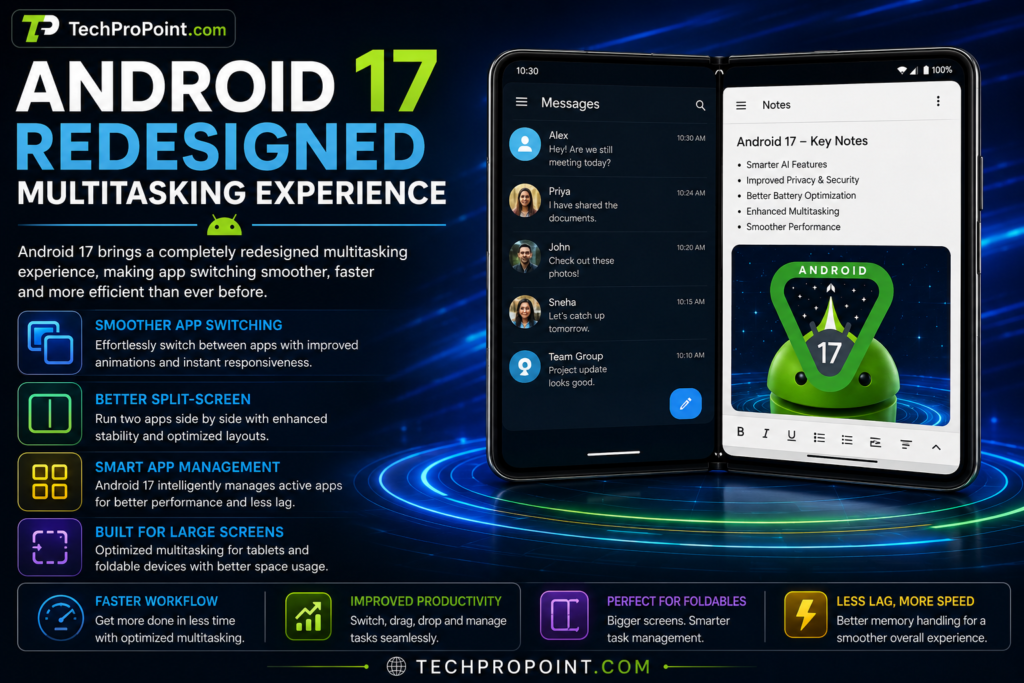
One of the most useful improvements in Android 17 is multitasking. Google has made app switching and floating app usage more practical, especially for users who keep moving between messages, browser, notes, videos and work apps.
Floating app bubbles are one of the important additions. These bubbles make it easier to keep an app or conversation available while doing something else. For example, you can continue a chat while reading an article, checking maps or watching a video.
This feature is useful for students, office users, creators and anyone who uses multiple apps at the same time. Instead of constantly opening and closing apps, Android 17 makes multitasking smoother and faster.
Foldable phones and tablets get even more benefit. On larger screens, Android 17 improves how apps use available space. Users can manage apps better, switch between tasks more easily and enjoy a more laptop-like experience on supported devices.
This is important because foldable phones are becoming more popular. A large screen is only useful when the software can use it properly. Android 17 takes a step forward in making foldables more productive.
Smarter AI Experience
Artificial Intelligence is becoming a major part of modern smartphones, and Android 17 continues that direction. The goal is not just to add AI as a separate app. Google wants Android to become smarter inside the system itself.
AI in Android 17 can help with better suggestions, smarter search, improved voice understanding, writing assistance and more useful recommendations. The phone can understand context better and help users complete tasks faster.
For example, AI can help suggest replies, improve text, organize information, understand voice commands and manage apps more intelligently. Some features may work quietly in the background, while others may appear inside supported apps.
However, it is important to understand that not every Android 17 phone will get the same AI features. Premium devices with newer processors may support more advanced AI tools, while budget phones may receive basic system-level improvements.
Android 17 builds a strong foundation for AI-powered phones. As more brands add their own AI tools on top of Android 17, users will see different experiences depending on the device.
Better Privacy and Security
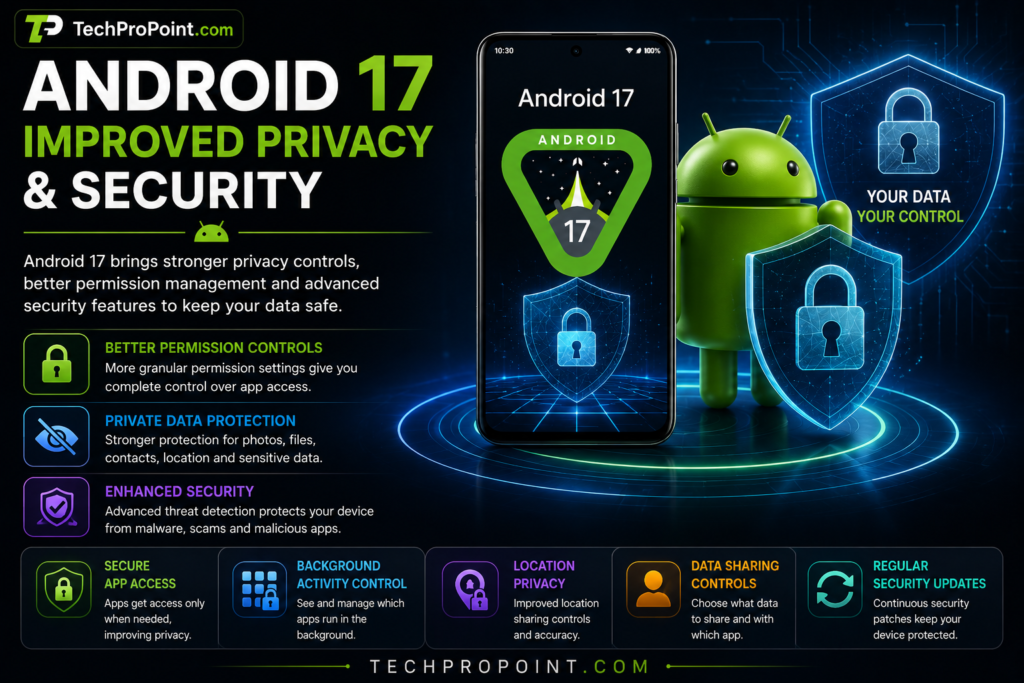
Privacy is one of the most important parts of Android 17. Smartphones store personal photos, bank apps, contacts, documents, messages, location data and private conversations. That is why Android 17 adds stronger protection to keep user data safer.
Google has improved security tools and privacy controls so users can better manage what apps can access. Apps should not get unnecessary access to sensitive data unless users allow it.
Android 17 improves permission handling, background activity control and device protection. Users get more confidence that their phone is not giving apps unlimited access in the background.
Important privacy and security benefits include:
Better app permission controls
Improved background activity management
Stronger protection against suspicious apps
Better theft protection tools
More secure device locking
Improved biometric security support
Better account and data protection
Google has also strengthened lock screen security. Android 17 reduces the number of wrong PIN or password attempts allowed before stronger restrictions apply. This makes it harder for someone to guess your passcode and access your phone.
For everyday users, this is one of the most valuable parts of Android 17. A smartphone is personal, and Android 17 makes it harder for others to misuse your data.
Android 17 AI-Powered Features
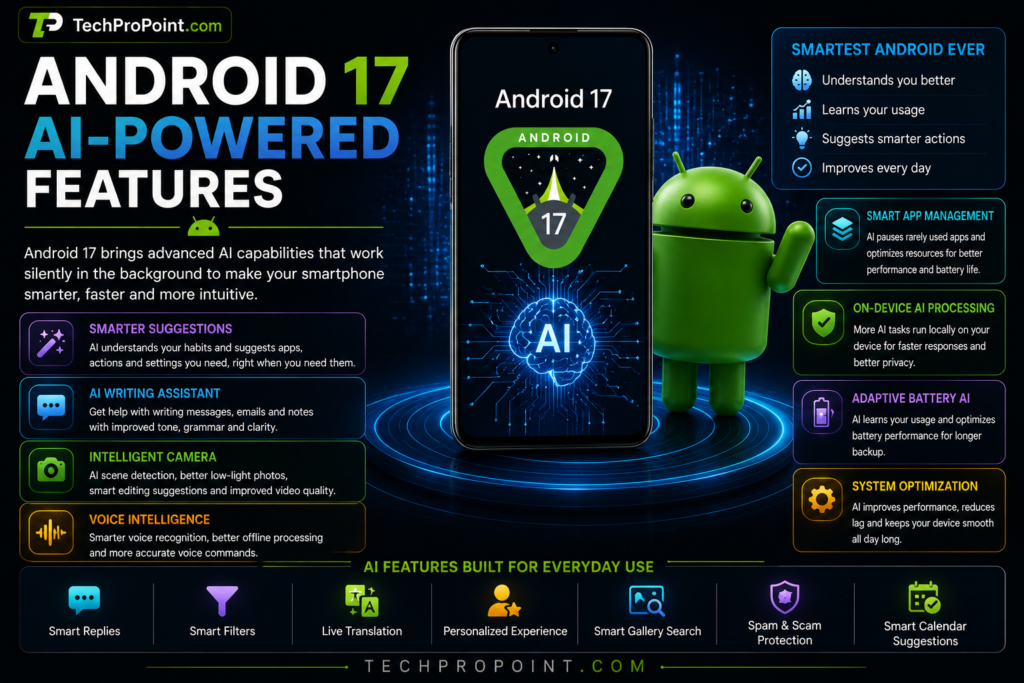
Android 17’s AI features are designed to make the phone feel more helpful without making it complicated. The system becomes better at understanding your usage habits and providing useful suggestions at the right time.
AI-powered improvements may include writing help, smart replies, voice intelligence, smart app suggestions, personalized recommendations, smarter gallery search and spam protection support.
For example, if you write emails, messages or notes, AI assistance can help improve clarity and tone. If you use voice commands, Android 17 may improve voice recognition and make commands more accurate. If you search inside your phone, AI can help you find information faster.
AI can also help with battery and performance management. The system can learn app usage patterns and manage background activity more intelligently. This helps reduce unnecessary battery drain and keeps the device smoother.
Still, users should not expect every AI feature on every device. Many advanced AI tools depend on hardware, processor capability and brand software support. Pixel devices may get some features earlier, while other brands may add their own AI features later.
Better Battery Optimization
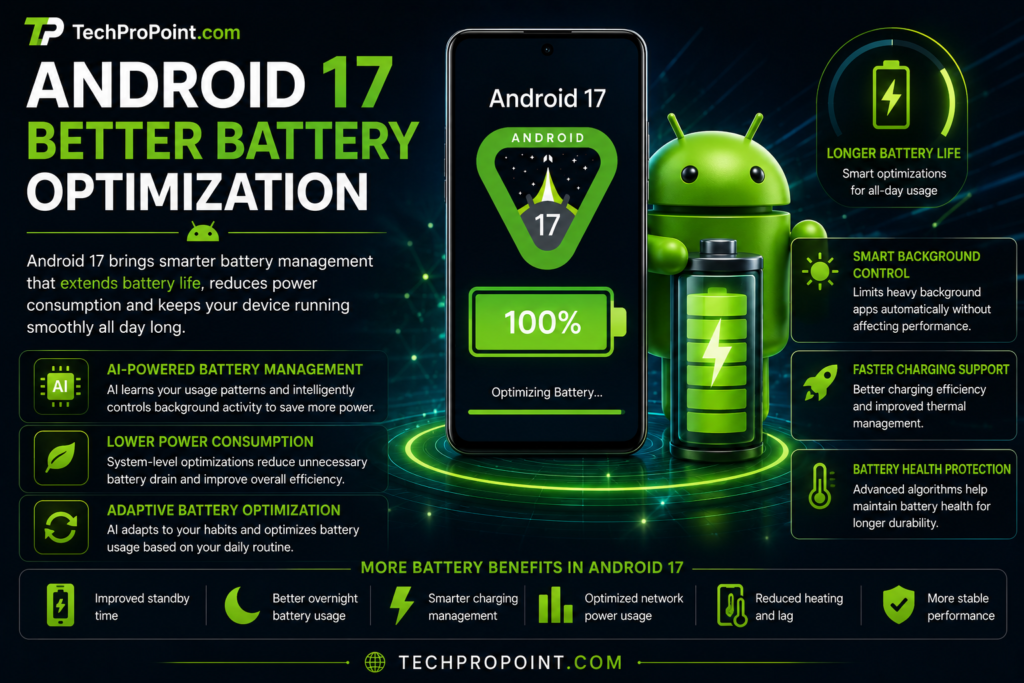
Battery life is one of the biggest concerns for smartphone users. Android 17 improves battery optimization by managing background apps and system resources more intelligently.
Many users face battery drain because apps keep running in the background even when they are not needed. Android 17 improves how the system controls such activity. This can help reduce power consumption and improve standby time.
Battery improvements may include lower background usage, better memory handling, improved thermal control, smarter app management and more efficient multitasking.
This does not mean every phone will suddenly get several extra hours of battery life. Actual battery performance depends on your phone’s battery size, display type, processor, software skin and usage pattern. But Android 17 gives brands a better base to optimize battery life.
For heavy users, this can be very useful. If you use your phone for gaming, social media, YouTube, camera, calling and browsing throughout the day, better background control can help the phone stay more stable.
Android 17 is not only about longer battery life. It is also about more consistent battery performance during daily use.
Improved Gaming Performance

Gaming is another important area in Android 17. Mobile gaming has become huge, especially in India, where users play games like BGMI, Free Fire, Call of Duty Mobile, racing games and other high-performance titles.
Android 17 improves gaming support by offering better system resource management, improved performance stability and better foldable gaming modes. On supported devices, this can help games feel smoother and more responsive.
Gaming improvements may include more stable frame rates, better touch response, reduced background interruptions, improved memory handling and better thermal control.
Foldable phones can benefit from improved gaming modes because the larger display needs better layout and performance optimization. Android 17 helps make foldable gaming more practical.
However, gaming performance still depends mainly on hardware. A phone with a powerful processor, good GPU and strong cooling system will always perform better than a budget device. Android 17 can improve software support, but it cannot replace good hardware.
For gamers, Android 17 is a good update because it makes the platform more stable and better prepared for modern mobile games.
Smarter Notifications
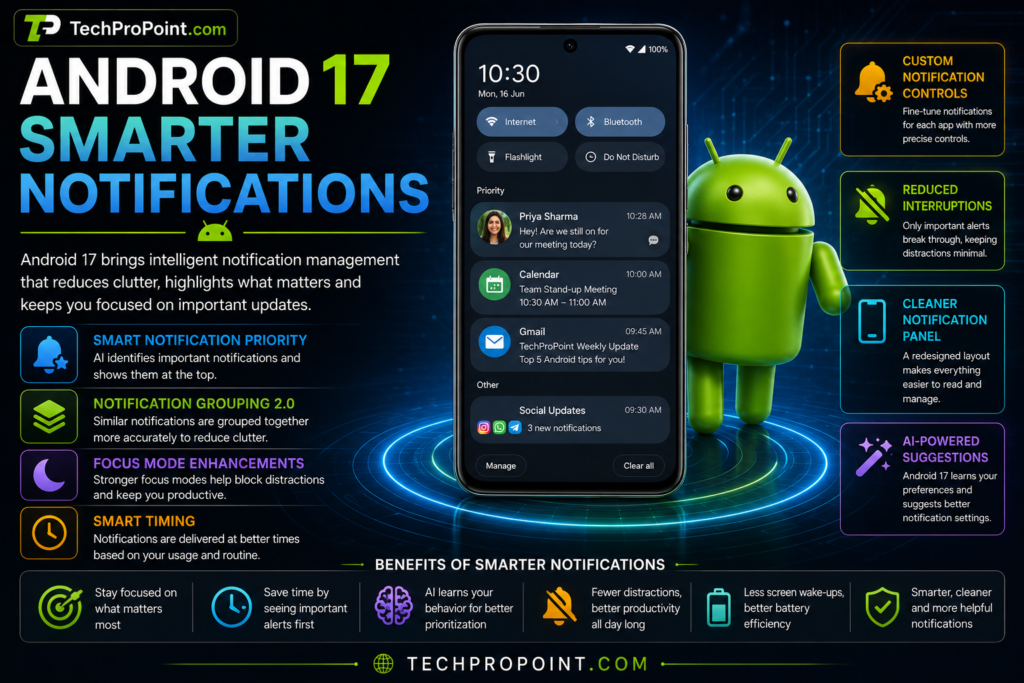
Notifications are useful, but too many alerts can make the phone distracting. Android 17 improves notification management to make alerts cleaner and easier to handle.
The system becomes better at organizing notifications and reducing unnecessary clutter. This is useful for users who receive messages, emails, social media alerts, app updates and shopping notifications throughout the day.
Smarter notification improvements may include cleaner grouping, better priority handling, improved quick replies, reduced clutter and better control over app alerts.
This helps users focus on important information instead of checking every random notification.
For students, this can reduce distraction during study time. For office users, it can help keep work alerts organized. For creators, it can make social media and productivity apps easier to manage.
A cleaner notification system may sound like a small change, but it can improve the daily smartphone experience a lot.
More Customization, More Control
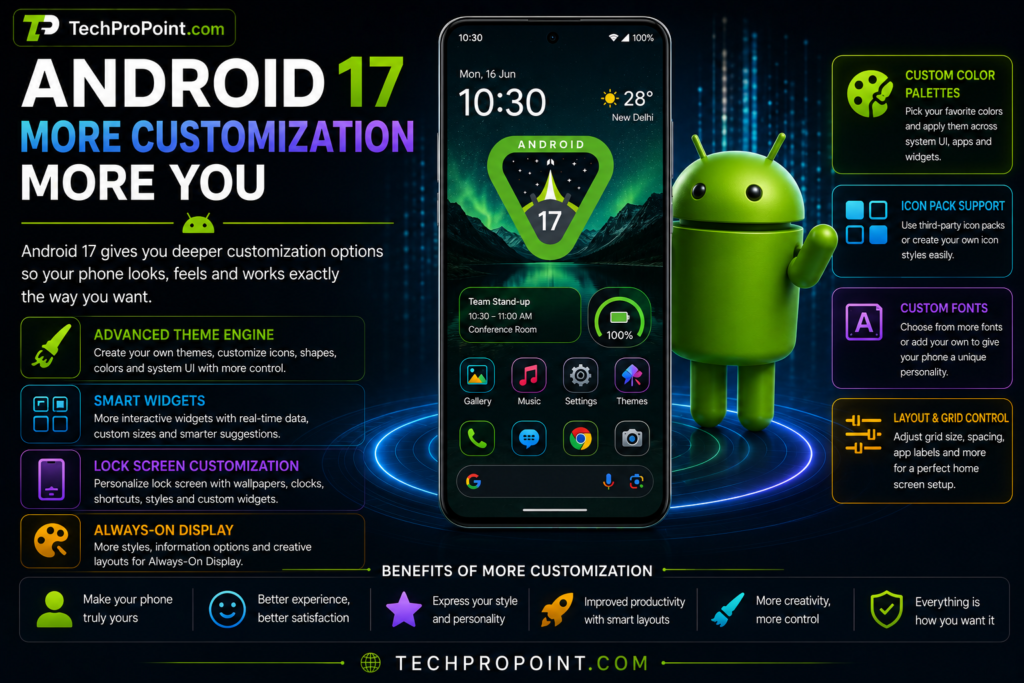
Android has always been popular because of customization. Android 17 continues this strength by giving users more control over how their phone looks and feels.
Depending on the brand and device, Android 17 may support more theme controls, better widgets, lock screen options, icon customization, color palettes and always-on display improvements.
Customization features may include better home screen layouts, smarter widgets, improved lock screen personalization, custom color options and better app icon styling.
Brands like Samsung, Xiaomi, OnePlus, vivo and OPPO usually add their own customization features on top of Android. So Android 17 may feel slightly different on each brand, but the core idea remains the same: more flexibility and more control.
For users who like to personalize their phone, Android 17 will feel more modern and flexible. You can make the phone match your style while keeping the system useful.
Stronger Security and Better Protection

Android 17 adds another layer of protection for users who care about safety. Security is not only about setting a password. It also includes safe app installation, network protection, anti-phishing tools, biometric security, data encryption and faster security updates.
Android 17 improves how the system protects users from suspicious activity and unauthorized access. Better security tools help keep sensitive data like passwords, payment apps, photos and documents safer.
Important security areas include secure connectivity, biometric protection, app permission control, safe app installation and automatic security updates.
This matters because people now use smartphones for everything. From UPI payments to private chats and cloud storage, the phone has become a personal digital wallet and work machine.
A stronger Android security system gives users more peace of mind.
Android 17 vs Android 16
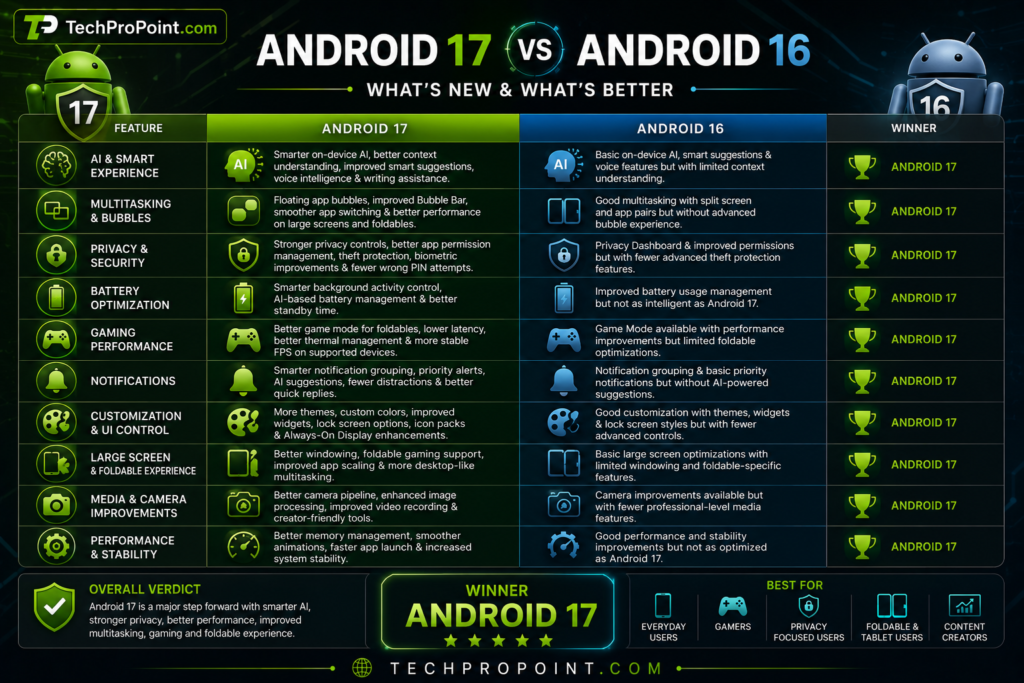
Android 16 was already a good update, but Android 17 improves the experience in practical ways. The biggest improvements are multitasking, security, gaming support, AI foundation and large-screen optimization.
Android 16 focused on stability and refinement, while Android 17 feels more future-ready. It is better prepared for foldables, AI-powered phones and modern productivity use.
Android 17 brings better floating app support, improved foldable gaming modes, stronger security restrictions, better memory management and improved media/camera tools.
If Android 16 was about making Android more stable, Android 17 is about making Android smarter and more flexible.
For users, the upgrade makes sense because the improvements are not only visual. They affect real daily usage.
Android 17 Supported Phones
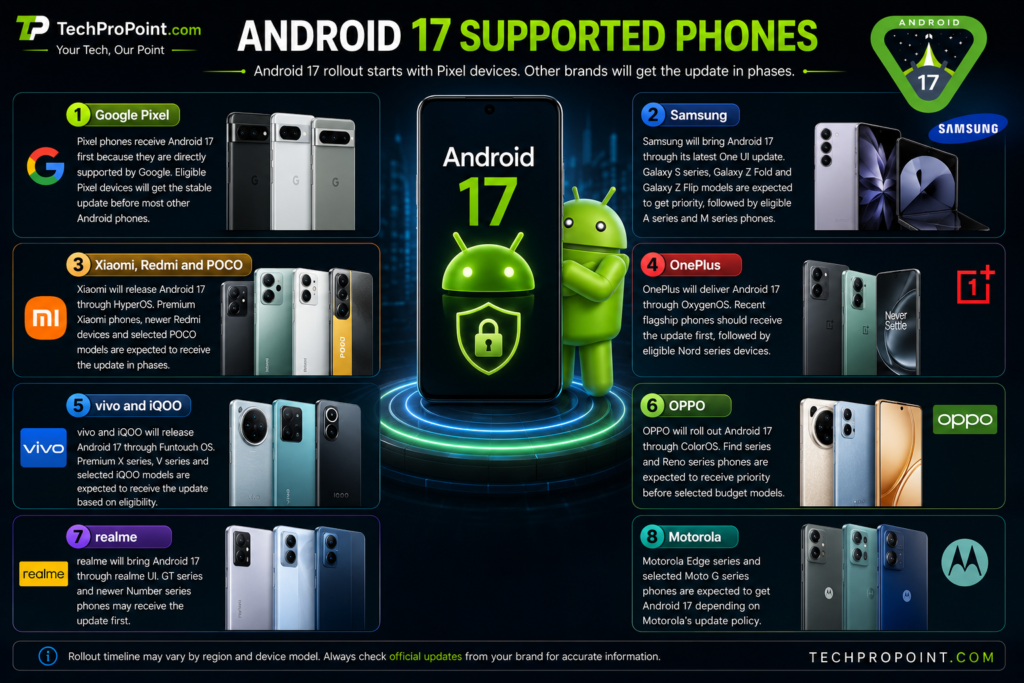
Android 17 first rolls out to supported Google Pixel phones. Other brands will release the update later based on their software policies.
Google Pixel
Pixel phones receive Android 17 first because they are directly supported by Google. Eligible Pixel devices will get the stable update before most other Android phones.
Samsung
Samsung will bring Android 17 through its latest One UI update. Galaxy S series, Galaxy Z Fold and Galaxy Z Flip models are expected to get priority, followed by eligible A series and M series phones.
Xiaomi, Redmi and POCO
Xiaomi will release Android 17 through HyperOS. Premium Xiaomi phones, newer Redmi devices and selected POCO models are expected to receive the update in phases.
OnePlus
OnePlus will deliver Android 17 through OxygenOS. Recent flagship phones should receive the update first, followed by eligible Nord series devices.
vivo and iQOO
vivo and iQOO will release Android 17 through Funtouch OS. Premium X series, V series and selected iQOO models are expected to receive the update based on eligibility.
OPPO
OPPO will roll out Android 17 through ColorOS. Find series and Reno series phones are expected to receive priority before selected budget models.
realme
realme will bring Android 17 through realme UI. GT series and newer Number series phones may receive the update first.
Motorola
Motorola Edge series and selected Moto G series phones are expected to get Android 17 depending on Motorola’s update policy.
Pros and Cons of Android 17
Pros
Better multitasking experience
Stronger privacy and security
Smarter AI foundation
Improved battery optimization
Better gaming support
Useful notification improvements
Better support for foldables and tablets
Improved media and camera tools
More stable performance
Cons
Not all phones will get every feature
Rollout depends on brand and region
Some AI features may need premium hardware
Early updates may have small bugs
Budget phones may receive limited improvements
Should You Update to Android 17?
Yes, if your phone receives the stable official Android 17 update, it is worth installing.
Android 17 brings important improvements in privacy, security, multitasking, AI, battery, gaming and notifications. These are not useless features. They directly improve the daily smartphone experience.
However, before updating, make sure you back up your important data. Keep your phone charged above 50 percent and use a stable Wi-Fi connection.
If your phone is your main work device, you can wait a few days after the rollout and check user feedback. Sometimes early updates may include small bugs, especially on non-Pixel phones.
Do not install beta versions on your main phone unless you understand the risks. Stable updates are safer for normal users.
TechProPoint Rating
New Features: 9.3/10
AI Experience: 9.2/10
Privacy and Security: 9.6/10
Multitasking: 9.4/10
Battery Optimization: 9.1/10
Gaming Improvements: 9.0/10
Customization: 9.2/10
Overall Experience: 9.4/10
TechProPoint Verdict
Android 17 is a practical and powerful update. It does not try to impress users only with a new look. Instead, it improves the areas where Android needed real upgrades.
The biggest improvements are multitasking, security, privacy, gaming, notifications and AI-powered system intelligence. These features make Android 17 feel more mature and future-ready.
For Pixel users, Android 17 is already a major upgrade. For Samsung, Xiaomi, OnePlus, vivo, OPPO, realme and Motorola users, the experience will depend on how well each brand optimizes its own software skin.
Overall, Android 17 is one of the most balanced Android updates in recent years. It is smarter, safer and better prepared for modern smartphone usage.
If your phone gets the stable Android 17 update, you should consider installing it after checking basic feedback for your device model.
Frequently Asked Questions
Is Android 17 officially released?
Yes, Android 17 has been officially released by Google and started rolling out first to supported Pixel devices.
Which phones will get Android 17?
Supported Pixel devices will get Android 17 first. Eligible phones from Samsung, Xiaomi, OnePlus, vivo, OPPO, realme, Motorola and other brands will receive it later based on their update policy.
Is Android 17 good for gaming?
Yes, Android 17 includes gaming-related improvements such as better resource management, improved foldable gaming modes and more stable performance support. Actual gaming performance depends on your phone hardware.
Will Android 17 improve battery life?
Android 17 improves background activity control and memory management, which can help battery efficiency. Actual battery improvement will depend on your phone model and usage.
Does Android 17 include AI features?
Yes, Android 17 improves the AI foundation of Android. Some AI features may depend on processor power and brand software support.
Should I install Android 17 immediately?
If it is a stable official update, you can install it. If it is a beta update, avoid installing it on your main phone unless you are comfortable with possible bugs.
Is Android 17 better than Android 16?
Yes, Android 17 improves multitasking, security, AI support, notifications, gaming and large-screen experience compared to Android 16.
Will Samsung phones get Android 17?
Eligible Samsung phones are expected to get Android 17 through a new One UI update. Flagship Galaxy S and Galaxy Z devices will likely receive it first.
Will Xiaomi phones get Android 17?
Eligible Xiaomi, Redmi and POCO phones are expected to get Android 17 through HyperOS, depending on model and region.
Are all Android 17 features available on every phone?
No. Some features depend on hardware, brand software and device category. Premium phones may receive more advanced features than budget devices.
Final Words
Android 17 is a strong update for users who want a smarter, safer and smoother smartphone experience. It improves real-life features instead of focusing only on appearance. From floating app bubbles and better multitasking to improved gaming, stronger privacy and smarter AI support, Android 17 makes Android more practical for 2026.
For users who use their phone for work, study, gaming, content creation or personal use, Android 17 brings meaningful improvements. Once your phone receives the official stable update, it is worth installing after checking basic user feedback.
Official Links
- Google Android Official: https://www.android.com
- Android Developers (Android 17): https://developer.android.com/about/versions/17
- Google Android 17 Announcement: https://blog.google/products-and-platforms/platforms/android/android-17-features/
Internal Links (TechProPoint)
- https://techpropoint.com/best-phones-under-15000-in-india-2026/
- https://techpropoint.com/best-phones-under-25000-in-2026-top-5/
- https://techpropoint.com/best-phones-under-30000-in-2026/
- https://techpropoint.com/best-phones-under-70000-in-india-2026/
- https://techpropoint.com/redmi-turbo-5-review/
- https://techpropoint.com/oneplus-15-review/
- https://techpropoint.com/vivo-x300-ultra-review/
- https://techpropoint.com/best-dell-laptops-in-india-2026/