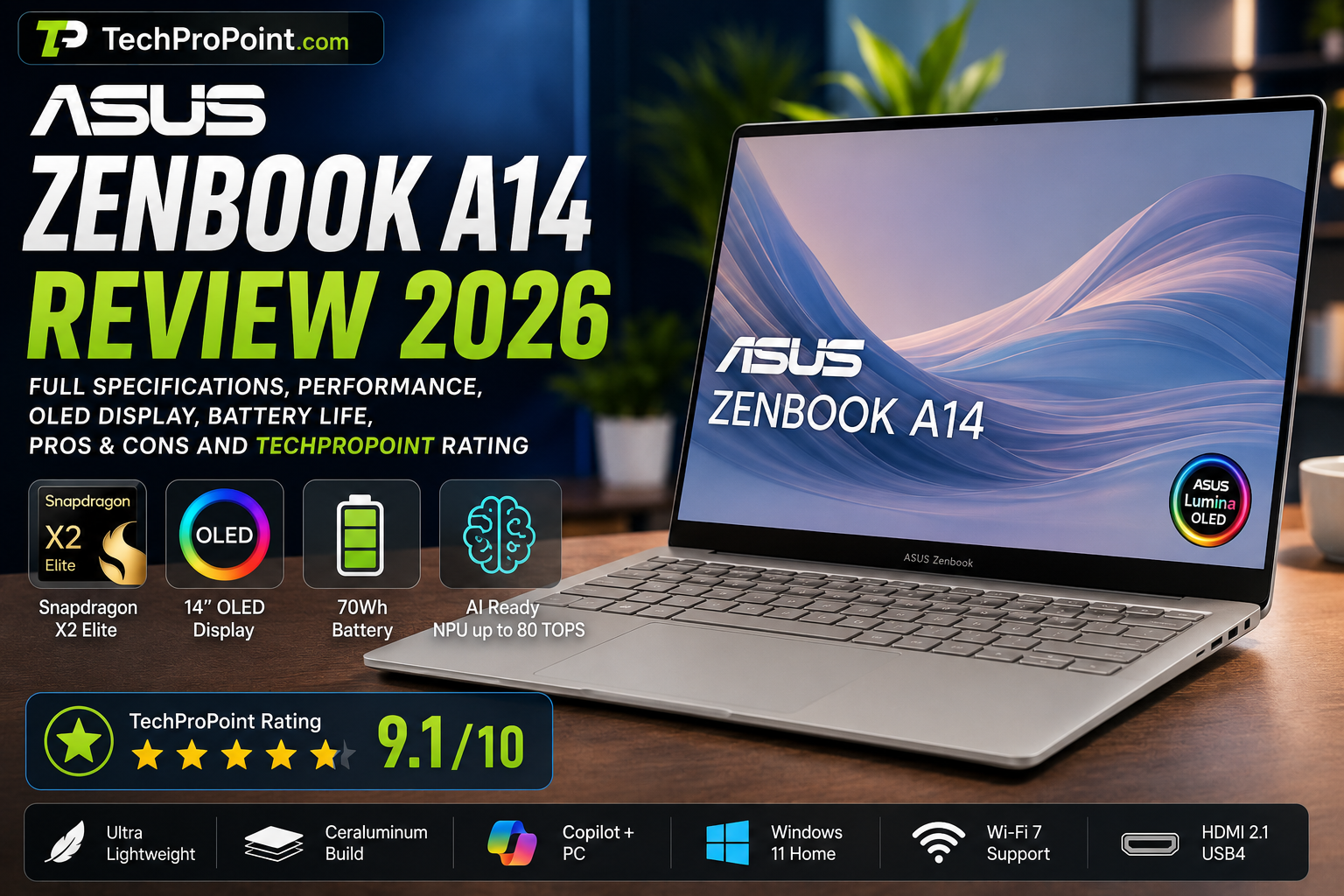
ASUS Zenbook A14 Review
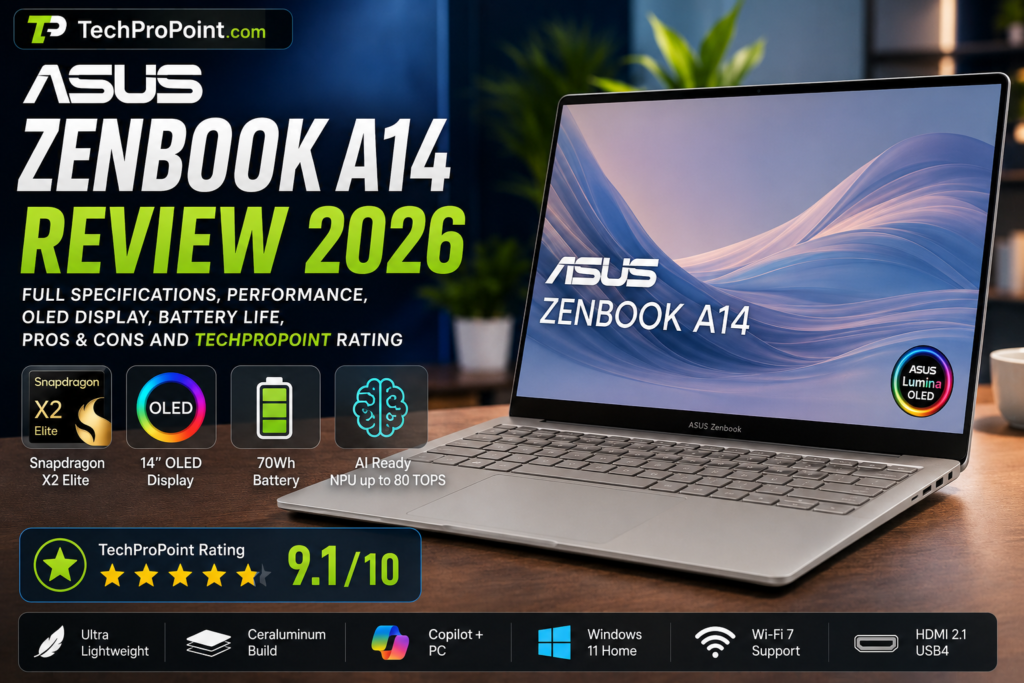
Introduction
ASUS Zenbook A14 is one of the most interesting premium lightweight laptops of 2026. It is designed for users who want a modern Windows laptop that feels premium, runs smoothly, lasts long on battery, and remains easy to carry every day.
The biggest attraction of the Zenbook A14 is its balance. It is not a bulky gaming laptop, and it is not a basic budget laptop either. It sits in the premium thin-and-light category where portability, display quality, battery life, AI features and productivity performance matter more than raw gaming power.
ASUS has built the Zenbook A14 around Qualcomm Snapdragon X-series processors. Depending on the exact variant, it can be available with Snapdragon X, Snapdragon X Elite or Snapdragon X2 Elite. The top Snapdragon X2 Elite variant makes this laptop more powerful and future-ready for users who want better AI performance, smoother multitasking and long battery life.
The laptop also comes with a 14-inch OLED display, lightweight Ceraluminum body, Windows Hello support, modern connectivity options and Copilot+ PC features. This makes it a strong option for students, office users, writers, bloggers, travellers and business professionals.
In this TechProPoint review, we explain the ASUS Zenbook A14 in simple and practical language. We will cover its design, display, performance, AI features, battery life, keyboard, ports, software experience, gaming performance, pros and cons, and whether you should buy it in 2026.
ASUS Zenbook A14 Full Specifications
ASUS Zenbook A14 Review
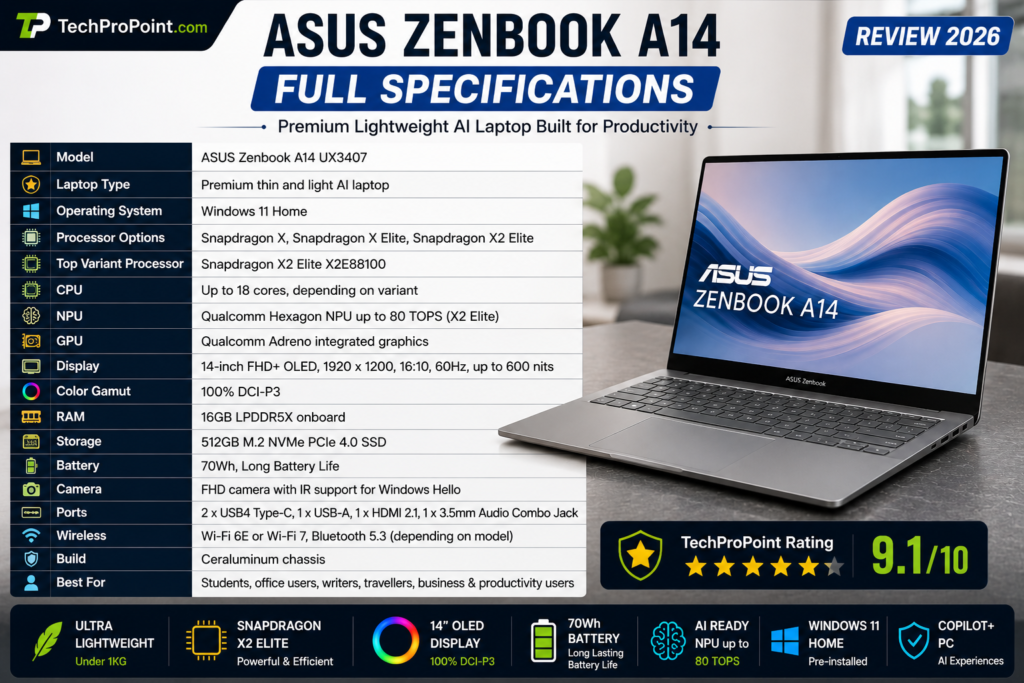
| Feature | ASUS Zenbook A14 UX3407 |
|---|---|
| Laptop Type | Premium thin and light AI laptop |
| Operating System | Windows 11 Home |
| Processor Options | Snapdragon X, Snapdragon X Elite, Snapdragon X2 Elite |
| Top Variant Processor | Snapdragon X2 Elite X2E88100 |
| CPU | Up to 18 cores, depending on variant |
| NPU | Qualcomm Hexagon NPU up to 80 TOPS on Snapdragon X2 Elite variant |
| GPU | Qualcomm Adreno integrated graphics |
| Display | 14-inch FHD+ OLED |
| Resolution | 1920 x 1200 pixels |
| Aspect Ratio | 16:10 |
| Refresh Rate | 60Hz |
| Peak Brightness | Up to 600 nits |
| Color Gamut | 100% DCI-P3 |
| RAM | 16GB LPDDR5X onboard |
| Storage | 512GB M.2 NVMe PCIe 4.0 SSD |
| Battery | 70Wh |
| Camera | FHD camera with IR support for Windows Hello |
| Ports | USB4 Type-C, USB-A, HDMI 2.1, audio combo jack |
| Wireless | Wi-Fi 6E or Wi-Fi 7, depending on model |
| Build | Ceraluminum chassis |
| Best For | Students, office users, writers, travellers, business users and productivity users |
Specifications can vary by country, model and configuration. Before buying, users should always check the exact model number and official ASUS listing.
Design and Build Quality
ASUS Zenbook A14 Review
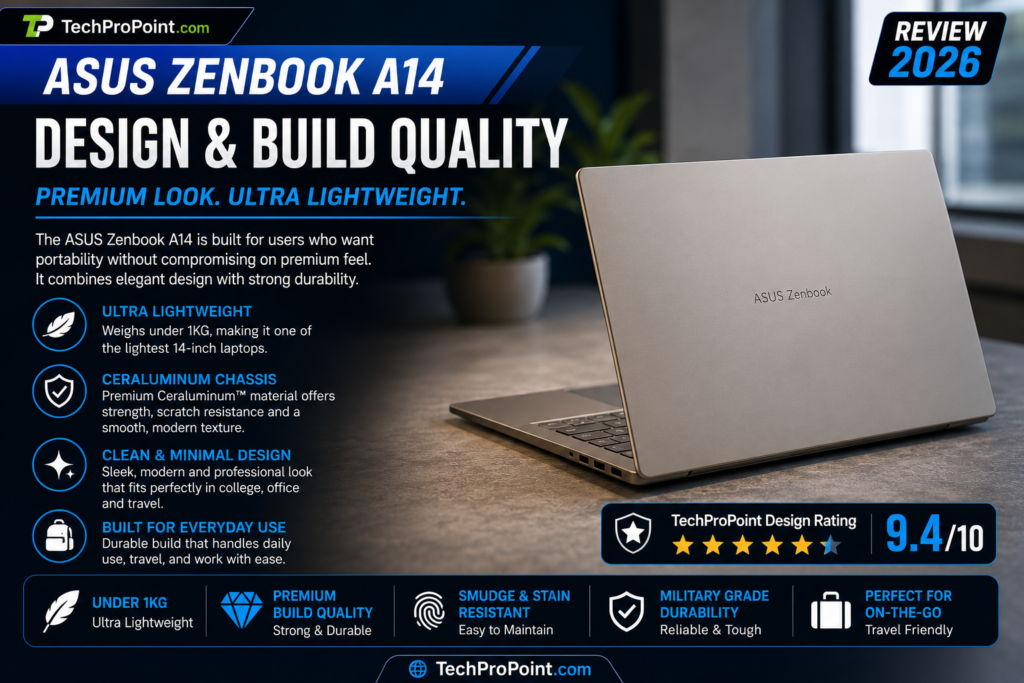
The ASUS Zenbook A14 is made for people who want a laptop that is easy to carry without feeling cheap. Its biggest design strength is its lightweight body. ASUS has focused heavily on portability, and that makes the Zenbook A14 a strong option for students, office users, travellers and business professionals.
The laptop looks clean, minimal and premium. It does not have a flashy gaming-style design. Instead, it has a professional look that fits well in college, office, meetings and travel. This is the kind of laptop that does not try too hard to look premium, but still feels modern and classy.
ASUS uses a Ceraluminum chassis on the Zenbook A14. This material gives the laptop a premium texture while keeping the body light. ASUS also promotes this material for durability, scratch resistance and stain resistance. In daily use, this matters because thin laptops often collect fingerprints, smudges and small marks easily.
The overall build quality looks strong for a laptop in this weight category. Of course, because it is an ultra-light laptop, users should still handle it carefully. It is not meant to be treated like a rugged business laptop. But for normal everyday use, the Zenbook A14 feels premium and practical.
The design is clearly focused on mobility. If you carry your laptop every day in a backpack, travel bag or college bag, the lightweight body will make a big difference.
TechProPoint Design Rating: 9.4/10
The ASUS Zenbook A14 gets a high score for its lightweight body, premium material, clean design and practical portability.
Display Quality
ASUS Zenbook A14 Review
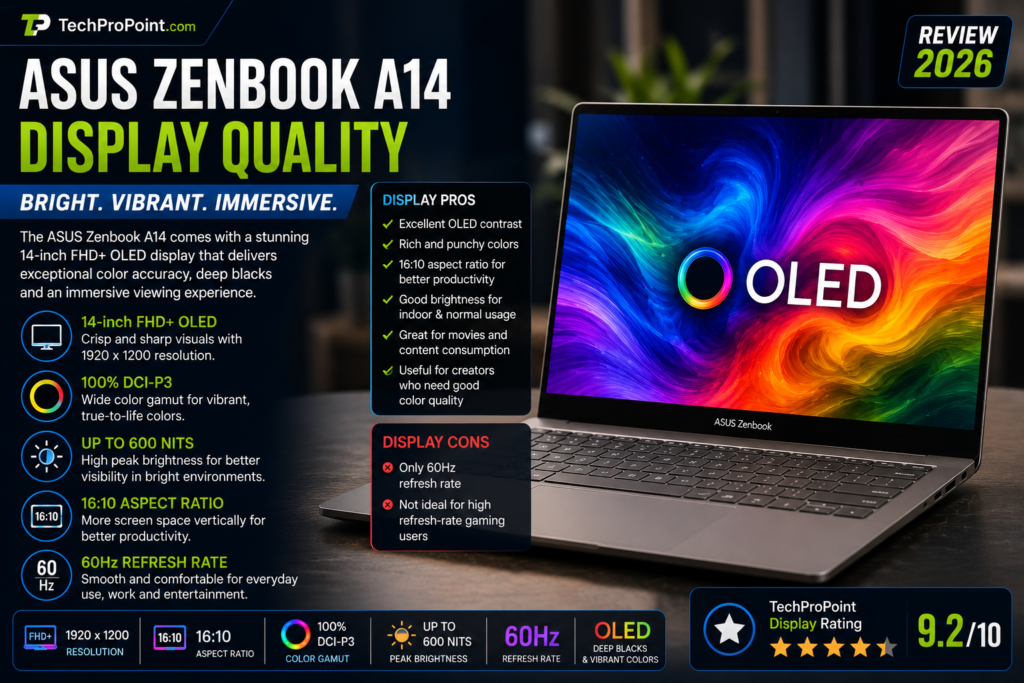
The ASUS Zenbook A14 comes with a 14-inch FHD+ OLED display. The resolution is 1920 x 1200 pixels, and the screen uses a 16:10 aspect ratio. This is better for productivity than a normal 16:9 display because you get slightly more vertical space.
The 16:10 screen is useful for reading documents, writing blogs, browsing websites, coding, using Excel sheets and working on long pages. For students and office users, this small change can improve daily comfort.
Because it is an OLED panel, the display offers deep blacks, strong contrast and vibrant colors. Movies, videos, photos and web content look rich and sharp. The display also supports 100% DCI-P3 color coverage and up to 600 nits peak brightness, depending on display mode and content.
For content creators who edit photos, create social media posts, design thumbnails or watch color-rich content, this OLED panel is one of the strongest reasons to consider the Zenbook A14.
However, the refresh rate is 60Hz. This is fine for office work, study, browsing, writing, video streaming and normal use. But users who are coming from a 120Hz or 144Hz display may notice that it does not feel as fluid as high-refresh-rate screens.
This laptop is not designed for competitive gaming, so the 60Hz panel is not a deal-breaker for its target audience. But if ASUS had included a higher refresh rate, the display would have felt even more premium.
Display Pros
- Excellent OLED contrast
- Rich and punchy colors
- 16:10 aspect ratio for better productivity
- Good brightness for indoor and normal usage
- Great for movies and content consumption
- Useful for creators who need good color quality
Display Cons
- Only 60Hz refresh rate
- Not ideal for high-refresh-rate gaming users
TechProPoint Display Rating: 9.2/10
The display is excellent for productivity, entertainment and content work. The only limitation is the 60Hz refresh rate.
Performance
ASUS Zenbook A14 Review
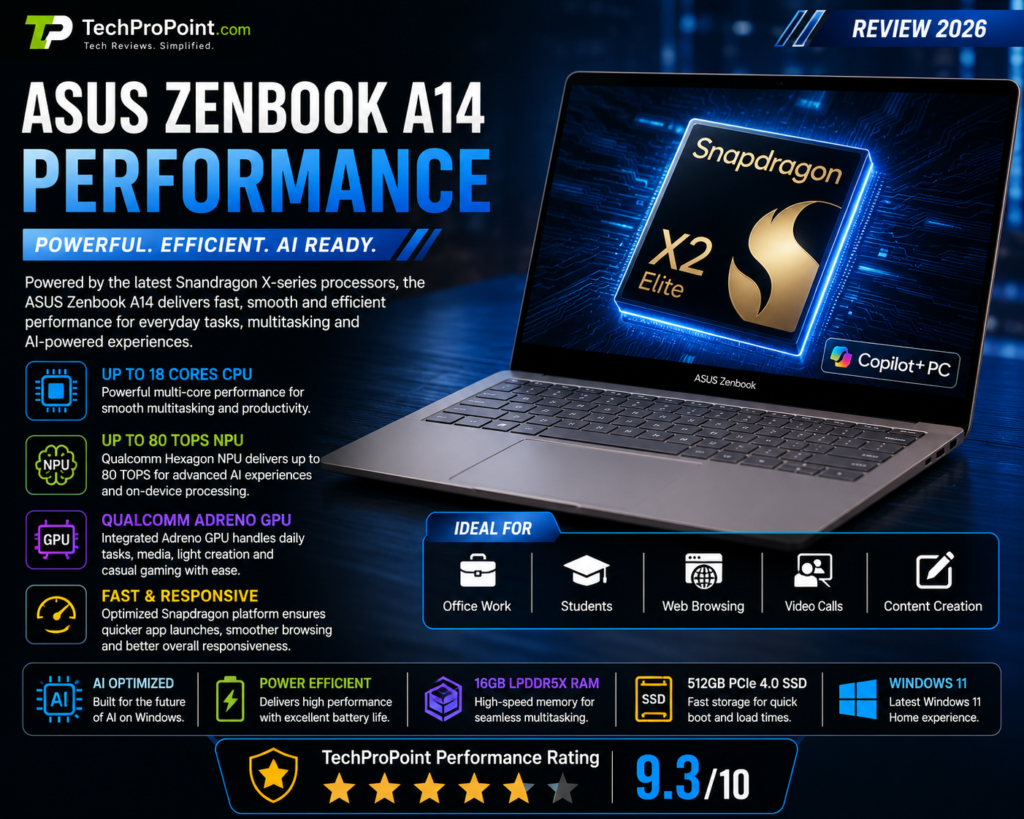
The performance of the ASUS Zenbook A14 depends on the exact processor variant. ASUS lists multiple processor options, including Snapdragon X, Snapdragon X Elite and Snapdragon X2 Elite. The top model with Snapdragon X2 Elite is the most powerful version.
The Snapdragon X2 Elite variant brings up to 18 CPU cores and a Qualcomm Hexagon NPU rated up to 80 TOPS. This makes the laptop ready for modern AI workloads and Copilot+ PC features.
For daily usage, the Zenbook A14 should feel fast and smooth. It is made for users who work on browsers, documents, spreadsheets, emails, video calls, online classes, presentations and light creative tasks.
You can comfortably use it for:
- Chrome or Edge browsing
- Microsoft Office
- Google Docs
- Excel and PowerPoint
- YouTube and OTT streaming
- Online meetings
- Blog writing
- Light coding
- Basic photo editing
- Productivity apps
- AI-supported Windows features
The laptop is especially strong for users who want efficient performance rather than heavy GPU power. Snapdragon-based Windows laptops are improving quickly, and the Zenbook A14 shows how far this category has come.
However, there is one important point to understand. This is a Windows on ARM laptop. Most popular apps now work well, but some older Windows applications, niche tools, drivers, plugins or games may not work perfectly. If your work depends on a very specific software, you should check compatibility before buying.
For normal students, office users, writers and travellers, this should not be a big issue. But for professional users with specialized tools, checking compatibility is important.
TechProPoint Performance Rating: 9.3/10
For productivity, AI features and daily multitasking, the Zenbook A14 is very strong. For heavy gaming or GPU workloads, it is not the right machine.
AI and Copilot+ PC Features
ASUS Zenbook A14 Review
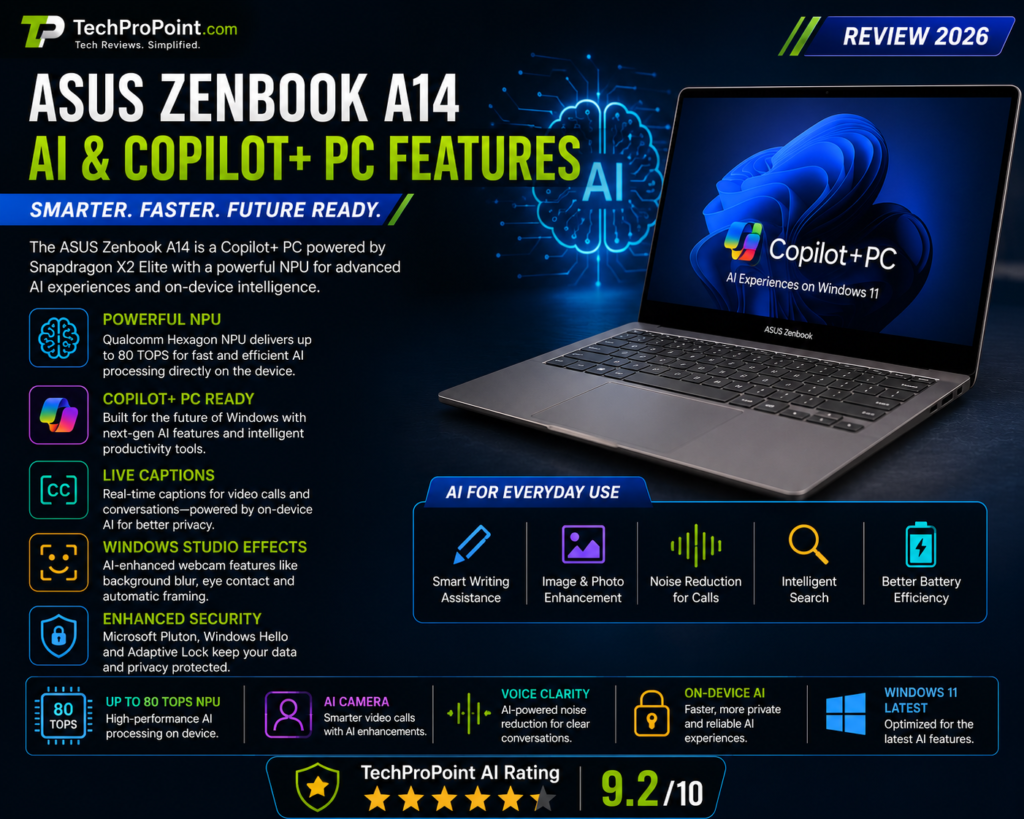
The ASUS Zenbook A14 is a Copilot+ PC, which means it is built for AI-powered Windows features. The Snapdragon X2 Elite variant is especially important because it includes a powerful NPU for on-device AI tasks.
An NPU helps the laptop handle AI tasks more efficiently without putting everything on the CPU or GPU. This can improve speed, battery life and privacy for supported AI features.
AI features may help in:
- Live Captions
- Windows Studio Effects
- Background blur during video calls
- Voice clarity
- Image-related tasks
- Writing assistance
- Smart search
- On-device AI processing
- Productivity tools
The advantage of on-device AI is that some tasks can run locally on the laptop instead of depending completely on cloud servers. This can help with faster response, better privacy and improved battery efficiency.
Still, users should be realistic. Not every AI feature will be useful for everyone. Some people will use Copilot and AI tools daily, while others may only use basic Windows features. The hardware is future-ready, but the real value depends on how much you use AI-powered apps.
TechProPoint AI Rating: 9.2/10
The Zenbook A14 is ready for the AI PC era. Its NPU makes it future-friendly, even if some AI features are still developing.
Battery Life
ASUS Zenbook A14 Review
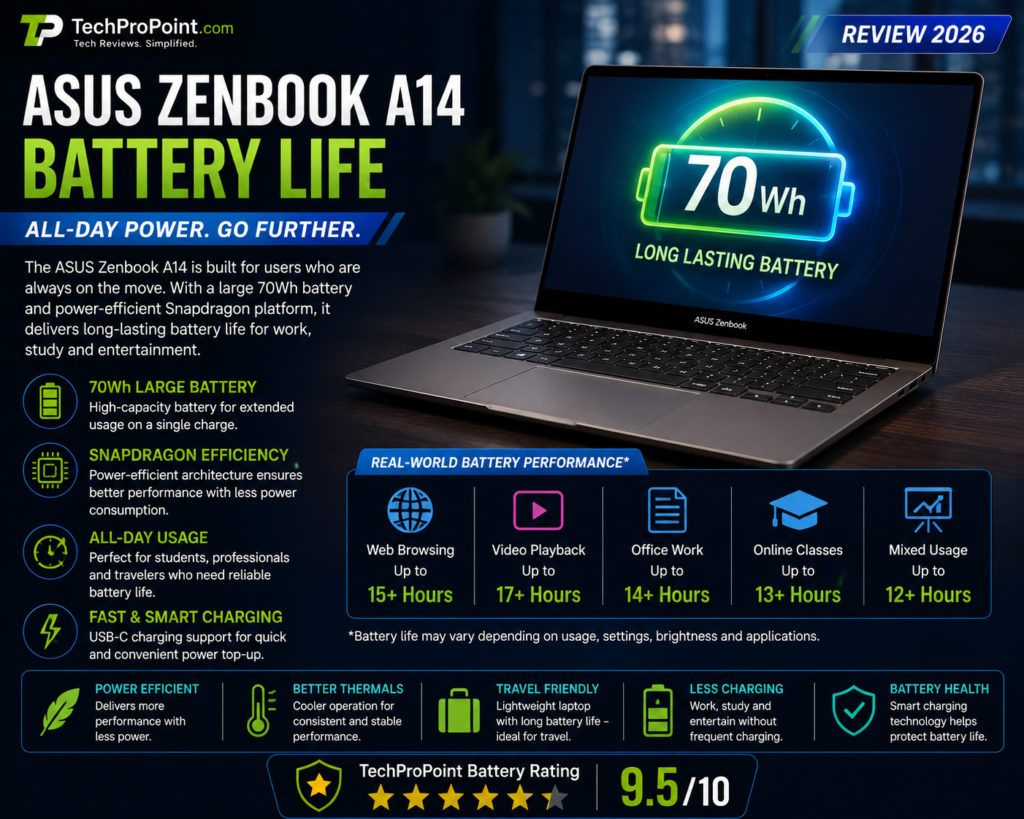
Battery life is one of the biggest reasons to choose the ASUS Zenbook A14. The laptop comes with a 70Wh battery, which is impressive for such a thin and lightweight machine.
Snapdragon-based laptops are known for efficiency, and the Zenbook A14 benefits from that. ASUS also highlights long battery life under controlled testing conditions. In real life, battery backup will depend on brightness, Wi-Fi usage, number of browser tabs, video calls, background apps, battery mode and workload.
For light usage like writing, browsing, documents, emails and video playback, the Zenbook A14 should deliver strong battery life. For heavier workloads, battery life will reduce, which is normal for any laptop.
This laptop is ideal for users who do not want to carry a charger everywhere. Students can use it for classes and assignments. Office users can use it for meetings and work sessions. Travellers can use it during long trips.
The combination of a 70Wh battery and efficient Snapdragon hardware makes the Zenbook A14 one of the stronger battery-focused Windows laptops in its category.
Battery Pros
- Large 70Wh battery
- Efficient Snapdragon platform
- Good standby performance
- Useful for travel and long work sessions
- Better than many traditional Windows laptops in endurance
Battery Cons
- Battery life depends heavily on workload
- Video meetings and high brightness will drain battery faster
- Manufacturer battery claims are usually based on controlled testing
TechProPoint Battery Rating: 9.5/10
Battery life is one of the strongest selling points of the Zenbook A14.
Keyboard and Touchpad
ASUS Zenbook A14 Review
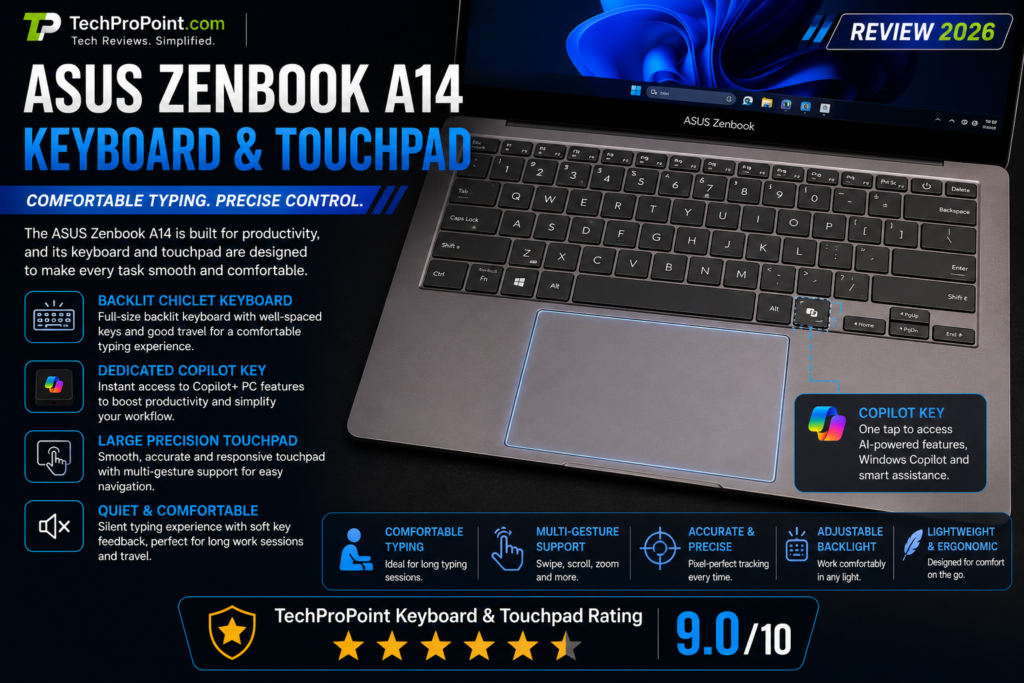
The ASUS Zenbook A14 is built for productivity, so the keyboard and touchpad are very important. ASUS includes a backlit chiclet keyboard with comfortable key travel. This should be good enough for long typing sessions.
For students, writers, bloggers and office users, a good keyboard matters a lot. If you write assignments, emails, scripts, reports or blog posts, the Zenbook A14 should provide a comfortable typing experience.
The laptop also includes a precision touchpad. ASUS mentions smart gesture support on its Zenbook lineup, which can make navigation more convenient. A good touchpad is important on an ultraportable laptop because users may not always carry a mouse.
The keyboard also includes a Copilot key, which matches the laptop’s AI PC positioning.
TechProPoint Keyboard and Touchpad Rating: 9.0/10
The keyboard and touchpad setup looks practical and comfortable for productivity users.
Ports and Connectivity
ASUS Zenbook A14 Review
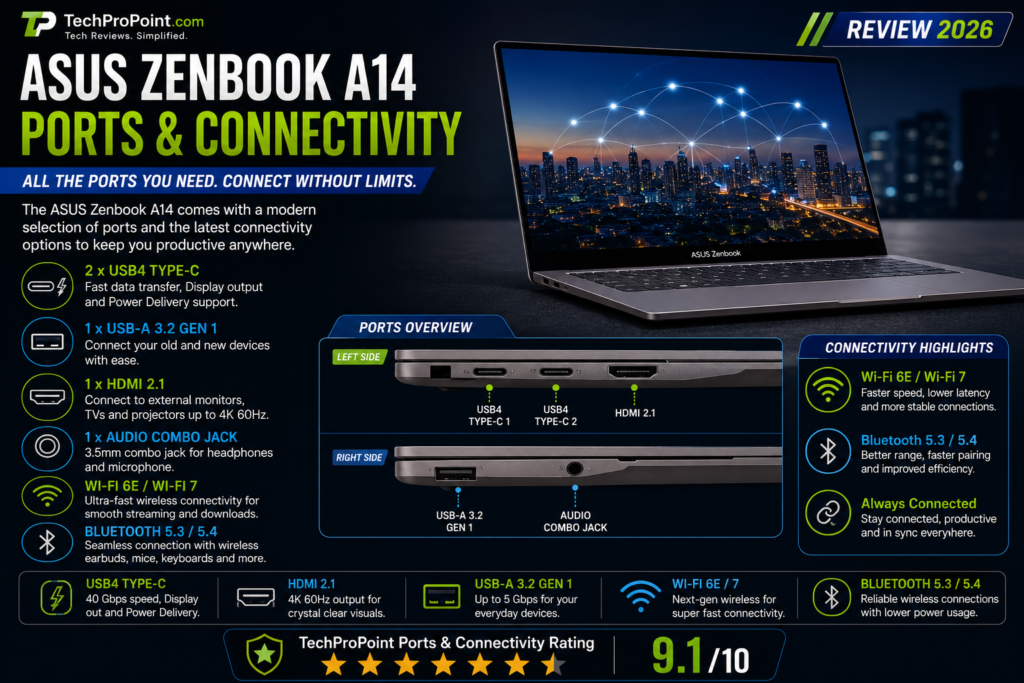
Many thin laptops remove useful ports, but the ASUS Zenbook A14 keeps a practical selection. ASUS lists USB4 Type-C ports, USB-A, HDMI 2.1 and a 3.5mm audio combo jack.
This is a big advantage for daily users. USB-A is useful for pen drives, wireless mouse receivers and older accessories. HDMI is useful for monitors, projectors and office presentations. USB4 Type-C is useful for charging, display output and high-speed data transfer.
This means most users will not need to carry extra dongles for basic tasks. For a thin and light laptop, this port selection is very good.
Connectivity depends on the variant. Some models support Wi-Fi 6E, while higher-end configurations can support Wi-Fi 7. This makes the laptop ready for faster wireless networks where Wi-Fi 7 routers are available.
TechProPoint Ports Rating: 8.9/10
The port selection is practical for a lightweight laptop. It is better than many ultra-thin laptops that only offer USB-C.
Webcam, Audio and Security
ASUS Zenbook A14 Review
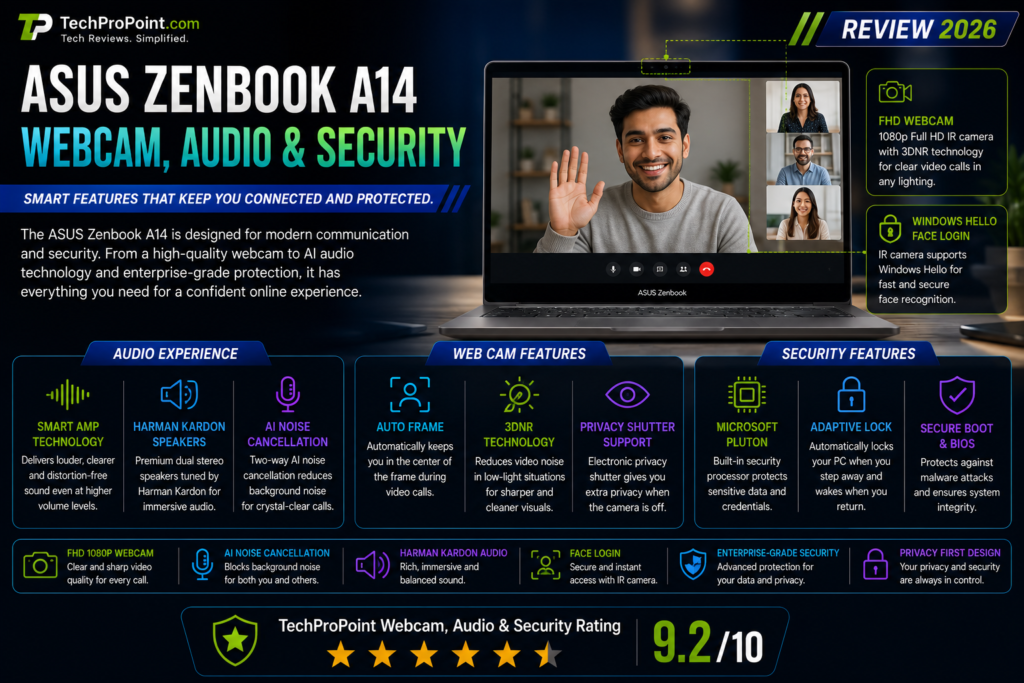
The ASUS Zenbook A14 comes with an FHD camera with IR support for Windows Hello. This means users can unlock the laptop with face recognition. It is faster and more convenient than typing a password every time.
ASUS also mentions smart security features like Microsoft Pluton, Windows Hello and Adaptive Lock. Microsoft Pluton is designed to improve hardware-level security, while Adaptive Lock can help protect privacy when the user moves away from the laptop.
For online meetings, the FHD camera should be good enough for Google Meet, Zoom, Microsoft Teams and online classes. Windows Studio Effects can also improve video calls with background blur and other AI camera improvements on supported configurations.
The laptop includes built-in speakers and Smart Amp Technology. Because the Zenbook A14 is very thin and light, users should not expect deep bass like a large multimedia laptop. But for meetings, YouTube, movies and normal entertainment, the audio should be good enough.
TechProPoint Webcam, Audio and Security Rating: 8.9/10
The laptop is well-equipped for online classes, meetings and secure login.
Software Experience
ASUS Zenbook A14 Review
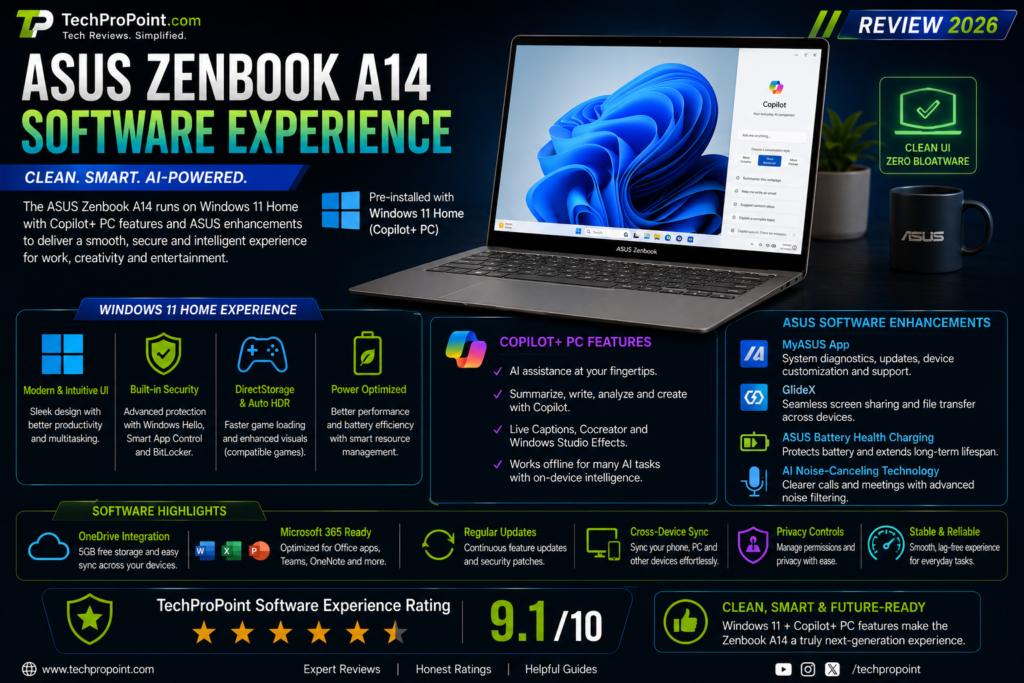
The ASUS Zenbook A14 runs Windows 11 Home and supports Copilot+ PC features. For most users, Windows 11 is familiar and easy to use. You can install apps like Chrome, Microsoft Office, WhatsApp, Zoom, Spotify, Canva, Adobe apps and many productivity tools.
ASUS also includes useful software tools such as MyASUS, GlideX and ScreenXpert. MyASUS helps with system updates, performance settings and support tools. GlideX helps with cross-device screen sharing, while ScreenXpert helps manage windows across connected displays.
These tools can be useful if you use multiple screens or want better control over your workflow.
The main thing to remember is ARM compatibility. Popular apps should work fine, but some older software or drivers may need checking. If you use old printers, scanners, special plugins or professional tools, check support before buying.
For normal users, the software experience should be smooth.
Gaming Performance
ASUS Zenbook A14 Review
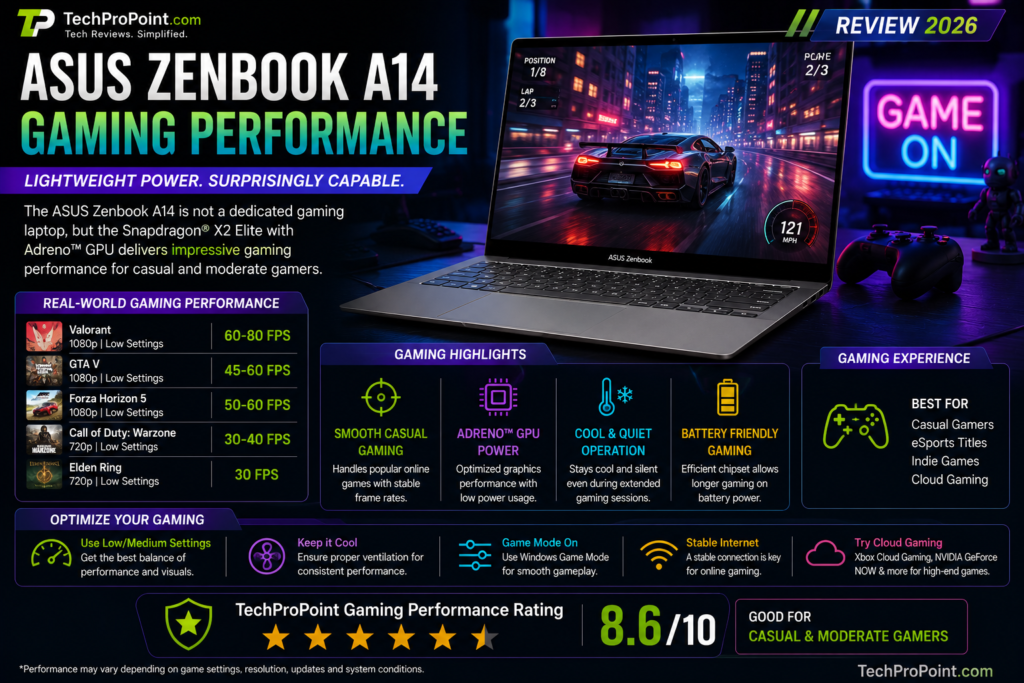
The ASUS Zenbook A14 is not a gaming laptop. This point should be very clear.
It uses integrated Qualcomm Adreno graphics. These graphics are good for normal visual tasks, video playback, casual games and light graphics work. But this laptop is not made for heavy AAA gaming or high-FPS competitive gaming.
You can use it for casual games, cloud gaming, light Windows games and older titles. But if you want to play heavy games at high graphics settings, a dedicated gaming laptop with NVIDIA RTX graphics will be a better choice.
Another point is Windows on ARM compatibility. Some games may not run properly because of anti-cheat systems, drivers or emulation limitations. So gamers should avoid buying this as their main gaming laptop.
Good For
- Casual gaming
- Cloud gaming
- Light games
- Older titles
- Basic entertainment
Not Good For
- Heavy AAA gaming
- High-FPS competitive gaming
- GPU-heavy workloads
- Users who want a gaming laptop replacement
TechProPoint Gaming Rating: 7.2/10
The Zenbook A14 can handle light gaming, but it is not made for serious gamers.
ASUS Zenbook A14 vs MacBook Air
ASUS Zenbook A14 Review
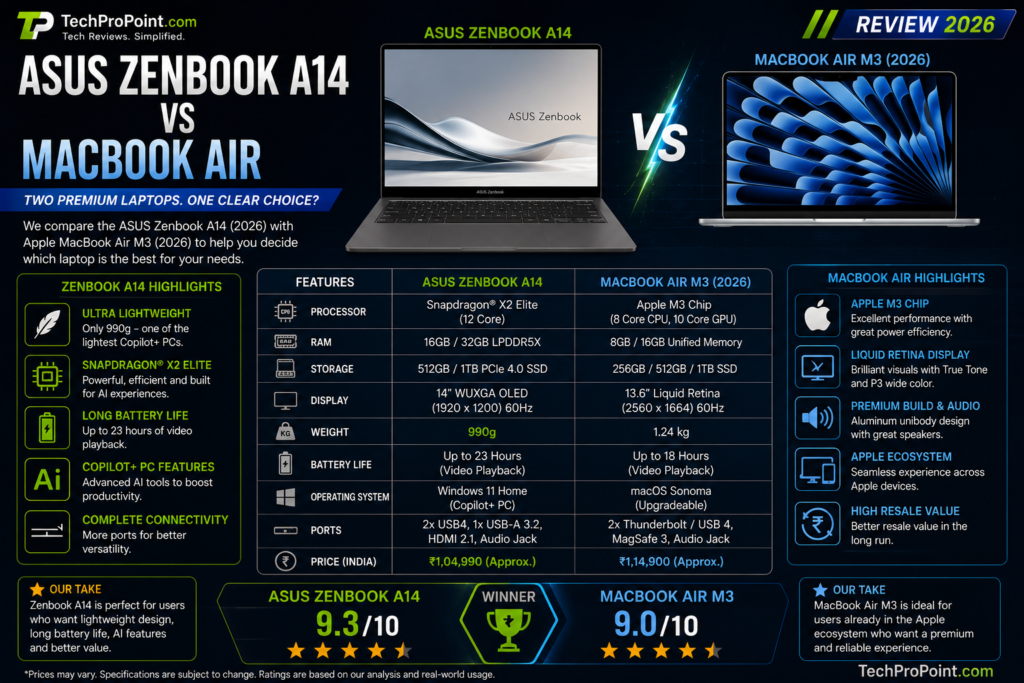
Many users will compare the Zenbook A14 with the MacBook Air because both laptops focus on portability, battery life and premium design.
The MacBook Air is strong for users who prefer macOS and the Apple ecosystem. It offers excellent battery life, smooth performance and strong build quality.
The ASUS Zenbook A14 is better for users who want Windows, OLED display, Copilot+ PC features, USB-A and HDMI support, and a lightweight design. It also gives users more flexibility with Windows software and accessories.
If you already use iPhone, iPad and Apple services heavily, MacBook Air may feel more natural. But if you want Windows, Microsoft Office, broader app support and OLED display, the Zenbook A14 is a strong choice.
Price and Availability in India
ASUS Zenbook A14 Review
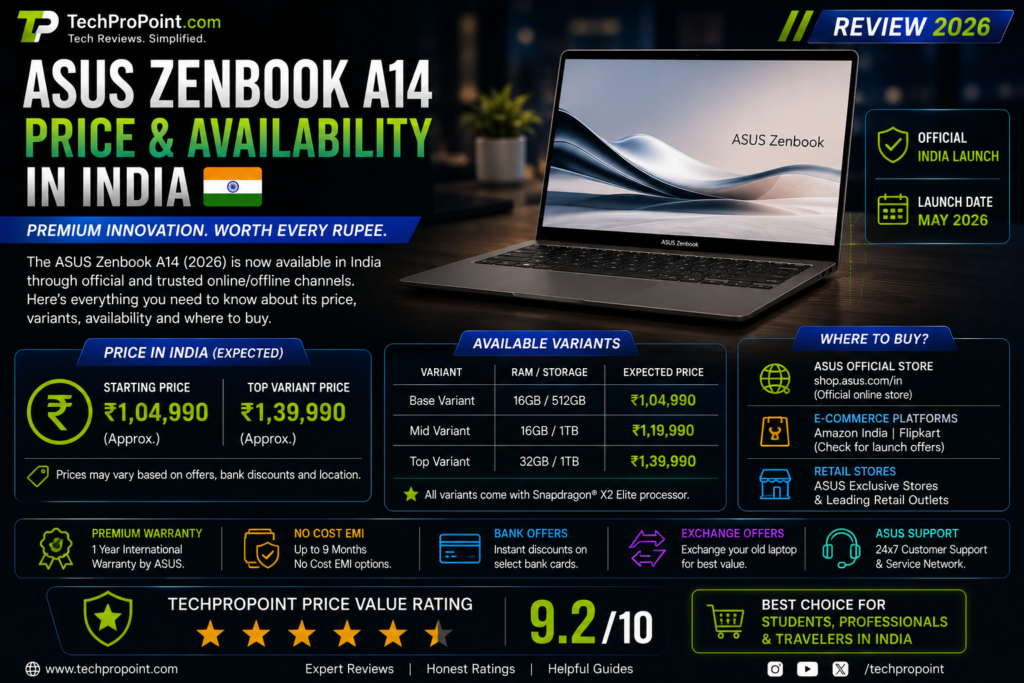
ASUS Zenbook A14 price in India depends on the exact processor, RAM, storage, color and model variant. Higher-end Snapdragon X2 Elite models will usually cost more than Snapdragon X or Snapdragon X Elite variants.
Buyers should check the latest price on the official ASUS India website and trusted retailers before purchasing. Online sale discounts, bank offers and exchange deals can also change the final price.
Before buying, always check the exact model number, processor, RAM, storage, display type, warranty and return policy. This is important because the Zenbook A14 is available in multiple configurations, and not every variant has the same processor or wireless features.
Who Should Buy ASUS Zenbook A14?
You should consider the ASUS Zenbook A14 if you want a premium lightweight Windows laptop for productivity and travel.
It is suitable for:
- Students
- Office users
- Business professionals
- Writers
- Bloggers
- Travellers
- Online class users
- Presentation work
- Light creators
- Users who want long battery life
- Users who want OLED display
- Users who want a Copilot+ PC
This laptop is best for people who value portability, display quality, battery life and clean performance.
Who Should Not Buy ASUS Zenbook A14?
The ASUS Zenbook A14 is not for everyone.
You should avoid it if:
- You want a proper gaming laptop
- You need dedicated NVIDIA or AMD graphics
- You use very specific older Windows software
- You need upgradeable RAM
- You want a 120Hz or 144Hz display
- You do heavy 3D rendering
- You need workstation-level performance
For these users, an Intel or AMD laptop with dedicated graphics may be a better option.
Pros and Cons
Pros
- Ultra-lightweight premium design
- Ceraluminum chassis
- Excellent OLED display
- Strong Snapdragon X2 Elite variant
- Powerful NPU for AI features
- Long battery life
- Good port selection
- Windows Hello IR camera
- Copilot+ PC support
- Good for students and office users
- Useful for travel and productivity
Cons
- Not suitable for serious gaming
- Some ARM software compatibility concerns
- Only 60Hz display
- RAM is onboard
- Not ideal for heavy GPU workloads
- Advanced AI features may not matter to every user
TechProPoint Rating
| Category | Rating |
|---|---|
| Design and Build | 9.4/10 |
| Display | 9.2/10 |
| Performance | 9.3/10 |
| AI Features | 9.2/10 |
| Battery Life | 9.5/10 |
| Keyboard and Touchpad | 9.0/10 |
| Ports and Connectivity | 8.9/10 |
| Webcam and Security | 8.9/10 |
| Gaming | 7.2/10 |
| Value for Money | 8.8/10 |
| Overall Rating | 9.1/10 |
TechProPoint Verdict
The ASUS Zenbook A14 is a premium thin-and-light laptop made for users who want portability, battery life, OLED display quality and modern AI features. It is not trying to be a gaming laptop or a workstation. Instead, it focuses on everyday productivity and mobility.
Its biggest strengths are its lightweight design, OLED display, long battery life, Snapdragon X-series efficiency and Copilot+ PC support. The Snapdragon X2 Elite variant makes it even more future-ready with strong CPU performance and up to 80 TOPS NPU performance.
The laptop is a strong option for students, office users, writers, travellers, bloggers and business professionals. If your work is mostly browsing, documents, online meetings, presentations, writing, light editing and productivity apps, the Zenbook A14 is a very attractive choice.
However, if you need heavy gaming, dedicated graphics, full legacy app compatibility or workstation-level performance, this laptop may not be the right option.
Overall, the ASUS Zenbook A14 is one of the strongest premium lightweight AI laptops to consider in 2026. It is smart, portable, efficient and ready for the AI PC future.
Frequently Asked Questions
ASUS Zenbook A14 Review
Is ASUS Zenbook A14 good for students?
Yes, the ASUS Zenbook A14 is a very good laptop for students who want a lightweight design, long battery life, OLED display and smooth performance for assignments, browsing, online classes and daily productivity.
Is ASUS Zenbook A14 good for office work?
Yes, it is excellent for office work. It is suitable for Microsoft Office, emails, presentations, video meetings, web browsing and multitasking.
Does ASUS Zenbook A14 have OLED display?
Yes, the ASUS Zenbook A14 comes with a 14-inch FHD+ OLED display with 1920 x 1200 resolution, 16:10 aspect ratio, 60Hz refresh rate and up to 600 nits peak brightness.
Which processor does ASUS Zenbook A14 use?
The ASUS Zenbook A14 is available with Snapdragon X-series processors, including Snapdragon X, Snapdragon X Elite and Snapdragon X2 Elite depending on the model.
Is ASUS Zenbook A14 good for gaming?
No, it is not made for serious gaming. It can handle casual games and light gaming, but users who want high-FPS gaming should buy a proper gaming laptop.
What is the battery capacity of ASUS Zenbook A14?
The ASUS Zenbook A14 comes with a 70Wh battery, which is one of its biggest strengths for long work sessions and travel.
Does ASUS Zenbook A14 support AI features?
Yes, the ASUS Zenbook A14 is a Copilot+ PC and supports AI-powered Windows features. The Snapdragon X2 Elite variant includes a Qualcomm Hexagon NPU rated up to 80 TOPS.
Does ASUS Zenbook A14 have Windows Hello?
Yes, the laptop includes an FHD camera with IR support for Windows Hello face login.
Is ASUS Zenbook A14 better than MacBook Air?
It depends on your needs. MacBook Air is better for users who prefer macOS and the Apple ecosystem. ASUS Zenbook A14 is better for users who want Windows, OLED display, strong port selection and Copilot+ PC features.
Should you buy ASUS Zenbook A14 in 2026?
Yes, if you want a premium lightweight Windows laptop with OLED display, long battery life, modern AI features and strong productivity performance, the ASUS Zenbook A14 is worth considering in 2026.
Final Words
ASUS Zenbook A14 Review
ASUS Zenbook A14 is a laptop built for modern users who want a clean, lightweight and long-lasting machine. It is not perfect for everyone, but for the right user, it can be an excellent daily laptop.
If your priority is portability, battery life, OLED display, premium design and smooth productivity performance, the Zenbook A14 is a strong option. It is especially good for students, office users, writers, bloggers and travellers.
For TechProPoint, we rate the ASUS Zenbook A14 as one of the strongest premium lightweight AI laptops to consider in 2026.
Official links
ASUS Zenbook A14 Official Page
ASUS Zenbook A14 Official Specifications
Qualcomm Snapdragon X2 Elite Official Page
Microsoft Copilot+ PCs Official Page
Internal Links
Best Dell Laptops in India 2026
Best Gaming Laptops Under ₹60,000
Best Phones Under ₹70,000 in India 2026
Android 17 Features and Supported Phones
ASUS Zenbook A14 Review ASUS Zenbook A14 Review ASUS Zenbook A14 Review